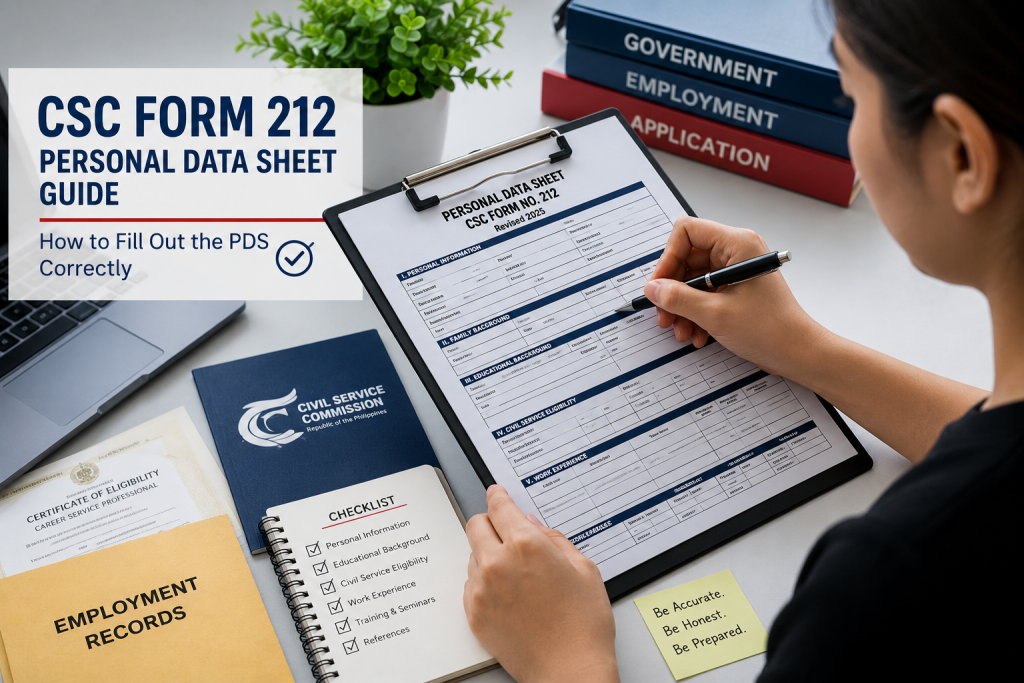
The Personal Data Sheet (PDS), officially known as CSC Form 212, is one of the most important documents required for government employment in the Philippines. Whether you are applying for a government position for the first time, seeking promotion, transferring to another agency, or updating your employee records, accomplishing your CSC Form 212 correctly is essential.
Many applicants encounter delays in their applications because of incomplete information, inconsistencies, or errors in their Personal Data Sheet. Since this official document serves as your government employment profile, every detail you provide in the CSC Form 212 should be accurate and supported by valid documents.
This guide explains each section of the CSC Form 212, common mistakes to avoid, and practical tips to help you complete the form correctly.
What Is CSC Form 212 (Personal Data Sheet)?
The Personal Data Sheet is a standardized document prescribed by the Civil Service Commission (CSC) for individuals applying for government positions. The official CSC Form 212 contains comprehensive information about an applicant’s personal background, educational attainment, civil service eligibility, work experience, training programs, and other qualifications.
Government agencies use the CSC Form 212 to:
- Evaluate applicants for government positions
- Verify qualifications and credentials
- Process appointments and promotions
- Maintain personnel records
- Support human resource management functions
Because the CSC Form 212 is considered a sworn statement, all information provided must be truthful and accurate.
⚠️ Important Reminder: The Civil Service Commission clearly states that any misrepresentation made in the CSC Form 212 and the attached Work Experience Sheet may result in administrative or criminal cases against the individual concerned. Always provide complete and truthful information.
Who Needs to Submit a Personal Data Sheet?
The submission of CSC Form 212 is commonly required for:
- Government job applicants
- Employees applying for promotion
- Personnel transferring between government agencies
- Contractual and casual employees
- Individuals updating personnel records
- Applicants for permanent government positions
In most cases, a properly accomplished CSC Form 212 is a mandatory requirement for government employment. If you are also preparing your overall application portfolio, you can check our Step-by-Step Guide on How to Apply for Government Jobs in the Philippines for more strategic career tips.
Documents Needed Before Filling Out the PDS
Before accomplishing the CSC Form 212 printout or digital copy, prepare the following documents to ensure consistency:
- PSA Birth Certificate
- Marriage Certificate (if applicable)
- Transcript of Records (TOR)
- Diploma or Certificate of Graduation
- Civil Service Eligibility Certificate
- PRC License and Board Rating (if applicable)
- Certificates of Training and Seminars
- Certificates of Employment
- Service Records
- Government-issued IDs
Having these documents readily available will help minimize errors and inconsistencies on your sheet.
General Instructions for Completing CSC Form 212
Before filling out the form, observe the following guidelines set by the commission:
Print Legibly
If you are completing the CSC Form 212 manually, write clearly using block letters.
Use Black Ink
The CSC recommends using black ink when accomplishing the form manually.
Do Not Leave Blank Spaces
For fields that do not apply to you in the CSC Form 212, write “N/A” rather than leaving them blank.
Avoid Abbreviations
Write complete names whenever possible.
- Correct: Department of Education | Avoid: DepEd
- Correct: Bachelor of Science in Business Administration | Avoid: BSBA
Use the Correct Date Format
Follow the prescribed format indicated in the document.
Verify All Information
Ensure that names, dates, and other information match your supporting documents perfectly.
Section-by-Section Guide to CSC Form 212
Section I: Personal Information
This section contains your basic personal details. Information required in this part of CSC Form 212 includes your full name, date of birth, place of birth, sex, civil status, citizenship, height, weight, blood type, contact information, residential/permanent addresses, and government ID numbers.
- Tips: Use your full legal name exactly as it appears on your PSA Birth Certificate. If you have a name extension such as Jr., Sr., or III, indicate it in the appropriate field.
- Common Mistakes: Using nicknames, providing outdated contact numbers, incorrect zip codes, and inconsistent spelling of names.
Section II: Family Background
This section requires information about your spouse, father, mother, and children. For married applicants, provide complete details about your spouse, including occupation and employer information. For single applicants, indicate “N/A” where appropriate. For the children’s pool, list all biological and legally recognized children regardless of age.
Section III: Educational Background
This section records your educational qualifications from elementary education, secondary education, vocational or trade courses, up to college education and graduate studies. For each entry, provide the name of the school, basic education or degree, period of attendance, highest level earned, year graduated, and academic honors received.
- Important Tip: Write the exact degree title appearing on your Transcript of Records and Diploma. If you did not complete a course, indicate the highest year level or units earned.
Section IV: Civil Service Eligibility
This section is one of the most important parts of the CSC Form 212 as it establishes your legal eligibility for government employment. Examples include the Career Service Professional or Subprofessional Eligibility, Barangay Official Eligibility, Sanggunian Member Eligibility, Bar Eligibility, or a PRC Board Eligibility under RA 1080. If you want to check your exemption parameters, you may read our comprehensive guide on Honor Graduate Eligibility (PD 907).
Include the type of eligibility, rating, date of examination, place of examination, license number, and validity date. Ensure all information matches your official certificate or PRC records.
Section V: Work Experience
This section contains your employment history. List all relevant work experiences beginning with your most recent position. Information required includes inclusive dates, position title, department or company, monthly salary, salary grade, appointment status, and government service indicator.
- Best Practices: Arrange entries in reverse chronological order. Avoid unexplained employment gaps. Use the separate Work Experience Sheet (WES) attachment if additional space is needed outside the main CSC Form 212.
Section VI: Voluntary Work
This section highlights your community involvement and volunteer activities in Non-Government Organizations (NGOs), religious organizations, community outreach programs, disaster response activities, or civic organizations. Provide the organization name, inclusive dates, number of hours, and your exact position or nature of work.
Section VII: Learning and Development Programs
This section records seminars, workshops, and training programs attended. Include the training title, inclusive dates, number of training hours, and the conducting institution. Prioritize trainings relevant to the position you are applying for and ensure the information matches your training certificates.
Section VIII: Other Information
This section contains your special skills and hobbies (e.g., graphic design, public speaking, computer programming), non-academic distinctions (e.g., employee recognition awards), and membership in professional associations or civic groups. If none apply, indicate “N/A.”
Section IX: References
Provide at least three references who are not related to you. Suitable references include former supervisors, professors, professional colleagues, or community leaders. Include their full name, address, and contact number. Always inform your references before listing them.
Section X: Declaration and Signature
Before signing the sheet, review all entries carefully, verify the accuracy of all information, and ensure supporting documents are available. Follow the specific instructions of the hiring agency regarding signatures, oath administration, and notarization requirements.
Common Mistakes to Avoid When Accomplishing the PDS
Many applications are delayed because of avoidable errors. Avoid the following when filling out your CSC Form 212:
- Leaving fields blank instead of putting “N/A”
- Using nicknames instead of legal names
- Providing inconsistent dates
- Omitting previous work experiences
- Incorrect civil service eligibility information
- Missing signatures or thumbmarks
- Using unofficial or outdated versions of the form
- Providing false or misleading information
Frequently Asked Questions
Can I leave blank spaces in the PDS?
No. If a field does not apply to you, write “N/A.”
Can I use abbreviations?
The CSC generally advises applicants not to abbreviate entries unnecessarily and to provide complete information whenever possible.
What if I have more work experience than the available space?
You may attach the official Work Experience Sheet (WES) which serves as an extension of your CSC Form 212.
Is the Personal Data Sheet required for all government jobs?
Yes. Most government positions require a properly accomplished Personal Data Sheet as part of the mandatory application requirements.
Can I submit an outdated version of the PDS?
No. Always download and use the latest version prescribed by the Civil Service Commission or the version required by the hiring agency. You can access official updates directly through the Civil Service Commission Official Website to download the standard verified forms.
Final Checklist Before Submission
Before submitting your CSC Form 212, make sure that:
- [ ] Personal information matches PSA records.
- [ ] Educational records match your TOR and diploma.
- [ ] Civil service eligibility details are correct.
- [ ] Work experience information is complete.
- [ ] No applicable field is left blank.
- [ ] Supporting documents are ready.
- [ ] Contact information is updated.
- [ ] Required signatures have been completed.
Conclusion
The Personal Data Sheet (CSC Form 212) is more than just an application requirement—it serves as your official government employment profile. A properly accomplished PDS helps government agencies evaluate your qualifications efficiently and reduces delays during the recruitment process.
By carefully completing each section, reviewing all information, and ensuring consistency with your supporting documents, you can submit a professional and accurate CSC Form 212 that complies with Civil Service Commission requirements and strengthens your government job application.
Related Topics
To learn more about navigating your career in the Philippine government, explore our deep-dive guides: