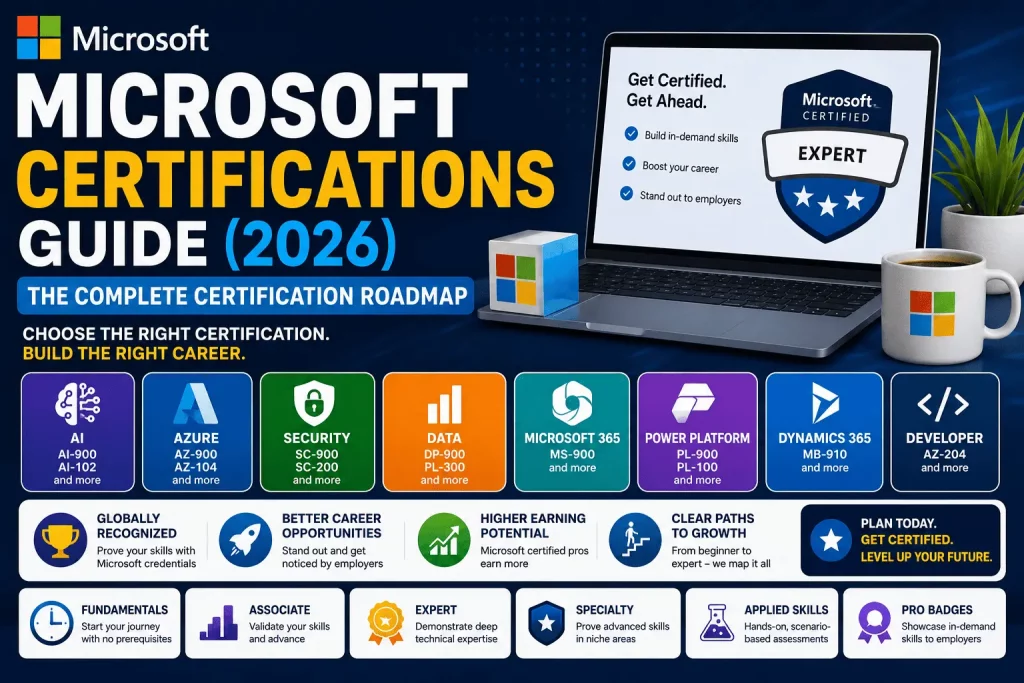
Choosing a Microsoft certification in 2026 is not as simple as picking a three-letter exam code off a list. Microsoft now runs one of the largest credentialing ecosystems in tech, spanning AI, Azure, security, data, developer tools, Microsoft 365, Power Platform, and Dynamics 365 — plus newer formats like Applied Skills and Pro Badges. Pick the wrong starting point and you waste months studying for a credential that doesn’t match your role. Pick the right one and a single exam can open the door to a six-figure cloud or AI career.
This guide is the hub. Instead of jumping straight into an AZ-900 review or a PL-300 walkthrough, we’re stepping back to map the entire Microsoft certification landscape — every path, every level, every cost, and every decision point — so you can see exactly where a specific exam fits before you commit time and money to it.
Why Microsoft Certifications Still Matter in 2026
Cloud computing, AI adoption, and hybrid work haven’t slowed down, and Microsoft sits at the center of all three through Azure, Copilot, and Microsoft 365. Employers use Microsoft certifications as a fast, standardized way to verify that a candidate can actually do the job — not just talk about it. That’s why certified professionals routinely report higher starting salaries, faster interview callbacks, and stronger internal promotion odds than uncertified peers with similar experience.
Three trends make 2026 a particularly important year to get certified:
- AI is now embedded across the entire certification portfolio, not siloed into one track. Microsoft has introduced new AI-focused certifications and Applied Skills credentials that touch Azure, security, data, and business roles alike.
- Microsoft Applied Skills and the new Pro Badges are changing how skills get verified — through short, scenario-based, lab-driven assessments rather than only long multiple-choice exams.
- Exam refreshes are accelerating. Established exams like AI-900 and AZ-800/AZ-801 are being retired and replaced with updated versions (AI-901 and AZ-802, respectively) to reflect how the underlying technology has evolved.
None of that changes the fundamentals of how to plan a certification path — it just makes having an accurate, up-to-date map more valuable than ever.
The biggest mistake most people make isn’t choosing a “bad” certification — almost every credential in Microsoft’s portfolio has value to someone. The mistake is choosing a certification that doesn’t match their actual job function or career target, then feeling discouraged when it doesn’t produce the interview callbacks or promotion conversations they expected. A network engineer earning a data analyst certification, or a business user earning a deep developer credential, will still learn something — but they won’t see the career acceleration that comes from certifying in the direction their role is already heading. This guide exists to prevent that mismatch before you spend a single hour studying.
Quick Verdict™
| If you are… | Start here | Why |
|---|---|---|
| New to IT or cloud | AZ-900 (Azure Fundamentals) | No prerequisites, broadest foundation, cheapest exam |
| Interested in AI/ML careers | AI-900 / AI-901 (Azure AI Fundamentals) | Fastest-growing certification category in the portfolio |
| Targeting a cybersecurity role | SC-900 (Security, Compliance, and Identity Fundamentals) | Entry point into the entire Microsoft security stack |
| A data analyst or BI professional | PL-300 (Power BI Data Analyst Associate) | Highest-demand data certification on Microsoft’s roadmap |
| An IT admin managing cloud infrastructure | AZ-104 (Azure Administrator Associate) | The most requested Azure credential in job postings |
| A software developer | AZ-204 (Azure Developer Associate) | Validates hands-on Azure app development skills |
| A business user in a Microsoft 365 shop | MS-900 (Microsoft 365 Fundamentals) | Covers Teams, SharePoint, Copilot, and licensing basics |
If none of those match your situation exactly, the Atlas Decision Matrix™ further down this guide will narrow it down in under two minutes.
Microsoft Certification Paths
Microsoft organizes its credentials into role- and technology-based tracks. Each track has its own beginner-to-expert progression, and most professionals only ever need to go deep in one or two.
AI Certifications
Microsoft’s AI track has expanded faster than any other category in the last two years, driven by Copilot adoption and enterprise AI deployment. It starts with AI-900 (Azure AI Fundamentals) — being refreshed as AI-901 — which covers core AI concepts, machine learning basics, computer vision, natural language processing, and responsible AI principles. Microsoft has been explicit that the underlying certification is not retiring, only the exam content behind it, so anyone who already holds AI-900 keeps a valid, recognized credential.
From the Fundamentals level, professionals typically branch in one of two directions. Technical professionals move into role-based exams like AI-102 (Azure AI Engineer Associate), which validates the ability to design and implement AI solutions using Azure AI services, including generative AI, vision, and language capabilities. Business and non-technical professionals, on the other hand, are increasingly steered toward newer business-facing AI certifications that validate practical, everyday use of Copilot and AI agents — reflecting Microsoft’s broader push to make AI literacy a credential-worthy skill even outside engineering roles. Expect this track to keep growing quickly through the rest of 2026 as Microsoft continues rolling out new AI-focused certifications and Applied Skills credentials on a near-monthly cadence.
Azure Certifications
The largest and most mature track, and still the backbone of Microsoft’s entire credentialing system. It begins with AZ-900 (Azure Fundamentals), which covers core cloud concepts, Azure services, pricing models, and governance — no technical background required. From there, the path splits by function: AZ-104 (Azure Administrator Associate) for professionals managing cloud infrastructure, identity, storage, and networking day to day, and AZ-204 (Azure Developer Associate) for those building and deploying cloud-native applications. Both feed into expert-level credentials — AZ-305 (Azure Solutions Architect Expert) for professionals designing end-to-end cloud solutions, and AZ-400 (DevOps Engineer Expert) for those owning CI/CD pipelines and release engineering. Specialty exams sit alongside this core path and cover narrower domains like networking, security, and IoT for professionals who need deep, narrow expertise beyond their primary role. Windows Server administration is also modernizing within this track: the older AZ-800/AZ-801 exam pair is being consolidated into a single updated AZ-802 exam, with the certification renamed the Microsoft Certified: Windows Server Administrator Associate to better reflect current hybrid infrastructure work.
Security Certifications
Anchored by SC-900 (Security, Compliance, and Identity Fundamentals), which introduces core concepts across Microsoft Entra, Microsoft Purview, and Microsoft Defender, this track then splits into role-specific associate and expert certifications. SC-200 (Security Operations Analyst Associate) validates the ability to detect, investigate, and respond to threats; SC-300 (Identity and Access Administrator Associate) focuses on identity governance and access management; and SC-100 (Cybersecurity Architect Expert) sits at the top, validating the ability to design comprehensive security strategies across an entire organization. Given the ongoing global shortage of qualified security professionals, this is one of the fastest-appreciating tracks in terms of both salary impact and hiring urgency — many organizations are actively willing to fast-track candidates who hold even a single associate-level security certification.
Data Certifications
Data professionals typically start with DP-900 (Azure Data Fundamentals), which covers core relational, non-relational, and analytics data concepts on Azure. From there, the track branches based on specialization. Professionals focused on business intelligence and reporting move toward PL-300 (Power BI Data Analyst Associate), currently one of the highest-demand data certifications Microsoft offers. Those focused on machine learning and predictive modeling pursue DP-100 (Azure Data Scientist Associate). And professionals working on large-scale data platforms increasingly move toward DP-203/DP-600-style engineering credentials tied to Microsoft Fabric, which has become the unifying platform for enterprise data engineering, warehousing, and analytics inside the Microsoft ecosystem.
Microsoft 365
Built around workplace productivity and administration, this track starts with MS-900 (Microsoft 365 Fundamentals), which covers Microsoft 365 apps, security and compliance basics, and licensing models. It then moves into more specialized associate and expert certifications for professionals managing enterprise Microsoft 365 environments — including endpoint management, Teams administration, and messaging administration. As Copilot becomes a standard part of the Microsoft 365 suite, expect this track to increasingly incorporate AI-usage competencies alongside traditional administrative skills, mirroring what’s already happening in the AI and Dynamics 365 tracks.
Power Platform
Covers low-code/no-code development across Power BI, Power Apps, Power Automate, and Copilot Studio — the toolset organizations use to let non-developers build apps, automate workflows, and create AI-powered agents without traditional coding. PL-900 (Power Platform Fundamentals) is the entry point and is being refreshed in 2026 with updated training and a streamlined one-day instructor-led course option. From there, associate-level exams branch into app building (Power Apps), automation (Power Automate), and functional consulting roles that bridge business requirements and Power Platform implementation.
Dynamics 365
Focused on business applications — sales, customer service, finance, and supply chain. This track is undergoing significant modernization in 2026, with new AI-integrated associate certifications replacing older, narrower credentials. Recent and upcoming additions include the Dynamics 365 Sales AI Consultant Associate certification, a new Dynamics 365 Contact Center AI Engineer Associate credential, and an Intelligent Applications Builder Associate certification — all reflecting Microsoft’s push to embed AI agents directly into core business-application workflows rather than treating AI as a bolt-on feature. Professionals currently holding older Dynamics 365 certifications scheduled for retirement should check Microsoft’s official retirement dates and plan their transition to the updated credentials accordingly.
Developer
While Azure Developer (AZ-204) is the flagship developer credential, Microsoft’s broader developer ecosystem also includes GitHub-related credentials and the emerging Pro Badges program. Pro Badges represent a genuinely new credentialing model: rather than requiring a standalone exam, they use “Verified Proficiency” — a mechanism that measures real, on-the-job performance through product telemetry to confirm a developer’s practical skill. The first Pro Badge covers GitHub Copilot proficiency, had a soft launch at Microsoft Build in June 2026, and is expected to reach general availability at GitHub Universe in late October 2026. Developers who want to stay ahead of this shift should watch for expanding Pro Badge coverage across additional tools and roles throughout late 2026 and into 2027.
Certification Levels
Every Microsoft credential fits into one of five tiers. Understanding the tier system prevents you from either under- or over-investing in an exam relative to your actual experience.
| Level | Who it’s for | Prerequisites | Typical cost |
|---|---|---|---|
| Fundamentals | Beginners, career changers, non-technical roles | None | ~$99 USD |
| Associate | 1–2+ years hands-on experience in the role | None required, but recommended experience | ~$165 USD |
| Expert | Senior professionals, architects | Often requires an associate certification first | ~$165 USD per exam |
| Specialty | Professionals needing deep, narrow expertise (e.g., networking, IoT) | Varies by exam | ~$165 USD |
| Applied Skills | Anyone needing to prove a specific, scenario-based skill quickly | None | Varies; often free or bundled with training |
Fundamentals certifications never expire. Associate, Expert, and Specialty certifications are valid for one year and can be renewed at no cost through a short online assessment on Microsoft Learn before they lapse. Applied Skills credentials are increasingly being folded into Microsoft’s new Pro Badges family, which recognizes skills demonstrated through real product usage rather than a formal exam.
Best Microsoft Certifications for Beginners
If you have zero cloud or IT background, don’t start with an associate-level exam. Start with a Fundamentals certification that matches your intended direction:
- Best overall beginner cert: AZ-900 (Azure Fundamentals) — the broadest, most universally recognized starting point.
- Best for AI curiosity: AI-900 / AI-901 (Azure AI Fundamentals).
- Best for office/business roles: MS-900 (Microsoft 365 Fundamentals).
- Best for future security careers: SC-900 (Security, Compliance, and Identity Fundamentals).
- Best for future data careers: DP-900 (Azure Data Fundamentals).
Most beginners can comfortably prepare for a Fundamentals exam in 20–40 hours using free Microsoft Learn content alone.
Best for AI
AI-900/AI-901 (Azure AI Fundamentals) is the clear starting point, followed by AI-102 (Azure AI Engineer Associate) for hands-on technical roles building AI-powered applications. Business professionals who use Copilot day-to-day but don’t code should look at Microsoft’s newer business-focused AI certifications, which validate practical AI usage rather than engineering skill.
Best for Cloud
AZ-900 → AZ-104 → AZ-305 is the standard cloud infrastructure path. Developers should swap AZ-104 for AZ-204. This progression remains Microsoft’s most in-demand certification pipeline by job posting volume.
Best for Cybersecurity
SC-900 → SC-200 (Security Operations Analyst) or SC-300 (Identity and Access Administrator), capping at SC-100 (Cybersecurity Architect Expert) for senior roles. Security certifications currently carry some of the strongest salary premiums in the entire Microsoft portfolio.
Best for Data Analytics
DP-900 → PL-300 (Power BI Data Analyst Associate) is the fastest path into a data analyst role. Professionals moving toward data engineering or Microsoft Fabric should follow up with Fabric-specific associate certifications.
Best for Developers
AZ-204 (Azure Developer Associate) is the core credential, with AZ-400 (DevOps Engineer Expert) as the natural next step for developers moving into release engineering and CI/CD ownership. GitHub Copilot Pro Badges are worth watching as they roll out through late 2026.
Best for IT Support
AZ-900 paired with MS-900 gives IT support professionals a strong, low-cost foundation before moving into AZ-104 or Microsoft 365 administrator-track certifications.
Certification Costs
Microsoft standardized its global pricing structure so that cost is now primarily determined by certification level, not by which specific exam you take:
| Level | Typical U.S. price |
|---|---|
| Fundamentals (AZ-900, AI-900/901, DP-900, SC-900, MS-900, PL-900) | $99 |
| Associate | $165 |
| Expert | $165 |
| Specialty | $165 |
| Applied Skills | Free to low-cost (varies by credential) |
A single Fundamentals certification typically costs $99 total. An Expert-level certification that requires an Associate prerequisite first can run $330–$495 once both exams are factored in. Retakes cost the full exam fee again — Microsoft does not offer a discounted retake rate, though “exam replay” bundles that include one free retake are sometimes available for Associate-level exams.
Beyond the exam fee itself, budget for indirect costs: paid training courses ($50–$2,000+ depending on depth), practice exams ($15–$100), and study time. That said, it’s entirely possible to get certified for $0 out of pocket by using Microsoft Learn’s free training paths combined with Microsoft Virtual Training Day vouchers, which frequently include a free Fundamentals exam.
Exam Difficulty
Microsoft certification exams are scored on a scale of 1–1000, with a passing score typically around 700, and are made up of multiple-choice, drag-and-drop, scenario-based, and case-study questions.
| Level | Typical study time | Difficulty |
|---|---|---|
| Fundamentals | 20–40 hours | Easy to Moderate |
| Associate | 80–120 hours | Moderate to Hard |
| Expert | 100–150+ hours | Hard |
| Specialty | 60–100 hours | Moderate to Hard |
| Applied Skills | 5–15 hours | Easy to Moderate (hands-on) |
Fundamentals exams are designed to be passable by someone with limited hands-on experience, provided they complete the official Microsoft Learn modules. Associate and Expert exams assume real, practical experience — Microsoft explicitly recommends candidates have performed the job tasks being tested, not just studied them theoretically. Case-study and scenario questions on Expert-level exams (like AZ-305 or SC-100) are consistently reported as the hardest question format in the entire portfolio, since they require synthesizing multiple requirements into a single architectural decision rather than recalling a single fact.
A few practical difficulty notes worth knowing before you schedule an exam:
- Hands-on labs matter more than memorization. Candidates who spend time actually working inside the Azure portal or Microsoft 365 admin center during their prep consistently outperform candidates who only read documentation.
- Time pressure is real at higher levels. Associate and Expert exams typically run 100–150 minutes and include 40–60 questions, meaning case studies can eat significant time if you haven’t practiced pacing.
- First-attempt pass rates are generally strongest for Fundamentals exams and progressively lower at Associate, Expert, and Specialty levels — which is exactly why the tiered roadmap in this guide exists, rather than jumping straight to the hardest relevant exam.
- Applied Skills assessments feel different from traditional exams because they’re graded on whether you successfully complete real tasks in a live lab environment, not on selecting the right multiple-choice answer — this format tends to favor candidates with genuine hands-on practice over those who crammed theory.
Free Microsoft Training
You do not need to pay for a training course to pass a Microsoft certification exam. Microsoft Learn is the official, free training platform and covers every certification path in this guide with structured learning paths, sandboxed hands-on labs, and free official practice assessments for many exams.
Additional free or low-cost resources worth knowing about:
- Microsoft Virtual Training Days — free live or on-demand training events that frequently include a voucher for a free Fundamentals-level exam.
- Official Microsoft Learn practice assessments — free, exam-aligned questions with detailed explanations, available for most certifications.
- Exam Sandbox — a free tool that lets first-time exam takers preview the actual testing interface before exam day.
- Employer ESI vouchers — many organizations enrolled in Microsoft’s Enterprise Skills Initiative can offer employees free or discounted Associate and Expert exam vouchers.
Microsoft Learn
Microsoft Learn deserves special mention because it is the single most important free resource in this entire guide. Every learning path maps directly to specific exam objectives, includes interactive labs using real (sandboxed) Azure resources at no cost, and tracks your progress toward “collections” aligned to each certification. For nearly every certification listed above, starting with the official Microsoft Learn path before touching any third-party material is the most efficient use of study time.
Certification Renewal
Renewal rules differ by certification level:
- Fundamentals certifications never expire. Once earned, AZ-900, AI-900/901, DP-900, SC-900, MS-900, and PL-900 remain valid indefinitely.
- Associate, Expert, and Specialty certifications expire one year after being earned. Microsoft sends renewal reminders roughly six months before expiration.
- Renewal is free and completed through a short online assessment on Microsoft Learn — there is no need to retake the full paid exam.
- The renewal assessment can be taken up to six months before expiration, and successfully passing it extends your certification for another year from the original expiration date.
- Applied Skills and Pro Badges generally don’t follow the same annual renewal cycle; they reflect a point-in-time or ongoing demonstration of skill rather than a fixed-term certificate.
Letting a certification lapse doesn’t erase your Microsoft Learn transcript, but your public certification status (and any related digital badge) will show as expired until you complete the renewal assessment or retake the exam.
Career Opportunities
Microsoft certifications map directly onto real, in-demand job titles rather than existing as abstract credentials. Common outcomes by track include:
- Azure track: Cloud Administrator, Cloud Solutions Architect, Site Reliability Engineer, DevOps Engineer
- AI track: AI Engineer, Machine Learning Engineer, AI Solutions Consultant, Prompt/Copilot Specialist
- Security track: Security Operations Analyst, Identity and Access Administrator, Cybersecurity Architect
- Data track: Data Analyst, Data Engineer, Data Scientist, BI Developer
- Microsoft 365 track: M365 Administrator, Endpoint Administrator, Modern Workplace Consultant
- Power Platform track: Power Platform Developer, Business Analyst, Functional Consultant
- Dynamics 365 track: CRM Consultant, ERP Consultant, Dynamics 365 Solution Architect
Recruiters frequently use certification filters directly in applicant tracking systems, meaning a relevant Microsoft certification can be the difference between a resume being seen by a human and being filtered out before anyone reads it.
Beyond the direct job-title matches above, certifications also open lateral paths that aren’t always obvious. An IT support professional who earns AZ-104 often moves into a cloud administrator role within the same company, without needing to change employers. A business analyst who picks up PL-300 frequently transitions into a dedicated data analyst or BI developer role once they can point to a validated, portfolio-ready skill. And security certifications in particular tend to open contract and consulting opportunities, since many organizations need short-term security expertise for audits, compliance projects, or incident response without hiring a full-time headcount.
It’s also worth noting that certifications compound. A professional who holds AZ-900, AZ-104, and SC-200 together is a meaningfully different — and more hireable — candidate than one holding any single certification alone, because that combination signals both infrastructure competence and security awareness, two skills that are increasingly bundled into the same job descriptions as organizations flatten their IT and security teams.
Salary Outlook
Salary impact varies by certification level, specialization, and region, but a few consistent patterns hold across recent industry compensation data:
- Associate-level Azure certifications (like AZ-104) are consistently associated with six-figure average salaries in the U.S. market, with strong job growth in the high single digits year-over-year.
- Security certifications tend to command some of the highest salary premiums of any Microsoft track, reflecting the ongoing global shortage of qualified cybersecurity professionals.
- AI-focused certifications are the fastest-growing category by both new job postings and reported salary growth, driven by enterprise AI and Copilot adoption.
- Expert-level certifications (AZ-305, AZ-400, SC-100) typically show a further salary step-up over associate-level credentials, reflecting the architectural and cross-functional decision-making they validate.
- Stacking certifications within a single track (e.g., AZ-900 → AZ-104 → AZ-305) tends to produce a stronger salary trajectory than collecting unrelated certifications across multiple tracks.
Because compensation data shifts with market conditions, treat these as directional patterns rather than fixed numbers, and check current regional salary data before making a career decision based on certification alone.
Geography also plays a meaningful role in how much certification impacts pay. In major U.S. tech hubs and in markets with a high concentration of enterprise Microsoft customers, certified professionals tend to see the largest absolute salary premiums. In markets where cloud adoption is earlier-stage, the relative premium (percentage increase over an uncertified baseline) can actually be larger, even if the absolute dollar figures are smaller — because certification does more work to differentiate a candidate in a thinner talent pool.
One pattern worth internalizing: certification alone rarely creates a salary jump on its own. What it reliably does is unlock access to interviews and roles that were previously out of reach, at which point real experience and interview performance determine the final offer. Treat a Microsoft certification as a key that opens doors, not as a guarantee of a specific number — the professionals who see the biggest salary gains are the ones who pair a new certification with an active job search or an internal promotion conversation within the following few months, while the credential is fresh and top of mind for decision-makers.
Atlas Decision Matrix™
Use this matrix to find your starting certification in three questions.
1. What’s your current experience level?
- No IT/cloud background → Start at Fundamentals
- 1+ years hands-on in a relevant role → Start at Associate
- Already Associate-certified and in a senior role → Start at Expert
2. What’s your target function?
- Infrastructure/Ops → Azure track
- Building AI features/products → AI track
- Protecting systems/data → Security track
- Working with data/reporting → Data track
- Writing code/deploying apps → Developer track
- Managing workplace tools → Microsoft 365 track
- Building low-code apps/workflows → Power Platform track
- Business applications (CRM/ERP) → Dynamics 365 track
3. What’s your time budget this quarter?
- Under 40 hours → One Fundamentals exam
- 80–120 hours → One Associate exam
- 150+ hours → Associate + Expert combination
Cross-reference your three answers against the Certification Paths section above, and you’ll land on a specific exam code, not just a track.
Atlas Certification Roadmap™
The default progression Microsoft designs its portfolio around looks like this:
Beginner → Fundamentals → Associate → Expert → Specialty
In practice:
- Beginner stage: No certification yet. Focus purely on free Microsoft Learn modules relevant to your target track.
- Fundamentals stage: Pass one Fundamentals exam (e.g., AZ-900) to validate foundational knowledge and build exam-taking confidence at low cost.
- Associate stage: Pass a role-based Associate exam (e.g., AZ-104, PL-300, SC-200) tied to your actual job function.
- Expert stage: After 1–2+ years of applied experience, pursue an Expert-level credential (e.g., AZ-305, AZ-400, SC-100) that typically requires an Associate certification as a prerequisite.
- Specialty stage (optional): Add a narrow Specialty certification only if your role requires deep expertise in a specific area like networking, IoT, or a specific compliance domain.
Most professionals should not attempt to complete every stage in every track. Depth in one track outperforms breadth across many for both hiring outcomes and salary growth.
Atlas Learning Paths™
Recommended sequencing by track, using only official Microsoft Learn content:
AI: AI-900/AI-901 → AI-102 → (optional) role-specific AI business certifications Azure: AZ-900 → AZ-104 or AZ-204 → AZ-305 or AZ-400 Cybersecurity: SC-900 → SC-200 or SC-300 → SC-100 Data: DP-900 → PL-300 or DP-100 → Fabric-specific associate credentials Developer: AZ-900 → AZ-204 → AZ-400 → GitHub Copilot Pro Badge (as it rolls out)
Each path is designed so that the Fundamentals exam de-risks the Associate exam (you’ll already know the vocabulary and core concepts), and the Associate exam de-risks the Expert exam (you’ll already have passed a Microsoft exam under real conditions).
Microsoft 365: MS-900 → Administrator or Teams-focused Associate certification → Expert-level M365 credentials for large-scale enterprise environments Power Platform: PL-900 → App-building or automation-focused Associate certification → Functional consultant or solution architect credentials Dynamics 365: MS-900 or PL-900 (as a foundation) → Role-specific Dynamics 365 Associate certification (Sales, Customer Service, Finance, or the new AI Consultant tracks) → Solution architect-level credentials
A practical tip for sequencing: don’t wait until you’ve “mastered” one stage before starting the next stage’s Microsoft Learn modules. Many candidates read ahead into the next level’s content while still preparing for their current exam — it reinforces the material and makes the eventual jump to the next certification feel far less intimidating.
Atlas Skill Matrix™
| Track | Core skill validated | Best paired with |
|---|---|---|
| AI | Applying AI/ML concepts and responsible AI practices | Data or Developer track |
| Azure | Deploying and managing cloud infrastructure | Security or Developer track |
| Security | Protecting identity, data, and infrastructure | Azure track |
| Data | Analyzing, modeling, and reporting on data | AI track |
| Developer | Building and deploying cloud-native applications | Azure or AI track |
| Microsoft 365 | Administering productivity and collaboration tools | Security track |
| Power Platform | Building low-code apps and automations | Data track |
| Dynamics 365 | Configuring business applications (CRM/ERP) | Power Platform track |
Pairing tracks — rather than certifying broadly across all eight — tends to produce the strongest, most hireable skill profile.
Atlas Difficulty Meter™
On a 1 (easiest) to 5 (hardest) scale, based on typical study hours and pass rates reported across the community:
| Certification level | Difficulty (1–5) |
|---|---|
| Fundamentals | 1–2 |
| Applied Skills | 1–2 |
| Associate | 3 |
| Specialty | 3–4 |
| Expert | 4–5 |
Within Associate and Expert levels, security and architecture-focused exams (SC-100, AZ-305) tend to rate at the higher end of their tier due to heavy scenario-based and case-study question formats.
Atlas Outcome Score™
A simple way to estimate ROI per certification: weigh salary impact, job posting demand, and time investment together.
| Certification | Salary impact | Demand | Time investment | Outcome Score |
|---|---|---|---|---|
| AZ-900 | Low | Very High | Very Low | High (as a foundation) |
| AZ-104 | High | Very High | Moderate | Very High |
| AZ-305 | Very High | High | High | High |
| PL-300 | High | High | Moderate | Very High |
| SC-200 | Very High | High | Moderate | Very High |
| SC-100 | Very High | Moderate | High | High |
| AI-900/901 | Moderate | Very High | Very Low | Very High (as a foundation) |
| AI-102 | High | High | Moderate | High |
Fundamentals-level exams score well on Outcome despite lower direct salary impact because their time investment is so low — they’re the highest-leverage first step in almost every path.
Frequently Asked Questions
1. What is the best Microsoft certification to start with? AZ-900 (Azure Fundamentals) is the most broadly useful starting point for most people, since it requires no prerequisites and applies to nearly every downstream Azure, security, and developer path.
2. How much do Microsoft certifications cost? Fundamentals exams cost around $99 USD, while Associate, Expert, and Specialty exams cost around $165 USD each. Total cost depends on how many exams a given certification requires.
3. Do Microsoft certifications expire? Fundamentals certifications never expire. Associate, Expert, and Specialty certifications expire one year after being earned and must be renewed.
4. How do I renew a Microsoft certification? By completing a free, short online renewal assessment on Microsoft Learn, available starting about six months before your certification’s expiration date.
5. Are Microsoft certifications worth it in 2026? Yes, particularly for Azure, security, and AI roles, where certified professionals consistently see stronger salary and hiring outcomes than uncertified peers with similar experience.
6. What’s the difference between Fundamentals, Associate, and Expert certifications? Fundamentals validate foundational knowledge with no experience required. Associate validates applied, role-based skill with some hands-on experience expected. Expert validates senior-level, cross-functional expertise and often requires an Associate certification first.
7. What is Microsoft Applied Skills? A newer credential format that verifies a specific, real-world skill through a short, interactive, lab-based assessment rather than a traditional multiple-choice exam.
8. What are Microsoft Pro Badges? A new credential family that recognizes skills demonstrated through actual product usage and telemetry — starting with GitHub Copilot — rather than a separate formal exam.
9. Which Microsoft certification pays the most? Expert-level certifications like AZ-305 (Solutions Architect Expert) and SC-100 (Cybersecurity Architect Expert) are generally associated with the highest salaries in the portfolio, though Associate-level Azure and security certifications also command strong pay.
10. How long does it take to get an Azure certification? Fundamentals exams typically take 20–40 hours of study; Associate exams typically take 80–120 hours, depending on prior experience.
11. Can I get a Microsoft certification for free? Yes — Microsoft Learn training is free for every certification, and Microsoft Virtual Training Days frequently include free Fundamentals exam vouchers.
12. What replaced AI-900? AI-900 is being replaced by the updated AI-901 exam, which reflects current AI concepts and responsible AI practices; the underlying Azure AI Fundamentals certification itself is not retiring.
13. What replaced AZ-800 and AZ-801? Those exams are being replaced by the updated AZ-802 exam, and the associated certification is being renamed the Microsoft Certified: Windows Server Administrator Associate.
14. Do I need work experience before taking an Associate exam? It’s not a formal requirement, but Microsoft designs Associate exams assuming candidates have performed the relevant job tasks, so real hands-on practice significantly improves pass rates.
15. What’s the passing score on a Microsoft exam? Most Microsoft certification exams are scored on a 1–1000 scale, with a passing score typically set around 700, though this can vary slightly by exam.
16. How many times can I retake a failed Microsoft exam? Up to five times within 12 months of your first attempt, with a mandatory 24-hour wait after the first failure and 14-day waits after subsequent failures.
17. Is there a discount for retaking a failed exam? No — retakes cost the same as the original exam fee, though “exam replay” bundles that include one free retake are sometimes available for select Associate-level exams.
18. What is the best certification path for a career change into cloud computing? AZ-900 followed by AZ-104 (for infrastructure roles) or AZ-204 (for development roles) is the most common and effective path for career changers.
19. What is the best certification path for cybersecurity beginners? SC-900, followed by SC-200 (Security Operations Analyst) or SC-300 (Identity and Access Administrator), depending on your target specialization.
20. What certification should a data analyst pursue? PL-300 (Power BI Data Analyst Associate) is the most directly relevant certification for business intelligence and data analyst roles.
21. Is Power BI certification (PL-300) hard? It’s rated moderate difficulty; most candidates with some hands-on Power BI experience report needing 60–100 hours of preparation.
22. What’s the difference between AZ-104 and AZ-204? AZ-104 (Azure Administrator Associate) focuses on managing cloud infrastructure; AZ-204 (Azure Developer Associate) focuses on building and deploying applications on Azure.
23. Do Microsoft certifications expire if I stop working in IT? Fundamentals certifications remain valid regardless of employment status. Associate, Expert, and Specialty certifications still expire annually and require renewal to stay current, regardless of your job status.
24. Can beginners skip Fundamentals and go straight to Associate? It’s possible, since Fundamentals aren’t a formal prerequisite for most Associate exams, but skipping them significantly increases study time and risk of failure for candidates without prior cloud experience.
25. What is Microsoft Learn? Microsoft’s official, free training platform, offering structured learning paths, sandboxed hands-on labs, and practice assessments aligned to every certification exam.
26. How do I know which Microsoft certification track fits my career? Match your target job function (infrastructure, AI, security, data, development, business apps) to the relevant track outlined in the Certification Paths section of this guide, or use the Atlas Decision Matrix above.
27. What is the hardest Microsoft certification? Expert-level architecture and security exams — particularly AZ-305 and SC-100 — are widely considered the hardest due to their heavy use of scenario-based and case-study questions.
28. Do I need a certification to work with Azure professionally? No — certification isn’t legally or formally required to work with Azure, but it significantly improves hiring odds, especially for candidates without a strong existing portfolio or referral network.
29. What is the newest certification track from Microsoft? Business-facing AI certifications and Applied Skills credentials tied to Copilot and AI agents are the newest and fastest-growing additions to the portfolio in 2026.
30. How do Microsoft certifications compare to AWS or Google Cloud certifications? They validate similar skill levels and follow a similar Fundamentals-to-Expert structure, though the right choice ultimately depends on which cloud platform your target employer or industry primarily uses.
31. Can I put a Microsoft certification on LinkedIn? Yes — Microsoft issues a shareable digital badge for every certification and Applied Skills credential, designed specifically for LinkedIn and other professional profiles.
32. What happens if my certification expires before I renew it? Your public certification status shows as expired until you either complete the free renewal assessment or retake the full exam, though your Microsoft Learn history and progress are not lost.
33. Is Dynamics 365 certification worth it in 2026? Yes, particularly with Microsoft’s 2026 push toward AI-integrated Dynamics 365 roles like the new Sales AI Consultant Associate certification, which reflects strong current demand for CRM/ERP professionals who can work with AI features.
34. What’s the best certification for someone who only uses Microsoft 365 tools, not Azure? MS-900 (Microsoft 365 Fundamentals) is the right starting point, with administrator or Teams-focused associate certifications as the next step for IT roles.
35. How often does Microsoft update its certification exams? Fairly often — Microsoft regularly refreshes exam content to reflect new product features and retires outdated exams, as seen with the AI-900 to AI-901 and AZ-800/801 to AZ-802 transitions in 2026.
36. Should I take a paid course or use free Microsoft Learn content? Free Microsoft Learn content is sufficient for most candidates, especially at the Fundamentals and Associate levels; paid courses are most useful for candidates who want structured pacing, instructor support, or accelerated timelines.
37. What is the fastest Microsoft certification to earn? A Fundamentals-level exam (AZ-900, AI-900/901, DP-900, SC-900, MS-900, or PL-900) is the fastest, typically achievable in 20–40 hours of study for a motivated beginner.
38. Do employers actually value Microsoft certifications? Yes — many organizations use certification filters directly in applicant tracking systems, and certifications are commonly used as objective skill benchmarks during hiring and internal promotion decisions.
39. Should I stack certifications across multiple tracks, or stay focused in one? Staying focused within one or two related tracks (like Azure paired with Security) generally produces stronger hiring and salary outcomes than spreading certifications thinly across many unrelated tracks.
40. What should I do after finishing this guide? Use the Atlas Decision Matrix to identify your starting exam, then follow the corresponding Atlas Learning Path using free Microsoft Learn content — most beginners can be exam-ready for a Fundamentals certification within a few weeks of consistent study.
This guide is updated to reflect Microsoft’s certification portfolio as of mid-2026, including the AI-900-to-AI-901 and AZ-800/801-to-AZ-802 exam transitions and the rollout of Microsoft Pro Badges. Exam names, prices, and prerequisites can change — always confirm current details on Microsoft’s official Learn and Credentials pages before scheduling an exam.