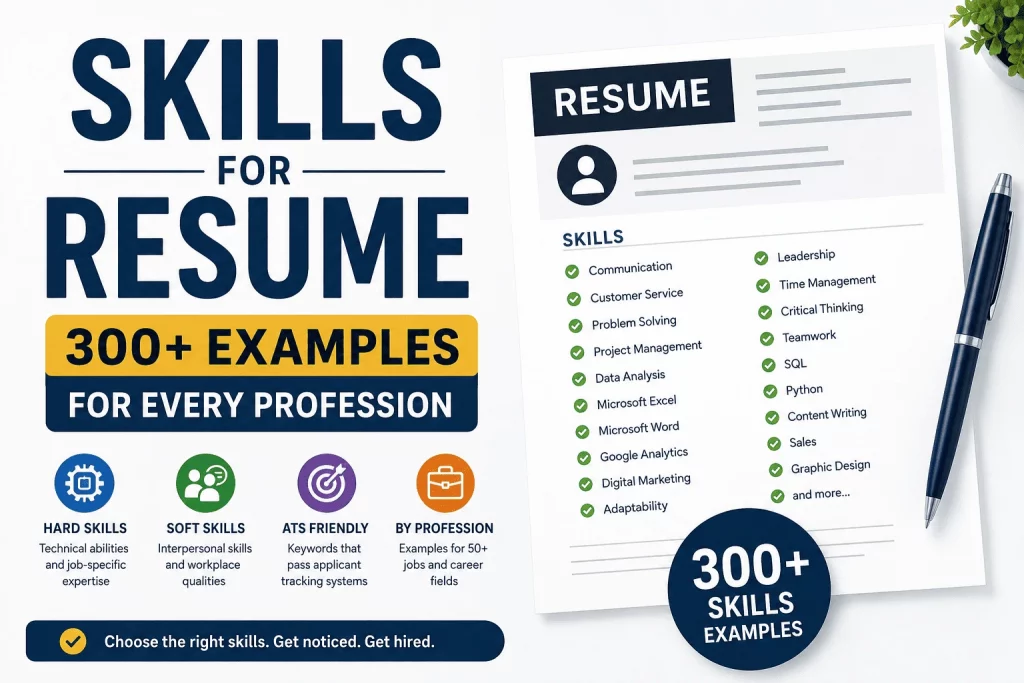
Employers often spend only a few seconds reviewing a resume before deciding whether to keep reading, and the skills section is one of the first places their eyes land. Before a recruiter reads a single line of your work history, they’re already scanning for the handful of keywords that tell them whether you’re worth a closer look. Choose the wrong skills — too generic, too vague, or simply irrelevant to the role — and even a strong work history can get passed over.
This guide breaks down exactly which skills belong on a resume, how to tell hard skills from soft skills, and how to prioritize the right ones for any job you’re applying to. It includes more than 300 skill examples organized by category and by profession, so you can find the ones closest to your background and adapt them instead of guessing.
What skills should I put on my resume? Include skills that are directly relevant to the job you are applying for, focusing on a mix of hard skills, technical skills, and soft skills that match the employer’s requirements.
Why Skills Matter on a Resume
The skills section acts as a fast-reference summary of your capabilities, separate from the narrative detail in your work history. Recruiters use it to quickly confirm you have the qualifications the role requires, and applicant tracking systems (ATS) use it as one of the primary sources of keyword matches when ranking candidates against a job posting.
For candidates with a non-traditional background — a career change, a gap in employment, or a job history that doesn’t map neatly onto the target role — the skills section carries even more weight. It’s the one place on the resume where you can state your qualifications directly, without needing a job title to justify them.
How Recruiters Scan Resumes
Most recruiters don’t read a resume top to bottom on the first pass — they scan it. Job title, employer names, and the skills section get the fastest read, because these are the elements that answer the recruiter’s core question in the shortest amount of time: “Does this person have what we need?” A tightly targeted skills list, aligned with the language of the job posting, answers that question before the recruiter has read a single bullet point of your experience.
ATS Keyword Matching
Applicant tracking systems parse resumes for keywords that match the job description, and the skills section is typically weighted heavily in that process. Many ATS platforms score resumes based on how many required and preferred skills from the posting appear in the document — with the skills section serving as the clearest, most direct source of those matches. A resume that never explicitly lists “SQL,” “Google Analytics,” or “CRM software,” even if the candidate has used all three, can score lower than a less experienced candidate who named them directly.
This is one of the most counterintuitive parts of modern job searching: genuine competence isn’t enough if it isn’t named in the format the screening software expects. A candidate who “built reports for leadership using spreadsheets” and a candidate who lists “Advanced Excel, Data Visualization, Pivot Tables” may have done nearly identical work, but only the second resume reliably clears an ATS filter searching for those exact terms.
Why Choosing the Right Skills Matters
Not every skill you have belongs on every resume. A resume padded with 25 unrelated skills doesn’t read as more qualified — it reads as unfocused, and it dilutes the skills that actually matter for the role. The goal isn’t to list everything you know; it’s to list the specific skills that match what this particular employer is looking for, in language that mirrors their own posting.
Ready to put the right skills in front of the right employer? Build your resume using our Free Resume Builder Online | Create & Download PDF Resume — it helps you organize hard and soft skills into an ATS-friendly format in minutes.
What Are Resume Skills?
Definition
Resume skills are the specific abilities, competencies, and areas of expertise you list on your resume — usually in a dedicated skills section — to show an employer what you’re capable of doing. They range from technical, measurable abilities like “SQL” or “financial reporting” to interpersonal traits like “communication” or “adaptability.” Together, they form the shorthand a hiring team uses to quickly compare your qualifications against everyone else’s in the applicant pool.
Why Skills Matter
Skills give an employer a fast way to confirm role fit without reading your entire work history. They also give you a place to highlight capabilities that might not be obvious from your job titles alone — a marketing coordinator who’s also skilled in basic HTML, for example, or an accountant proficient in a specific ERP system.
How Recruiters Evaluate Skills
Recruiters generally look for two things in a skills section: relevance and specificity. A skills list that closely mirrors the job posting’s required qualifications signals a strong match. A skills list full of vague, generic terms — “hard worker,” “people person” — signals the opposite, regardless of how true those traits might be.
How ATS Systems Use Skills
ATS platforms typically extract the skills section as structured data and compare it directly against the keywords in the job posting. Some systems assign a numeric match score based on the percentage of required skills present. This is why naming skills explicitly — rather than only implying them through job duties — has a measurable effect on whether a resume passes the initial screening stage.
Different ATS platforms weight this process slightly differently — some prioritize an exact skills-section match, while others also scan work-experience bullet points for the same keywords. Because you generally won’t know which specific ATS a given employer uses, the safest approach is to make sure your most important skills appear both in the dedicated skills section and, where relevant, echoed in your work history.
Hard Skills vs Soft Skills
| Feature | Hard Skills | Soft Skills |
|---|---|---|
| Measurable | Yes | No |
| Learned | Yes | Often developed over time |
| Job Specific | Usually | Often universal across roles |
| ATS Value | High | Moderate |
| Examples | SQL, bookkeeping, CAD design | Communication, leadership, adaptability |
| Best Shown By | Certifications, tools, direct experience | Behavior described through achievements |
Hard skills are typically learned through education, training, or direct job experience, and they can be objectively verified — you either know SQL or you don’t. Soft skills are harder to measure directly, which is why the strongest resumes back soft skills up with evidence (an achievement, a result, a specific example) rather than listing them as standalone words. A resume needs both: hard skills to prove you can do the technical work, and soft skills to show how you work with others and handle the parts of the job that can’t be reduced to a tool or certification.
How to Choose Skills for Your Resume
Step 1: Analyze the Job Description
Read the posting closely and underline every skill, tool, and qualification mentioned — including ones listed as “preferred” rather than “required.” This list becomes your starting reference point for what to prioritize. Pay particular attention to skills that appear more than once in the posting, since repetition is often a signal of what the hiring manager considers non-negotiable.
Step 2: Match Your Experience
Go through your own background and identify which of those required and preferred skills you genuinely have. Be honest here — listing a skill you can’t speak to in an interview creates a credibility problem later in the process, not just a resume problem. If you’re missing a required skill entirely, consider whether a closely related skill you do have is worth naming instead, framed accurately — and be prepared to speak honestly about the gap if it comes up in an interview rather than overstating your familiarity with it.
Step 3: Prioritize Relevant Skills
Not every skill you have deserves space on this specific resume. Rank your matched skills by how central they are to the role, and lead your skills section with the strongest, most job-relevant ones rather than burying them in a long alphabetical list. Recruiters and ATS scans alike tend to weight the first several entries more heavily than the rest.
Step 4: Remove Irrelevant Skills
Cut anything that doesn’t support your case for this specific job, even if it’s a genuine skill you’re proud of. A project manager applying for a construction role doesn’t need “graphic design” in their skills section, even if they’re good at it — it takes up space that could go to a more relevant qualification like “risk assessment” or “subcontractor coordination.”
Step 5: Customize for Every Application
Skills sections should shift slightly with every application, mirroring the specific language and priorities of each job posting. A single generic skills list reused across every application will always underperform a tailored one, both for ATS matching and for the human reader. This doesn’t mean rewriting the section from scratch each time — most candidates can keep a master list of 20 to 30 relevant skills and simply reorder or swap a few entries per application.
Need help building an ATS-friendly skills section? Use our Free Resume Builder Online | Create & Download PDF Resume to automatically organize and prioritize your skills.
Resume Skills Selection Matrix™
Use this matrix to quickly pair the right hard and soft skills for common roles. It’s a starting reference — always cross-check against the specific job posting you’re applying to.
| Job Type | Hard Skills | Soft Skills |
|---|---|---|
| Customer Service | CRM Software | Communication |
| Virtual Assistant | Calendar Management | Organization |
| Teacher | Lesson Planning | Leadership |
| Accountant | Financial Reporting | Attention to Detail |
| Software Developer | Programming | Problem Solving |
| Marketing Specialist | SEO / Google Analytics | Creativity |
| Project Manager | Project Scheduling | Time Management |
| Nurse | Clinical Documentation | Empathy |
| HR Specialist | HRIS Systems | Conflict Resolution |
| Data Analyst | SQL / Data Visualization | Analytical Thinking |
How to use the matrix: Find the job type closest to your target role, then treat the listed hard and soft skill as anchor points — not the full list. Build outward from there using the profession-specific skill lists later in this guide, and always weight the final selection toward whatever the actual job posting emphasizes most.
The matrix works because most job postings, regardless of exact title, tend to require one dominant hard skill and one dominant soft skill above all others — the technical proof that you can do the work, and the interpersonal quality that determines how well you’ll do it alongside a team. Once you’ve identified those two anchor points for your target role, every other skill you add should support or complement them rather than compete with them for the recruiter’s attention.
Resume Skills Priority Pyramid™
Not all resume skills carry the same weight. One of the most common mistakes job seekers make is treating every skill as equally important. In reality, recruiters and applicant tracking systems (ATS) prioritize some skills far more heavily than others. The Resume Skills Priority Pyramid™ helps you decide which skills deserve the most visibility on your resume.
Tier 1: Core Job Requirements (Highest Priority)
These are the skills directly mentioned in the job posting and are often considered non-negotiable. If an employer requires a specific tool, certification, or technical competency, these skills should appear prominently in your skills section and, where possible, be reinforced within your work experience.
Examples:
- SQL (Data Analyst)
- QuickBooks (Accountant)
- Google Analytics (Marketing Specialist)
- Classroom Management (Teacher)
- Clinical Documentation (Nurse)
Rule: If a required skill appears in the job posting and you genuinely possess it, it belongs near the top of your skills section.
Tier 2: Supporting Technical Skills
These skills strengthen your ability to perform the role but may not be listed as mandatory requirements. They often complement Tier 1 skills and help demonstrate broader competency.
Examples:
- Data Visualization
- Budget Forecasting
- CRM Software
- Project Scheduling
- Content Management Systems
Rule: Use these skills to support and reinforce your primary qualifications.
Tier 3: Professional Soft Skills
Soft skills demonstrate how you work with others and handle workplace responsibilities. While important, they should support — not replace — technical qualifications.
Examples:
- Communication
- Leadership
- Problem Solving
- Adaptability
- Time Management
Rule: Include soft skills that are relevant to the role and, whenever possible, support them with achievements in your work experience section.
How to Use the Pyramid
Before submitting your resume, review every skill and place it into one of the three tiers.
- Prioritize Tier 1 skills.
- Support them with Tier 2 skills.
- Round out your profile with a select number of Tier 3 skills.
A strong resume is not the one with the most skills — it is the one that gives the highest visibility to the skills employers care about most.
Example: Customer Service Resume
Tier 1
- CRM Software
- Complaint Resolution
- Customer Retention
Tier 2
- Live Chat Support
- Ticketing Systems
- Order Processing
Tier 3
- Communication
- Active Listening
- Problem Solving
In this example, the recruiter immediately sees the competencies required for the role before encountering supporting and interpersonal skills.
Atlas Insight
The most effective skills sections follow a simple rule: lead with the skills that prove you can do the job, support them with the tools that help you do it well, and finish with the qualities that make you effective in the workplace.
Resumes that follow this structure are typically easier for recruiters, ATS platforms, and AI-powered screening systems to evaluate because the most relevant qualifications appear first.
Top Hard Skills for Resume
Technology Skills
Technology skills are among the most reliably ATS-matched, since they’re almost always named as exact tool titles in job postings.
Microsoft Excel, Google Sheets, SQL, Python, Data Analysis, Power BI, Tableau, Microsoft PowerPoint, Salesforce, HTML/CSS, Google Workspace, Cloud Computing (AWS/Azure), Data Visualization, Database Management, API Integration
Administrative Skills
These skills anchor almost any office-based support role and transfer easily across industries.
Calendar Management, Scheduling, Data Entry, Office Management, Documentation, Records Management, Travel Coordination, Meeting Coordination, Correspondence Management, Filing Systems
Marketing Skills
Marketing hiring managers tend to favor candidates who can name specific platforms and channels rather than “marketing experience” in general.
SEO, Content Marketing, Google Analytics, Email Marketing, Social Media Marketing, Paid Advertising (PPC), Copywriting, Brand Strategy, Marketing Automation, Campaign Management
Financial Skills
Finance and accounting postings are especially keyword-driven, so naming the exact reporting standards and software you’ve used pays off.
Budgeting, Financial Reporting, Tax Preparation, Bookkeeping, Accounts Payable/Receivable, Financial Forecasting, Payroll Processing, Auditing, Financial Modeling, Cost Analysis
Customer Service Skills
Customer-facing roles benefit from naming the specific systems and resolution processes used, not just general friendliness.
CRM Systems, Ticketing Software, Complaint Resolution, Live Chat Support, Order Processing, Escalation Handling, Product Knowledge, Multi-Channel Support, Call Center Software
Top Soft Skills for Resume
Communication
Clear verbal and written communication, active listening, presenting to stakeholders, cross-departmental coordination, client-facing communication. This is one of the most universally required soft skills across every profession in this guide, which makes it worth backing with a specific example rather than listing alone.
Teamwork
Collaborating across departments, contributing in group projects, supporting colleagues under deadline pressure, participating constructively in team meetings. Employers weigh this heavily for roles involving cross-functional projects, where individual output depends on how well people coordinate with others.
Leadership
Mentoring junior staff, delegating tasks effectively, leading project teams, making decisions under uncertainty, motivating a team toward shared goals. You don’t need a formal management title to claim this — leading a project, a shift, or a volunteer initiative counts.
Problem Solving
Diagnosing root causes, troubleshooting technical or process issues, developing creative solutions under constraints, resolving conflicts between competing priorities. This skill reads strongest when paired with a specific problem you solved and the measurable outcome that followed.
Time Management
Meeting deadlines consistently, prioritizing competing tasks, managing multiple projects simultaneously, working efficiently under pressure. Roles with high task volume or tight turnaround windows tend to weight this skill especially heavily.
Adaptability
Adjusting to new tools or processes quickly, handling shifting priorities, thriving in fast-changing environments, learning new skills on the job. This has become increasingly valued as companies adopt new software and processes at a faster pace than in previous decades.
Critical Thinking
Evaluating information objectively, identifying gaps in a plan before they become problems, weighing trade-offs before making a recommendation. This skill matters most in roles where you’re expected to make judgment calls without constant oversight.
Organization
Structuring workflows logically, maintaining accurate records, managing competing deadlines without dropping details, keeping projects on track. Administrative, project management, and operations roles typically rank this among their top-weighted soft skills.
Skills for Resume by Profession
The lists below are grouped by profession. Pick the skills that genuinely match your background, and cross-reference them against the specific job posting before finalizing your resume.
Administrative Assistant Skills
Administrative roles reward candidates who can prove they keep an office running smoothly, so lead with organizational and software skills before soft skills.
Calendar Management, Scheduling, Data Entry, Office Management, Correspondence Handling, Travel Coordination, Microsoft Office Suite, Filing Systems, Meeting Coordination, Records Management, Vendor Coordination, Expense Reporting, Multi-Line Phone Systems
Customer Service Representative Skills
Customer service resumes benefit from naming the specific systems and resolution skills used day to day, not just general friendliness.
CRM Software, Complaint Resolution, Active Listening, Ticketing Systems, Live Chat Support, Order Processing, Product Knowledge, Conflict De-escalation, Multi-Channel Support, Call Handling, Upselling, Customer Retention
Virtual Assistant Skills
Remote-first roles like this one place extra weight on the specific tools you can operate independently, since there’s no in-office supervision to fall back on.
Calendar Management, Email Management, Data Entry, Social Media Scheduling, Basic Bookkeeping, Project Management Tools (Trello, Asana), CRM Software, Travel Booking, Document Preparation, Time Zone Coordination
Teacher Skills
Education roles combine curriculum expertise with classroom management, so balance instructional skills with the interpersonal skills needed to manage a room of students.
Lesson Planning, Curriculum Development, Classroom Management, Differentiated Instruction, Student Assessment, Individualized Education Plans (IEPs), Parent Communication, Educational Technology, Behavior Management, Grading and Feedback
Accountant Skills
Accounting resumes should lead with the specific software and reporting standards you’ve worked with, since these are the fastest ATS matches in finance postings.
Financial Reporting, Bookkeeping, Tax Preparation, Accounts Payable/Receivable, Budgeting, Auditing, Reconciliation, QuickBooks, Financial Forecasting, GAAP Compliance, Payroll Processing
Nurse Skills
Clinical roles require both direct patient-care competencies and the documentation skills that keep a care team coordinated.
Patient Assessment, Clinical Documentation, Medication Administration, Vital Signs Monitoring, Care Plan Development, Electronic Health Records (EHR), Patient Education, Wound Care, IV Therapy, Emergency Response
Software Developer Skills
List the specific languages and frameworks mentioned in the posting first, then round out the section with the collaborative practices that show you can work on a team.
Programming (Python, JavaScript, Java), Version Control (Git), API Development, Debugging, Database Management (SQL), Agile/Scrum Methodology, Unit Testing, Code Review, Cloud Deployment, Object-Oriented Design
IT Professional Skills
IT postings are usually highly specific about tools and systems, so mirror that specificity rather than defaulting to a broad term like “tech support.”
Network Administration, Troubleshooting, System Maintenance, Cybersecurity Fundamentals, Help Desk Support, Cloud Infrastructure, Hardware Configuration, Active Directory, Ticketing Systems, Data Backup and Recovery
Marketing Specialist Skills
Marketing skills sections perform best when they show both strategic thinking and hands-on platform experience.
SEO, Content Strategy, Google Analytics, Email Marketing, Social Media Management, Campaign Analysis, Paid Advertising, Marketing Automation, Copywriting, A/B Testing
SEO Specialist Skills
SEO is one of the most tool-specific disciplines in marketing, so naming the exact platforms and techniques you use will outperform generic phrasing every time.
Keyword Research, Technical SEO Audits, Link Building, On-Page Optimization, Google Search Console, Content Strategy, Site Speed Optimization, Schema Markup, Competitor Analysis, SEO Reporting
Human Resources Skills
HR resumes should demonstrate both the systems you’ve administered and the people-facing skills that make policy actually work day to day.
Recruitment and Onboarding, Employee Relations, HRIS Systems, Performance Management, Benefits Administration, Policy Development, Conflict Resolution, Compliance Management, Compensation Planning, Training Coordination
Project Manager Skills
Project management resumes benefit from naming a specific methodology (Agile, Waterfall) and the software you’ve used to run it.
Project Scheduling, Budget Management, Risk Assessment, Stakeholder Communication, Agile/Scrum Methodology, Resource Allocation, Project Management Software (Asana, Jira, MS Project), Timeline Tracking, Vendor Management
Government Employee Skills
Public sector postings often use precise regulatory and procedural language — matching that language closely tends to matter more here than in private-sector roles.
Public Records Management, Regulatory Compliance, Policy Interpretation, Interagency Coordination, Case Documentation, Community Outreach, Budget Administration, Permit Processing, Public Communication
Data Analyst Skills
Data roles are evaluated almost entirely on tool and technique specificity, so lead with the languages and platforms you’re proficient in.
SQL, Data Visualization (Tableau, Power BI), Statistical Analysis, Excel (Advanced Formulas, Pivot Tables), Python/R, Data Cleaning, Reporting and Dashboards, A/B Testing, Forecasting
Graphic Designer Skills
Design resumes should name the specific software and design disciplines relevant to the role, since a portfolio alone won’t clear an ATS filter.
Adobe Photoshop, Adobe Illustrator, Typography, Brand Identity Design, Layout Design, Adobe InDesign, Color Theory, UI/UX Design Basics, Print and Digital Design, Client Presentation
Ready to build a skills section this specific for your own resume? Our Free Resume Builder Online | Create & Download PDF Resume includes profession-based skill suggestions you can add with one click, then customize for each application.
Skills for Career Changers
Career changers face a specific challenge: the skills section has to bridge two different fields at once, proving both that you understand the new industry and that your prior experience genuinely transfers. The strongest approach is to lead with skills that are functionally identical across both fields — project coordination, budget management, staff supervision — before layering in any new, field-specific skills you’ve picked up through courses, certifications, or self-study.
Common transferable skills worth highlighting when changing fields: Project Management, Budget Oversight, Team Leadership, Client Relationship Management, Process Improvement, Cross-Functional Collaboration, Data-Driven Decision Making, Vendor Negotiation, Staff Training and Development, Strategic Planning, Public Speaking, Conflict Resolution, Stakeholder Communication, Change Management, Performance Analysis.
Pair these transferable skills with one or two new, field-specific skills that show you’ve already begun investing in the new direction — a completed certification, a self-taught tool, or a bootcamp credential. This combination signals both continuity (you’re not starting from zero) and genuine intent (you’ve done more than just decide to switch).
Skills for Experienced Professionals
For candidates with a decade or more of experience, the skills section should shift away from foundational, entry-level competencies and toward the strategic and leadership skills that reflect seniority. A software developer with 12 years of experience doesn’t need to list “basic debugging” — that’s assumed. Instead, lead with skills like “Technical Architecture,” “Engineering Team Leadership,” or “Cross-Team Roadmap Planning” that reflect the scope of responsibility the role actually carries.
Experienced professionals should also resist the temptation to list every tool they’ve touched across a long career. A 15-year marketing veteran doesn’t need to include software they used briefly a decade ago and haven’t touched since — the skills section should reflect current, active competencies, not a historical inventory.
Skills for Fresh Graduates
Fresh graduates often assume they don’t have “real” skills to list, but skills gained through coursework, internships, volunteer work, and student organizations are legitimate and employers expect to see them. The key is framing academic and extracurricular experience in professional language rather than treating it as separate from “real” work experience.
Transferable Skills
These are skills developed in one context — school, volunteering, part-time work — that apply directly to a professional role: communication, teamwork, time management, adaptability, problem-solving, critical thinking, research, organization, attention to detail, and basic project coordination.
Academic Skills
Skills built directly through coursework and academic projects: data analysis, technical writing, statistical software (SPSS, R), laboratory techniques, literature review, presentation design, academic research, group project coordination, and subject-specific technical skills tied to your major.
Volunteer Experience Skills
Skills gained through unpaid community or campus involvement: event coordination, fundraising, public speaking, community outreach, basic budgeting, volunteer coordination, and cross-functional collaboration with diverse groups of people.
Internship Skills
Skills gained through structured workplace exposure, even short-term: office software proficiency, professional communication, meeting participation, task prioritization under supervision, basic industry-specific tools, and following established workflows and processes.
Additional entry-level skill examples: Microsoft Office Suite, Google Workspace, Social Media Management, Basic Data Entry, Customer Interaction, Research and Analysis, Report Writing, Presentation Skills, Note-Taking, Scheduling, Email Etiquette, Team Collaboration, Public Speaking, Basic Graphic Design, Content Creation, Spreadsheet Management, Note Organization, Peer Mentoring, Event Planning, Basic Coding (HTML/CSS), Language Proficiency, Adaptability to New Software, Deadline Management, Active Listening, Conflict Resolution Basics, Cultural Awareness, Attention to Detail, Fast Learning Ability, Problem-Solving Under Guidance, Professional Communication.
Skills for Remote and Hybrid Roles
Remote and hybrid job postings often add an additional layer of expected skills on top of the core competencies for the role itself, since working independently outside a shared office introduces its own set of demands. Common additions include: Remote Collaboration Tools (Zoom, Slack, Microsoft Teams), Asynchronous Communication, Self-Directed Time Management, Virtual Meeting Facilitation, Cross-Time-Zone Coordination, Digital Documentation, Project Management Software Proficiency, and Independent Problem-Solving.
If you’re applying to a remote or hybrid role, consider adding one or two of these directly to your skills section — particularly if the posting explicitly mentions “remote work experience” or “distributed team collaboration,” since these phrases are common ATS keyword targets in remote job listings.
Making Your Skills Section Discoverable by AI Search and Screening Tools
Beyond traditional ATS platforms, an increasing number of hiring workflows now involve AI-assisted screening tools and generative search systems that summarize or rank candidates based on resume content. These systems tend to reward the same qualities that make a resume clear to a human reader: specific, named skills rather than vague descriptions; consistent terminology that matches industry-standard naming; and a skills section that’s structurally distinct from the rest of the resume rather than buried in dense paragraphs.
Practically, this means the habits that make a resume ATS-friendly and human-readable also make it easier for AI-based tools to parse and summarize accurately. There’s no separate, secret formatting trick for “AI-proofing” a resume — clarity, specificity, and structure serve every reader, human or automated, equally well.
ATS-Friendly Skills
Why ATS Matters
Most mid-size and large companies use an ATS to filter applications before a human ever sees them. A resume that isn’t ATS-friendly may never reach a recruiter’s desk regardless of how qualified the candidate actually is, which makes ATS optimization a practical necessity rather than an optional extra.
Keyword Matching
ATS platforms typically compare the language in your resume against the language in the job posting. Using the exact terms from the posting — “Google Analytics” rather than just “analytics tools,” for example — increases the odds of a match. When a posting lists a specific certification, tool, or skill name, mirror that exact phrasing wherever it’s accurate to do so.
Skills Placement
Place your skills section in a clearly labeled, standard location — typically near the top of the resume or immediately after the summary. Avoid burying skills only inside paragraph-style job descriptions, since some ATS platforms weight a dedicated skills section more heavily than skills mentioned in prose.
Resume Formatting Tips
Use a simple, single-column layout for the skills section. Avoid tables, text boxes, graphics, or icons to represent skill levels — many ATS platforms cannot parse these elements correctly, and the skills inside them may not register at all. Stick to plain bullet points or a comma-separated list in standard fonts.
Skill Synonyms and Keyword Variants
Job postings for the same role often use different phrasing for the same underlying skill — one company writes “customer relationship management,” another writes “CRM,” and a third writes “client relationship software.” When you’re not sure which variant a given employer’s ATS is searching for, including both the spelled-out term and its common abbreviation in different parts of the resume (once in the skills section, once in a bullet point, for example) improves your odds of matching either version without looking repetitive.
Skills to Avoid on a Resume
Just as some skills strengthen a resume, others quietly weaken it. Avoid:
- Outdated software or tools no longer used in the industry (e.g., listing “Microsoft Office 2007” instead of just “Microsoft Office”)
- Overly broad terms that say nothing specific, like “computer skills” or “internet skills”
- Skills unrelated to the role, even genuinely impressive ones, that don’t support your case for this specific job
- Basic skills assumed for the role, like “email” for an office job or “typing” for most white-collar positions, unless the posting specifically asks for a typing speed
- Unverifiable soft-skill claims with no supporting evidence anywhere else on the resume, such as “visionary” or “world-class communicator”
If a skill wouldn’t survive being asked about directly in an interview, it doesn’t belong on the resume.
Skills Section vs. Work Experience: Where to Repeat Skills
A common question is whether a skill listed in the skills section should also appear in the work experience bullets. The answer is generally yes — for your most important skills. The skills section gives a recruiter and an ATS a fast reference point, but the work experience section is where those skills get proven through a specific, measurable result. A skill that appears only once, in the skills list, with no supporting evidence anywhere else on the resume, is weaker than one that shows up in both places: once as a keyword, once in action.
This doesn’t mean repeating every skill in both places. Reserve the repetition for the three or four skills most central to the target role, and let the rest of your skills section stand on its own as a quick-reference list.
Good vs Bad Resume Skills
Weak Example
Hardworking
Problem: This is a trait, not a skill, and it’s both unmeasurable and unprovable from the word alone. Every candidate could claim it, so it does nothing to differentiate you or match ATS keywords.
Strong Example
Customer Relationship Management (CRM)
Why it works: This is specific, measurable, and directly matchable to job postings that require CRM experience. It tells a recruiter or an ATS exactly what tool or competency you bring, with no ambiguity about what it means.
A second comparison:
- Weak: “Good with people”
- Strong: “Client Relationship Management” or “Cross-Functional Team Collaboration”
The weak version is a personality claim with no way to verify it from the resume alone. The strong version names a specific, résumé-appropriate competency that a recruiter can immediately connect to job duties — and that you can back up with a concrete example if asked about it in an interview.
Common Resume Skills Mistakes
Listing too many skills. A skills section with 30 entries reads as unfocused rather than impressive. Aim for 8 to 15 well-chosen skills that closely match the target role, rather than an exhaustive inventory of everything you’ve ever done.
Using generic buzzwords. Words like “hardworking,” “go-getter,” and “team player” carry little informational value on their own. If you include a soft skill, back it with context elsewhere on the resume — a bullet point that demonstrates it in action.
Including irrelevant skills. A skill you’re proud of but that has nothing to do with the target role takes up space that a more relevant skill could use instead. Every entry in your skills section should earn its place by supporting your case for this specific job.
Not matching the job description. Resumes that ignore the specific language of the posting miss both ATS keyword matches and the human recruiter’s quick relevance check. Always review the posting before finalizing your skills section.
Mixing hard and soft skills poorly. A jumbled list that alternates between “Python” and “friendly” without any organization is harder to scan. Group hard and soft skills into separate categories, or clearly separate technical skills from interpersonal ones, so the section reads cleanly.
Listing skill levels without context. Labels like “Excel — Intermediate” can help in some cases, but a resume full of self-rated proficiency levels with no consistent scale often confuses more than it clarifies. If you use proficiency labels, keep the scale consistent and simple (e.g., Basic / Working Knowledge / Advanced) across every entry.
How Many Skills Should You List?
There’s no single universal number, but most well-optimized resumes land between 8 and 15 skills, organized into a dedicated section rather than scattered through paragraph text. Entry-level resumes can lean toward the higher end of that range to compensate for a shorter work history, while senior and executive resumes often work best with a tighter, more selective list of 8 to 10 skills that reflect strategic and leadership capabilities rather than a long inventory of tools. The right number is ultimately the smallest list that still covers every skill explicitly required in the job posting — padding beyond that point adds noise rather than credibility.
Resume Skills Relevance Score™
Before finalizing your skills section, score each individual skill against how directly it matches your target job.
| Score | Meaning |
|---|---|
| 80–100 | Highly Relevant |
| 60–79 | Relevant |
| 40–59 | Moderate |
| 0–39 | Remove From Resume |
Quick rule: If the skill is not relevant to the target job, do not include it.
How to score a skill: Ask three questions — Does the job posting mention this skill directly or a close synonym? Can you demonstrate this skill with a specific example if asked in an interview? Would a recruiter reading this skill immediately understand its relevance to the role? A skill that scores yes on all three questions sits comfortably in the 80–100 range. A skill that only partially applies, or that you’d struggle to demonstrate with a concrete example, belongs in the 40–59 range and is worth reconsidering. Anything you can’t confidently defend in an interview should be cut regardless of how relevant it sounds on paper.
Run every skill on your resume through this quick check before submitting an application — it’s the fastest way to catch the skills that are quietly dragging your relevance down. Want this built into your resume automatically? Our Free Resume Builder Online | Create & Download PDF Resume flags low-relevance skills as you build your skills section.
Resume Skills Match Calculator™
The Relevance Score above tells you how central a skill is to the role. The Resume Skills Match Calculator™ goes one step further — it weighs four separate factors so you can make a final, defensible call on whether a specific skill earns a place on your resume.
| Question | Score |
|---|---|
| Mentioned in Job Posting | 40 |
| Can Demonstrate in Interview | 30 |
| Used Within Last 12 Months | 20 |
| Relevant to Target Role | 10 |
Total:
- 90–100 = Include
- 70–89 = Consider
- Below 70 = Remove
How to use it: For each skill on your draft resume, award points only where the answer is genuinely yes — a skill mentioned in the posting earns 40 points, one you could confidently discuss in an interview earns another 30, one you’ve actively used in the past year earns 20, and one that’s relevant to the target role even if not named directly earns 10. Add up the total and check it against the scale.
This calculator is particularly useful for skills you’re on the fence about — ones that feel important but weren’t explicitly named in the posting, or ones you used regularly a few years ago but haven’t touched recently. Recency matters here: a skill you haven’t used in years is a much weaker claim than one you’re actively applying today, even if both are technically true.
Resume Skills Templates
Template 1 — Technical Skills Section
Microsoft Excel, Google Sheets, Data Analysis, Project Coordination, SQL, Power BI
Template 2 — Mixed Skills Section
Communication, Leadership, Project Management, CRM Software, Customer Service, Problem Solving
Template 3 — ATS-Friendly Skills Section
SEO, Google Analytics, Content Marketing, Keyword Research, Technical SEO, Campaign Management
Use these as structural starting points, then swap in the specific skills that match your own background and the job posting you’re targeting.
Key Takeaways
- Match skills to the job description.
- Include both hard and soft skills.
- Prioritize relevant skills.
- ATS systems rely heavily on keywords.
- Remove unrelated skills.
Frequently Asked Questions
What skills should I put on my resume?
Include skills that are relevant to the job you are applying for. Focus on a mix of hard skills, technical skills, and soft skills that match the employer’s requirements.
How many skills should be on a resume?
Most resumes should list between 8 and 15 skills. Fewer than that may look thin; more than that often looks unfocused and dilutes the strongest, most relevant entries. Adjust toward the higher end for entry-level resumes and the lower end for senior and executive resumes.
What are the best hard skills for a resume?
The best hard skills are the ones directly named or implied in the job posting — common examples include data analysis, SQL, financial reporting, CRM software, and profession-specific tools or certifications.
What are the best soft skills for a resume?
Communication, leadership, problem-solving, adaptability, and time management are among the most consistently valued soft skills across industries, though the most effective ones are always backed by a specific example elsewhere on the resume.
Should I include beginner-level skills?
Yes, especially for fresh graduates or career changers, as long as the skill is genuinely relevant to the target role. It’s reasonable to note proficiency level (e.g., “basic,” “working knowledge”) if you’re still developing the skill.
What skills do employers look for?
Employers generally look for a combination of role-specific technical competencies and the interpersonal skills needed to succeed in the day-to-day demands of the position — the exact mix varies by role, which is why reviewing each job posting individually matters.
Are soft skills important?
Yes. While hard skills often get you past the initial screening, soft skills strongly influence hiring decisions once candidates are being compared in interviews, since they predict how well someone will actually perform in the role day to day.
Should I list skills in order of importance?
Yes. Lead with the skills most central to the target role — the ones that appear directly in the job posting — and place more general or supplementary skills toward the end of the list, since recruiters and ATS scans often weight earlier entries more heavily.
Can I list skills I’m currently learning?
You can, but label them clearly as in-progress (e.g., “Google Analytics (in progress)”) rather than presenting them as fully developed. This is especially common for career changers pursuing a certification, and honesty here protects your credibility once the conversation moves to an interview.
How do ATS systems evaluate skills?
Most ATS platforms compare the skills listed on a resume against the keywords in the job posting, often assigning a match score based on how many required and preferred skills are present and how closely the phrasing aligns. Using the exact terminology from the posting, rather than a loosely related synonym, generally produces a stronger match.
Final Thoughts
The strongest skills sections aren’t the longest ones — they’re the most precisely matched to the role. Treat every skill you list as a claim you’re prepared to defend in an interview, prioritize the language the employer actually used in the posting, and revisit the section for every application rather than reusing one static list. Combined with a well-written summary and a results-focused work history, a sharply targeted skills section is one of the fastest ways to move a resume from the “maybe” pile into the “interview” pile.
Related Guides
- Resume Summary Examples: 150 Professional Summary Examples for Every Job
- Resume Builder: Complete Guide to Creating a Professional Resume
- Resume Objective Examples: 150+ Examples for Every Job
- Application Letter for Fresh Graduates: Sample and Writing Guide
- Free Application Letter Generator for Government Jobs and Private Companies
- Application Letter for Administrative Assistant I: Complete Sample and Writing Guide
- Application Letter for Teacher I: Sample, Format, and Writing Guide
- Application Letter for Nurse I: Sample and Writing Guide