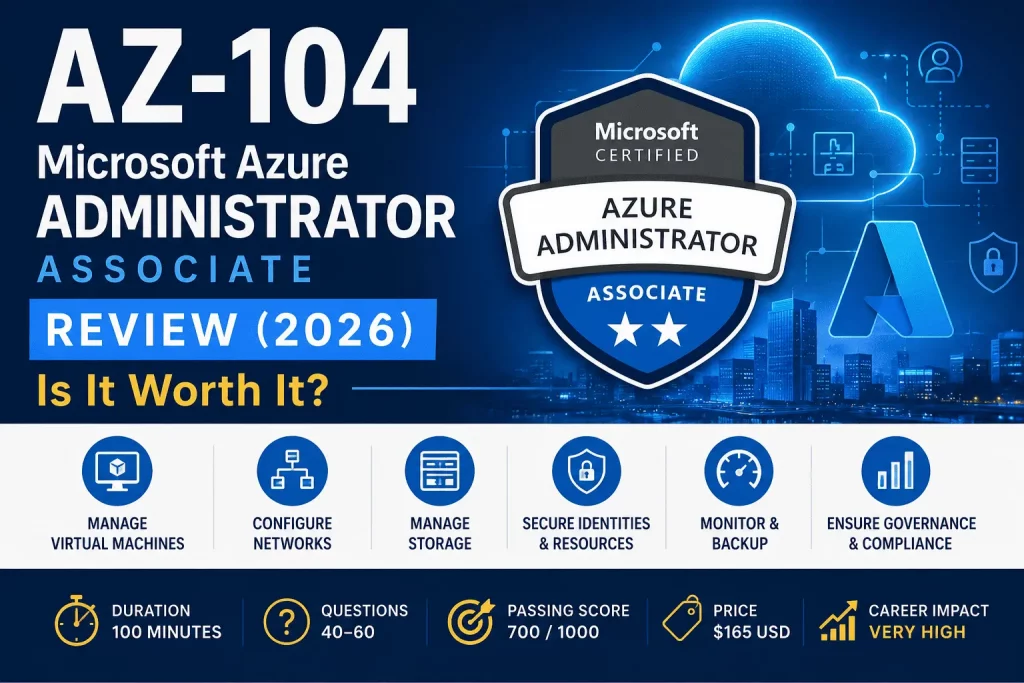
Azure administrators are among the most consistently in-demand cloud professionals in tech right now, and the reasons are structural, not seasonal. Azure adoption keeps climbing as enterprises standardize on Microsoft’s cloud for everything from core infrastructure to AI workloads. Cloud migration projects that started years ago are still generating work — lifting and shifting legacy systems, right-sizing over-provisioned resources, and cleaning up the sprawl that happens when migrations move faster than governance. And most large organizations aren’t fully cloud-native; they’re running hybrid infrastructure, connecting on-premises datacenters to Azure through tools like Azure Arc, which requires administrators who understand both worlds at once.
Day to day, a real Azure administrator isn’t just clicking through the portal. They’re provisioning and right-sizing virtual machines, designing virtual networks that balance security against connectivity, managing identity and access through Microsoft Entra ID, configuring storage accounts and backup policies, and keeping an eye on cost and performance through Azure Monitor — often across dozens or hundreds of subscriptions at once. AZ-104 (Microsoft Certified: Azure Administrator Associate) is Microsoft’s credential for proving you can actually do that job, not just talk about it. This review breaks down everything you need to decide if it’s your next certification, and how to pass it efficiently if it is.
Quick Verdict™
AZ-104 is worth it if you already work in IT infrastructure, system administration, or cloud operations and want the single most requested Azure credential in job postings today. It’s not worth it yet if you’ve never touched the Azure portal — start with AZ-900 first, or you’ll spend far more study time than necessary fighting unfamiliar vocabulary on top of unfamiliar technology.
| Factor | Verdict |
|---|---|
| Best for | IT admins, sysadmins, cloud/infrastructure engineers |
| Difficulty | Hard (Associate level, hands-on) |
| Study time | 60–120 hours |
| Cost | $165 USD |
| Career impact | Very high — the most requested Azure Associate credential |
| Next step | AZ-305 (Azure Solutions Architect Expert) |
Exam Snapshot™
| Detail | Value |
|---|---|
| Exam Code | AZ-104 |
| Price | $165 USD |
| Duration | 100 minutes |
| Passing Score | 700 out of 1000 |
| Question Count | 40–60 questions |
| Renewal | Free, annual, via online assessment on Microsoft Learn |
| Certification Level | Associate |
Microsoft updated the AZ-104 skills-measured outline on April 17, 2026 — domain weights shifted, container and Azure Arc coverage expanded, and the exam fully adopted Microsoft Entra ID naming throughout. If your study material still says “Azure Active Directory” everywhere, treat it as outdated.
What Is AZ-104?
AZ-104 validates the skills of a Microsoft Certified: Azure Administrator — someone who implements, manages, and monitors an organization’s Azure environment, including identity, governance, storage, compute, and virtual networking. Unlike AZ-900, which tests concepts, AZ-104 tests execution: you’re expected to know how to actually configure a network security group, size a virtual machine correctly, or troubleshoot a failed backup, not just define what those things are. Microsoft recommends six months of hands-on Azure administration experience before attempting it, along with familiarity with PowerShell, Azure CLI, ARM templates or Bicep, and the Azure portal itself.
Who Should Take AZ-104?
- IT Administrators — professionals already managing on-premises infrastructure who are moving their organization’s workloads to Azure.
- System Administrators — Windows/Linux sysadmins expanding their scope to include cloud infrastructure management.
- Cloud Engineers — professionals building and maintaining cloud environments who want a formal credential matching their daily work.
- Azure Administrators — anyone currently in this exact job title who needs the certification to formalize existing skills for career advancement.
- DevOps Beginners — engineers starting a DevOps career who need solid infrastructure fundamentals before specializing in CI/CD and automation.
- Infrastructure Engineers — professionals responsible for networking, storage, and compute who are consolidating that expertise onto Azure.
Who Should Skip It?
- Beginners with no IT or cloud background will struggle with both the vocabulary and the hands-on expectations simultaneously.
- Non-technical users evaluating Azure from a business perspective don’t need execution-level detail — a Fundamentals credential covers what they actually use.
- Business analysts working adjacent to Azure teams get more value from AZ-900’s conceptual overview than AZ-104’s configuration depth.
Recommendation: take AZ-900 first. It’s cheaper, faster, and builds the vocabulary that makes AZ-104’s much harder content dramatically easier to absorb.
Skills You’ll Learn
Azure Identity · Compute · Virtual Machines · Storage · Networking · Backup · Monitoring · Security · Governance
Together, these form the day-to-day operating skill set of a working Azure administrator — not isolated facts, but the ability to combine them into a functioning, secure, monitored cloud environment.
Azure Administrator Responsibilities
Real-world tasks an Azure administrator performs regularly, and that AZ-104 is built to test:
- Creating and managing virtual machines, including sizing, scaling, and availability configuration
- Configuring virtual networks (VNets), subnets, and peering between them
- Setting up and managing storage accounts, including access tiers and lifecycle policies
- Implementing role-based access control (RBAC) and managing Microsoft Entra ID identities
- Configuring Azure Monitor alerts and reviewing Log Analytics data
- Setting up Azure Backup policies and performing recovery operations when something breaks
Exam Objectives Breakdown
Domain 1: Manage Azure Identities and Governance (20–25%). Covers how identities are created and managed in Microsoft Entra ID, how RBAC controls access, and how governance tools like Azure Policy and management groups keep environments compliant. Common mistake: confusing RBAC (who can do what) with Azure Policy (what configurations are allowed) — the exam tests both, and mixing them up costs points on scenario questions. Real-world scenario: a new hire needs access to exactly one resource group, not the whole subscription — this is textbook least-privilege RBAC, and it shows up constantly in exam case studies.
Domain 2: Implement and Manage Storage (15–20%). Covers storage account configuration, access tiers (hot, cool, archive), Azure Files, Blob storage, and shared access signatures (SAS). Common mistake: not understanding when to use a SAS token versus RBAC for storage access — the exam expects you to know both mechanisms exist and when each applies. Real-world scenario: a compliance requirement forces old data into archive tier while keeping active data in hot tier — lifecycle management policies solve this, and the exam tests whether you know how to configure them.
Domain 3: Deploy and Manage Azure Compute Resources (20–25%). Covers virtual machines, VM scale sets, containers (including Azure Container Apps), App Services, and ARM/Bicep deployment templates. Common mistake: treating this domain as “just VMs” — it’s broad, spanning traditional IaaS through modern PaaS and container workloads. Real-world scenario: an application’s traffic spikes unpredictably — this is exactly what VM scale sets and autoscaling rules exist to solve, and it’s a frequent case-study theme.
Domain 4: Implement and Manage Virtual Networking (15–20%). Covers VNets, peering, NSGs, load balancing, DNS, VPN gateways, and Azure Firewall. Common mistake: underestimating NSG rule priority logic — candidates consistently misjudge which rule wins when multiple NSG rules could apply to the same traffic. Real-world scenario: two VNets in different regions need secure communication — VNet peering versus a VPN gateway is a classic exam decision point, and the “right” answer depends on details easy to miss under time pressure.
Domain 5: Monitor and Maintain Azure Resources (10–15%). Covers Azure Monitor, Log Analytics, alert rules, Azure Backup, and Azure Site Recovery. Common mistake: treating monitoring as an afterthought because it’s the lowest-weighted domain — it’s still 10–15% of your score, and it’s some of the most straightforward material to bank points on if you study it properly. Real-world scenario: a VM’s disk usage silently climbs toward capacity for weeks — proactive Azure Monitor alerting is what catches this before it becomes an outage, and the exam rewards knowing how to configure that alert correctly.
Difficulty note: networking is widely considered the hardest domain, due to multi-step configuration logic and NSG rule interactions. Compute is a close second because of its sheer breadth — VMs, containers, and App Services all live in one domain.
Azure Services Explained
- Virtual Machines (VMs) — Azure’s core IaaS compute offering; the foundation most administrators start with.
- VM Scale Sets — automatically scale identical VM instances up or down based on demand.
- Availability Zones — physically separate datacenters within a region, used to protect workloads from datacenter-level failures.
- Azure Storage — the umbrella service for Azure’s storage account offerings.
- Azure Files — fully managed file shares accessible via the SMB protocol.
- Azure Blob — object storage for unstructured data like documents, images, and backups.
- Virtual Networks (VNets) — Azure’s private network backbone, connecting resources securely.
- VPN Gateway — encrypted connectivity between Azure and on-premises networks or other VNets.
- Load Balancer — distributes network traffic across multiple VM instances for reliability and performance.
- Azure DNS — hosts and resolves DNS domains within Azure.
- Azure Firewall — a managed, cloud-native network firewall for centralized traffic filtering.
- Azure Bastion — secure RDP/SSH access to VMs without exposing public IP addresses.
- Network Security Groups (NSGs) — rule-based traffic filters applied at the subnet or network interface level.
- Azure Monitor — collects and analyzes telemetry across Azure resources.
- Log Analytics — the query engine behind Azure Monitor, used to investigate logs in depth.
- Recovery Services Vault — the container for backup and disaster recovery data.
- Azure Backup — automated backup service for VMs, files, and databases.
- Microsoft Entra ID — Azure’s identity and access management backbone, formerly Azure Active Directory.
⭐ NEW Atlas Azure Infrastructure Map™
| Service | Administrator Task | Exam |
|---|---|---|
| Virtual Machines | Create & manage | ✅ |
| VM Scale Sets | Configure autoscaling | ✅ |
| Virtual Network | Networking | ✅ |
| Azure Storage | Configure accounts & tiers | ✅ |
| Network Security Groups | Secure network traffic | ✅ |
| Azure Monitor | Monitor & alert | ✅ |
| Azure Backup | Recovery | ✅ |
| Microsoft Entra ID | Identity & access | ✅ |
| Azure Bastion | Secure remote access | ✅ |
| Azure Kubernetes Service | Container orchestration | ⚠️ Referenced, not deep-tested |
| Azure DevOps | CI/CD pipelines | ❌ Not tested (belongs to AZ-400) |
If a service isn’t marked ✅, don’t burn study hours on its deep configuration — AZ-104 tests operational breadth across identity, compute, storage, networking, and monitoring, not the specialized tooling that belongs to other certifications.
Hands-on Labs
AZ-104 is an execution-focused exam, so hands-on practice isn’t optional. Microsoft Learn provides guided, sandboxed labs tied directly to each domain. The Azure Sandbox environments embedded in select modules let you practice for free without a personal subscription. For deeper practice, an Azure Free Account provides $200 in credit for 30 days plus 12 months of select free services — enough to build and tear down real VNets, VMs, and storage accounts repeatedly before exam day.
Microsoft Learn Modules
Microsoft Learn’s official AZ-104 learning path is organized around the same five domains tested on the exam: identity and governance, storage, compute, networking, and monitoring. Working through each module’s labs — not just the readings — is the single highest-leverage prep activity for this exam, since AZ-104 rewards muscle memory with the Azure portal, PowerShell, and Azure CLI far more than memorized definitions.
Study Plan
Associate exams deserve longer study plans than Fundamentals exams — AZ-104 tests execution, not just recognition, and that takes real repetition to build.
14-Day Plan (experienced sysadmins moving to Azure)
Days 1–3: Identity and governance, with hands-on RBAC and Entra ID lab time. Days 4–6: Storage, including lifecycle policies and SAS tokens. Days 7–10: Compute — VMs, scale sets, containers, ARM/Bicep. Days 11–13: Networking, with heavy lab repetition on NSGs and peering. Day 14: Monitoring, plus a full timed practice exam.
30-Day Plan (most candidates)
Week 1: Identity and governance, fully hands-on. Week 2: Storage and compute fundamentals with daily lab practice. Week 3: Networking, the hardest domain — expect to repeat labs multiple times. Week 4: Monitoring, backup, two full practice exams spaced several days apart, and review of any domain scoring under 75%.
60-Day Plan (candidates new to Azure, coming from AZ-900 or no cloud background)
Weeks 1–2: Rebuild core Azure vocabulary if it’s been a while since AZ-900, then start identity and governance labs. Weeks 3–4: Storage and compute, with extra lab repetition. Weeks 5–6: Networking — budget real extra time here, since it’s consistently the hardest domain for newer candidates. Weeks 7–8: Monitoring and backup, three full practice exams spaced across the final two weeks, and a dedicated review week for weak domains before booking the exam.
Exam Tips
- Don’t skip lab time for reading time — AZ-104 punishes candidates who only memorized definitions.
- Master NSG rule priority logic specifically; it’s the single most commonly missed concept in the networking domain.
- Practice ARM template and Bicep basics even if you’re not a developer — the compute domain expects familiarity with both.
- Budget your 100 minutes carefully; case studies and multi-step scenario questions take longer than simple recall questions.
- Take at least two full, timed practice exams before booking the real one, and don’t book until you’re consistently scoring 80%+.
Cost
AZ-104 costs $165 USD, Microsoft’s standard Associate-level pricing. Retakes cost the full fee again — there’s no discounted retake rate, though exam replay bundles that include one free retake are sometimes available as a promotional add-on.
Free Learning Resources
- Microsoft Learn’s official AZ-104 learning path (free, self-paced, includes labs)
- Azure Sandbox environments embedded in select modules
- Azure Free Account ($200 credit, 12 months of select free services)
- Microsoft’s official free practice assessment
Practice Tests
Third-party practice test providers offer larger question banks and case-study practice, which can be genuinely useful given how heavily AZ-104 relies on scenario reasoning. Treat them as supplementary repetition, not your primary study source — Microsoft’s own official practice assessment remains the most accurate predictor of real exam difficulty and format.
Is AZ-104 Worth It?
Yes, decisively, for anyone already working in or targeting Azure infrastructure roles. It’s consistently the most requested Azure certification in job postings, it validates skills employers actually need on day one, and it’s the direct prerequisite mindset for AZ-305 if you’re aiming at a solutions architect career. The 60–120 hour study investment is real, but so is the payoff — this is one of the highest-ROI Associate-level certifications in Microsoft’s entire portfolio.
Career Opportunities
Azure Administrator · Cloud Engineer · Infrastructure Engineer · Systems Engineer · DevOps Engineer · Azure Consultant
Salary Outlook
AZ-104 is consistently associated with strong, six-figure average salaries in the U.S. market for Azure Administrator and Cloud Engineer roles, and it’s frequently the certification employers explicitly list as required or preferred in cloud infrastructure job postings. Moving on to AZ-305 (Azure Solutions Architect Expert) typically produces a further salary step-up, with architect-level roles averaging well above administrator-level pay — making AZ-104 not just valuable on its own, but a strong financial on-ramp to an even higher-paying credential.
AZ-104 vs AZ-900
| AZ-900 | AZ-104 | |
|---|---|---|
| Level | Fundamentals | Associate |
| Hands-on required | No | Yes |
| Cost | $99 | $165 |
| Study time | 15–30 hours | 60–120 hours |
| Tests | Cloud concepts | Real Azure administration |
| Audience | Beginners, business roles | IT/cloud professionals |
AZ-900 proves you understand what Azure is. AZ-104 proves you can run it. Most successful AZ-104 candidates take AZ-900 first, not because it’s required, but because it removes a whole layer of vocabulary confusion before tackling the much harder, execution-focused material.
AZ-104 vs AWS SysOps Administrator
Both are Associate-level, execution-focused infrastructure certifications from the two largest cloud providers, and they test comparable skill domains — compute, storage, networking, monitoring, and identity/access management. The right choice depends almost entirely on which cloud platform your employer or target industry runs on; the underlying administrative skill set transfers well between them, but the tooling, terminology, and exam specifics don’t.
AZ-104 vs RHCSA
Linux administrators frequently compare these two, and the comparison is worth taking seriously: RHCSA (Red Hat Certified System Administrator) validates deep Linux operating system administration skill, while AZ-104 validates cloud infrastructure administration on Azure specifically, largely platform-agnostic to the guest OS. They’re not competitors — many strong candidates hold both, since RHCSA proves OS-level depth while AZ-104 proves you can deploy, network, and secure that same Linux system inside a cloud environment.
Pros
- Highly requested in real job postings, not just a resume line item
- Tests practical, transferable execution skills, not just theory
- Strong salary association and clear path to AZ-305
- Free annual renewal keeps it low-maintenance once earned
Cons
- Meaningfully harder and more time-consuming than Fundamentals-level exams
- Networking domain trips up even experienced candidates
- Requires real hands-on lab time, not just reading — no shortcuts
Atlas Decision Matrix™
Take AZ-104 if: you already work in IT infrastructure or cloud operations and need the credential employers are actively filtering for. Take AZ-900 first if: you’re new to Azure entirely — it removes vocabulary friction before you tackle AZ-104’s much harder material. Skip AZ-104 for now if: your near-term goal is development, security, or data work — AZ-204, SC-200, or DP-100 may be a better match for your actual role.
Atlas Certification Roadmap™
AZ-900 → AZ-104 → AZ-305 → Azure Solutions Architect Expert
This is Microsoft’s default infrastructure career progression. AZ-900 builds vocabulary, AZ-104 builds execution skill, and AZ-305 builds the architectural judgment to design entire cloud solutions — often the natural ceiling for administrators who want to keep growing without moving into pure software development.
Atlas Learning Path™
Cloud Fundamentals → Azure Administration → Identity → Networking → Storage → Monitoring → Architecture
Notice identity comes right after core administration skills, not last — Microsoft Entra ID underpins nearly everything else an administrator does, from RBAC to governance to secure resource access, which is exactly why it’s one of the two heaviest-weighted domains on the exam.
⭐ NEW Atlas Administrator Skills Matrix™
| Skill | Level |
|---|---|
| Virtual Machines | Advanced |
| Networking | Advanced |
| Identity | Intermediate |
| Monitoring | Advanced |
| Storage | Advanced |
| Security | Intermediate |
| Governance | Intermediate |
A working AZ-104-certified administrator should walk away with Advanced-level comfort in the hands-on infrastructure domains (VMs, networking, monitoring, storage), while identity, security, and governance sit at a solid Intermediate level — enough to implement and manage confidently, even if deep architectural policy design is more of an AZ-305/SC-100 responsibility.
Atlas Difficulty Meter™
Associate exams are meaningfully harder than Fundamentals exams, and AZ-104’s domain-by-domain difficulty reflects that clearly:
| Skill | Difficulty |
|---|---|
| Compute | ⭐⭐⭐⭐ |
| Networking | ⭐⭐⭐⭐⭐ |
| Identity | ⭐⭐⭐⭐ |
| Monitoring | ⭐⭐⭐ |
| Storage | ⭐⭐⭐⭐ |
Overall exam rating: 4 out of 5. Networking earns the top difficulty score because of multi-step configuration logic and NSG rule-priority reasoning that trips up even experienced candidates — budget your heaviest lab repetition there.
⭐ NEW Atlas Exam Blueprint™
| Domain | Weight | Difficulty |
|---|---|---|
| Identity & Governance | 20–25% | ⭐⭐⭐⭐ |
| Storage | 15–20% | ⭐⭐⭐ |
| Compute | 20–25% | ⭐⭐⭐⭐ |
| Networking | 15–20% | ⭐⭐⭐⭐⭐ |
| Monitoring | 10–15% | ⭐⭐⭐ |
Highest Priority: Identity & Governance + Compute. These two domains are jointly the heaviest-weighted on the exam, together accounting for up to 50% of your questions. Networking carries the highest per-question difficulty but a slightly smaller share of the exam — meaning your study hours should split between breadth (identity and compute, where volume matters most) and depth (networking, where difficulty matters most).
Atlas Outcome Score™
Very High. AZ-104 combines strong, verified job-posting demand, real salary association, and a direct path to the even higher-paying AZ-305 — making its 60–120 hour study investment one of the best time-to-payoff ratios of any Associate-level Microsoft certification.
⭐ NEW Atlas Lab Readiness™
A hands-on self-check to run before you book your exam. This is a unique addition that goes beyond typical exam guides — it tells you which labs to repeat, not just which topics to re-read.
| Lab | Ready? |
|---|---|
| VM Deployment | ⭐⭐⭐⭐⭐ |
| Networking | ⭐⭐⭐⭐ |
| Storage | ⭐⭐⭐⭐ |
| RBAC | ⭐⭐⭐ |
| Backup | ⭐⭐⭐⭐ |
If your own honest self-rating looks like RBAC sitting lower than everything else, that’s the single most common lab-readiness gap among AZ-104 candidates — identity and access scenarios feel abstract until you’ve actually assigned and tested a few custom roles yourself. Spend your final lab hours there before exam day.
⭐ NEW Atlas Production Readiness™
This is the section that shifts the conversation beyond “can you pass the exam” toward “can you actually do the job.” A passing score and real production confidence aren’t automatically the same thing.
| Area | Confidence |
|---|---|
| Deploy VM | High |
| Configure VNet | High |
| Backup | Medium |
| Monitor Resources | High |
| Secure Azure Resources | Medium |
Notice the pattern: the areas that score “High” tend to be the ones with the most repeatable, single-session labs (VM deployment, basic networking, monitoring dashboards). The areas that score “Medium” — backup and security — are the ones that only build real confidence over weeks of production exposure, incident response, and the occasional failed restore that teaches you more than any lab ever could. If you’re newly certified and heading into a production Azure environment, treat “Medium” areas as your priority for supervised, hands-on learning in your first few months on the job, not areas to worry about — everyone starts there.
Frequently Asked Questions
1. What is AZ-104? AZ-104 is Microsoft’s Associate-level certification validating the ability to implement, manage, and monitor Azure environments, covering identity, governance, storage, compute, and networking.
2. How much does AZ-104 cost? $165 USD, Microsoft’s standard Associate-level exam price.
3. Is AZ-104 hard? Yes, relative to Fundamentals exams — it’s hands-on and execution-focused, with networking widely considered the hardest domain.
4. Is AZ-104 enough to get a cloud job? It significantly improves your odds, especially paired with some hands-on lab or project experience, but most employers still want to see practical familiarity beyond the certification alone.
5. Do I need AZ-900 first? Not formally required, but strongly recommended — it removes vocabulary friction and makes AZ-104’s much harder material easier to absorb.
6. How long should I study for AZ-104? Most candidates need 60–120 hours, depending on prior Azure experience, spread across a 14-, 30-, or 60-day plan.
7. Does AZ-104 require coding? No traditional software development, but familiarity with PowerShell, Azure CLI, and ARM/Bicep templates is expected.
8. Can beginners pass AZ-104? It’s possible but difficult — most successful beginners complete AZ-900 and some hands-on Azure practice first.
9. What Azure services are most tested? Virtual machines, virtual networks, storage accounts, Microsoft Entra ID, NSGs, and Azure Monitor are the core recurring services across the exam.
10. What comes after AZ-104? AZ-305 (Azure Solutions Architect Expert) is the standard next step for administrators pursuing a senior architecture career.
11. How many questions are on AZ-104? Typically 40–60 questions, including multiple-choice, drag-and-drop, and case-study formats.
12. What is the passing score for AZ-104? 700 out of 1000 on Microsoft’s scaled scoring system — not the same as 70% of questions correct.
13. How long is the AZ-104 exam? 100 minutes.
14. Does AZ-104 expire? Yes — it’s valid for one year and renews for free through a short online assessment on Microsoft Learn.
15. What changed in the April 2026 AZ-104 update? Identity and governance weighting increased to 20–25%, networking decreased to 15–20%, and coverage expanded to include Azure Container Apps and updated Microsoft Entra ID terminology.
16. Is AZ-104 harder than AZ-900? Yes, significantly — AZ-900 tests concepts with no hands-on requirement, while AZ-104 tests real configuration and troubleshooting skill.
17. What’s the hardest domain on AZ-104? Networking, due to multi-step configuration logic and NSG rule-priority reasoning.
18. Can I retake AZ-104 if I fail? Yes, after a 24-hour wait for the first retake, with longer waits for subsequent attempts, and the full exam fee applies each time.
19. Is AZ-104 worth it for a career changer? Yes, if paired with AZ-900 first and genuine hands-on lab practice — it’s a strong, employer-recognized entry point into cloud infrastructure work.
20. What’s the difference between AZ-104 and AZ-204? AZ-104 focuses on infrastructure administration; AZ-204 (Azure Developer Associate) focuses on building and deploying applications on Azure.
21. Do I need real Azure work experience before taking AZ-104? Microsoft recommends about six months of hands-on experience, though motivated self-study candidates can succeed without formal job experience if they complete extensive labs.
22. What’s the best way to study for AZ-104? A mix of Microsoft Learn’s official modules, hands-on labs using a free Azure account, and at least two full timed practice exams before booking the real one.
23. Is AZ-104 recognized internationally? Yes — it’s a globally recognized Microsoft credential, valid and respected across regions and industries.
24. How does AZ-104 compare to AWS SysOps Administrator? Both are comparable Associate-level infrastructure certifications testing similar skill domains; the right choice depends on which cloud platform your target employer uses.
25. How does AZ-104 compare to RHCSA? They’re complementary rather than competing — RHCSA proves deep Linux OS administration skill, while AZ-104 proves cloud infrastructure administration on Azure.
26. What is Microsoft Entra ID, and why does it matter for AZ-104? It’s Azure’s identity and access management service (formerly Azure Active Directory), and it underpins the heaviest-weighted domain on the exam.
27. Are labs required to pass AZ-104? Not formally, but in practice, candidates who skip hands-on labs consistently underperform on scenario and case-study questions.
28. What is RBAC, and is it tested on AZ-104? Role-based access control governs who can perform which actions on which resources, and it’s a core, heavily tested part of the identity and governance domain.
29. Is there a free way to prepare for AZ-104? Yes — Microsoft Learn’s official learning path, Azure Sandbox labs, a free Azure account, and Microsoft’s official practice assessment cover the entire syllabus at no cost beyond the exam fee.
30. What salary can I expect with AZ-104? It’s consistently associated with strong, six-figure average salaries for Azure Administrator and Cloud Engineer roles in the U.S. market, though actual pay varies by region and experience.
31. Is AZ-104 a prerequisite for AZ-305? It’s not a strict technical prerequisite in Microsoft’s system, but AZ-305’s content assumes AZ-104-level administration knowledge, and most candidates complete it first.
32. How does AZ-104 handle containers and Azure Arc? The April 2026 update expanded compute domain coverage to include Azure Container Apps, and hybrid management concepts tied to Azure Arc are increasingly part of the exam’s real-world framing.
33. Can System Administrators without cloud experience pass AZ-104? Yes, more easily than complete beginners — existing infrastructure knowledge transfers well, though Azure-specific tooling and terminology still require dedicated study.
34. What’s a common reason candidates fail AZ-104? Underestimating the networking domain and relying on reading rather than hands-on lab repetition are the two most frequently cited reasons.
35. Should DevOps beginners take AZ-104? Yes — it builds the infrastructure fundamentals that make later DevOps-focused certifications like AZ-400 significantly easier to approach.
36. Is AZ-104 valuable without an Azure job already? Yes, particularly combined with home-lab practice using a free Azure account — it’s one of the strongest credentials for breaking into a first cloud infrastructure role.
37. How is AZ-104 scored? On a scaled 1–1000 range, with 700 required to pass; the scaling accounts for question difficulty, so the raw percentage needed can vary.
38. What’s the biggest content change candidates should watch for in 2026? The shift toward Microsoft Entra ID terminology and expanded container/hybrid coverage — older study material still referencing “Azure Active Directory” throughout should be treated as outdated.
Roadmap
Microsoft Certifications Guide ✅ ↓ AI-900 ↓ AZ-900 ↓ AZ-104 ⭐ (you are here) ↓ AZ-305 ↓ SC-900 ↓ DP-900 ↓ PL-300
This review reflects the AZ-104 skills-measured outline updated by Microsoft on April 17, 2026. Exam pricing, duration, and objectives can change — always confirm current details on Microsoft’s official Learn and Credentials pages before scheduling your exam.