Quick answer
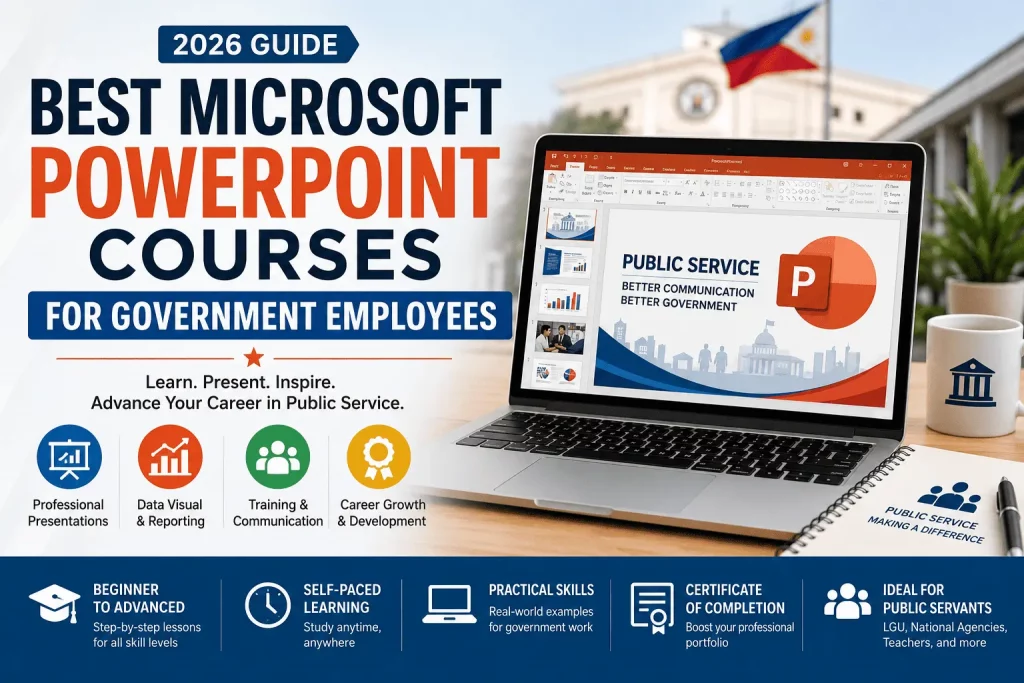
The best Microsoft PowerPoint courses for government employees in 2026 are the ones that combine practical, real-office skills (reports, budget presentations, training decks, IEC materials) with a beginner-friendly structure and lifetime access. For most public servants — from LGU staff to national agency personnel — a comprehensive, all-in-one course that covers both the basics and advanced design techniques offers the best return on time invested. Our top recommendation is the Microsoft PowerPoint course available here, which is built for exactly this kind of beginner-to-advanced, self-paced learning.
Government work runs on PowerPoint more than most employees realize. Budget hearings, program monitoring reports, training modules, IEC (Information, Education, and Communication) campaigns, agency town halls, COA presentations, and even simple internal memos increasingly get packaged as slide decks. Yet very few government employees receive formal training on how to use PowerPoint well. Most people learn by trial and error, copying whatever format the last person used, and never touch half the tool’s actual capabilities.
This guide breaks down the best PowerPoint courses for government employees in 2026, how to evaluate them, what to look for based on your specific role, and how to actually finish a course instead of abandoning it after lesson three.
Why PowerPoint Skills Matter for Government Employees
Before jumping into the course list, it’s worth understanding why this particular skill has become so valuable inside government offices.
1. Presentations are now a core deliverable, not an afterthought. Whether you’re in an LGU, a national line agency, a GOCC, or a state university, chances are you’ve been asked to “just put it in a PPT” for a report that used to be a memo. Slide decks have become the default format for status updates, budget justifications, and program results because they’re faster to review than long documents.
2. Career advancement often hinges on visible communication skills. Promotions and reassignments in government frequently favor employees who can represent their office well — in meetings, in inter-agency coordination, and in public forums. Being the person who can build a clean, persuasive deck under time pressure is a quiet but real career advantage.
3. Public-facing communication has raised the bar. Agencies are under more scrutiny than ever to communicate clearly with citizens — think public consultations, transparency seals, and IEC materials for programs like 4Ps, PhilHealth, or DSWD assistance drives. A poorly designed slide reflects on the agency’s credibility.
4. Most training programs skip PowerPoint entirely. Government-funded IT literacy trainings tend to focus on Excel, Word, and sometimes basic cybersecurity. PowerPoint is often left out, assumed to be “easy,” even though most employees only know a fraction of what the software can do.
5. Time efficiency matters when you’re juggling multiple roles. Government employees are frequently multi-tasking — handling frontline duties, paperwork, and reporting all at once. A well-designed course that teaches shortcuts, templates, and reusable design systems can save hours every month, not just once.
The Real Cost of Weak PowerPoint Skills in Government Offices
It’s worth naming the problem directly, because it’s rarely discussed openly in performance evaluations or office memos.
Reports get reworked multiple times. A department head asks for revisions not because the data is wrong, but because the slide is cluttered, inconsistent, or hard to follow. Multiply that by every quarterly report, and it adds up to hours of avoidable rework across an office.
Meetings run longer than they need to. A confusing slide forces the presenter to over-explain verbally, which eats into meeting time that could have gone to actual discussion or decision-making.
Public trust takes a small hit. IEC materials, town hall decks, and public consultation slides are often a citizen’s first visual impression of how well an agency is run. A sloppy, text-heavy slide — even with accurate information — can undercut the credibility of the message.
Talented employees get overlooked. In many offices, the person who “does the PowerPoint” is whoever happens to be fastest with the software, not necessarily the person with the best ideas. Employees who never develop this skill can end up sidelined from visibility opportunities, even when their actual work is strong.
None of this is really about PowerPoint as software. It’s about communication — and in government service, clear communication upward (to supervisors and oversight bodies) and outward (to the public) is part of the job, whether or not it’s written into anyone’s job description.
What a Good PowerPoint Course Should Actually Teach
Before comparing specific courses, it helps to know what “good” looks like. A course worth your limited free time should cover most of the following, regardless of which provider or platform it’s on:
- Slide structure and hierarchy — how to organize information so the most important point is the one the audience remembers, not the one buried in paragraph four of a text-heavy slide
- Templates and slide masters — building a consistent visual identity so every report from your office looks like it came from the same team, not five different people with five different fonts
- Data visualization — turning spreadsheet numbers into charts and graphs that a non-technical audience, including the public, can understand at a glance
- Typography and readability — font pairing, sizing, and spacing choices that keep a slide legible from the back of a room or on a shared screen during a video call
- Images, icons, and visual hierarchy — using visuals to support a point rather than decorate a slide, and knowing when not to add another icon or clip art element
- Animations and transitions used sparingly — enough to guide attention during a live presentation, without becoming a distraction
- Exporting and sharing formats — knowing how to package a deck as a PDF handout, a printable version, or a video for asynchronous viewing, which matters a lot in hybrid and field-based government work
- Presentation delivery basics — because a well-designed deck still needs a presenter who can talk through it confidently, especially in budget hearings or panel interviews
A course that only teaches “how to click buttons in the PowerPoint ribbon” without touching design principles or real-world formats will leave you with software knowledge but not necessarily better presentations. This is one of the reasons the comprehensive, beginner-to-advanced format tends to outperform narrow, single-topic tutorials for most government employees.
Who This Guide Is For
This roundup is written specifically with the realities of public sector work in mind. It’s useful whether you are:
- A local government unit (LGU) employee who prepares barangay or municipal reports and IEC materials
- A national government agency staff member who builds status reports, budget decks, or program monitoring presentations
- A teacher or DepEd/CHED personnel creating lesson decks and training modules
- A civil servant preparing for a promotion or performance evaluation who wants a visible, demonstrable skill upgrade
- An HR or training officer organizing capacity-building sessions and looking for a course to recommend to staff
- A CSE passer or newly hired government employee trying to build a well-rounded, job-ready skill set beyond passing the exam itself
If any of these describes you, the courses below were chosen with your context in mind.
PowerPoint Use Cases Across Different Government Roles
The specific way PowerPoint shows up in your day-to-day work depends heavily on where you sit in government. A quick breakdown:
LGU employees (barangay, municipal, city, provincial level) Expect to build decks for barangay assemblies, municipal council presentations, disaster preparedness briefings, and program accomplishment reports. IEC materials for local health drives, livelihood programs, and community consultations also frequently take slide form.
National government agency personnel Status reports for department heads, budget utilization presentations for oversight bodies like DBM or COA, inter-agency coordination decks, and program monitoring and evaluation (M&E) presentations are common. These often need to translate complex data into something a non-specialist audience — including legislators — can follow quickly.
Teachers and education sector employees (DepEd, CHED, SUCs) Lesson presentations, training modules for in-service training (INSET) sessions, and reporting decks for school-based management (SBM) reviews all rely on PowerPoint. Clarity and pacing matter more here, since the audience is often students or fellow educators sitting through back-to-back sessions.
Health sector employees (DOH, LGU health offices, hospitals) Community health education materials, program rollout briefings (immunization drives, maternal health programs), and internal reporting to health boards all use slide-based formats, often needing to balance technical accuracy with public accessibility.
HR, admin, and training officers Beyond building their own decks, this group is often the one selecting or recommending training resources for their office — making course evaluation criteria (like the ones in this guide) directly relevant to their role.
Newly hired employees and CSE passers For those just starting out, a solid PowerPoint foundation is one of the more transferable, immediately useful skills to build early, since it applies across almost every office assignment regardless of which agency or department you land in.
How We Evaluated These PowerPoint Courses
Not all online courses are created equal, and government employees have specific constraints — limited free time, spotty office internet, and a need for practical rather than purely theoretical content. We evaluated courses against the following criteria:
- Beginner accessibility — Can someone with zero design background follow along?
- Practical application — Does the course use real-world formats (reports, proposals, training decks) rather than only creative or marketing examples?
- Depth of coverage — Does it go beyond “how to insert a text box” into layout principles, animation, data visualization, and templates?
- Self-paced flexibility — Can it be completed in short sessions around a demanding work schedule?
- Value for cost — Is the price reasonable relative to what’s taught, especially compared to formal seminar-style trainings that can cost thousands of pesos?
- Certificate of completion — Useful for employees who need documentation for professional development points or performance evaluation portfolios.
Top Microsoft PowerPoint Courses for Government Employees
1. Comprehensive Beginner-to-Advanced PowerPoint Masterclass
This is our top overall recommendation, and the course we’d point a government office to if we could only recommend one.
What makes this pick stand out for government employees specifically:
- It’s structured to take a complete beginner from the basic interface all the way to advanced slide design, animation, and professional formatting — which matters because most government staff have never had formal PowerPoint instruction.
- The self-paced, on-demand format fits around unpredictable government schedules (field visits, walk-in transactions, sudden meetings) far better than a fixed-schedule seminar.
- It’s built around the kind of skills that transfer directly to office deliverables: clean layouts, consistent branding across slides, and design principles that make a report or program presentation look credible rather than thrown together.
- Because it’s self-directed, an employee can revisit specific modules later — for example, jumping straight to “how to build a data chart slide” the night before a budget hearing instead of rewatching the whole course.
For an office training officer, this is also an easy course to recommend to an entire team, since each staff member can complete it independently and at their own pace, then apply what they learn to the office’s actual reporting templates.
Recommended for most government employees because it covers beginner to advanced PowerPoint skills in one structured program. Enroll Here →
2. Essential PowerPoint for Everyday Office Use
Courses in this category focus on the fundamentals: inserting and formatting text, working with slide layouts, using templates, and understanding the ribbon and toolbar structure. These are well suited for:
- Employees who have never taken a structured PowerPoint course before
- Staff who mainly need to update existing templates rather than design decks from scratch
- Offices onboarding new hires who need a quick foundational course
The strength of this type of course is its low barrier to entry — nothing assumes prior design knowledge, and lessons typically build in a logical sequence from opening the program to producing a finished, presentable slide deck.
3. Advanced PowerPoint for Career and Professional Growth
For employees who already know the basics but want their presentations to stand out — particularly useful for those angling for a promotion, preparing for a panel presentation, or representing their office in inter-agency settings — advanced-track courses go further into:
- Custom slide masters and consistent visual branding
- Advanced animation and transition sequencing for a more polished delivery
- Data storytelling: turning raw numbers into charts and visuals that are easy for non-technical audiences (including the public) to understand
- Presentation delivery techniques, not just slide-building
This category tends to appeal to mid-career government employees who already build decks regularly but know their formatting habits are outdated.
4. Fast-Track “PowerPoint in a Few Hours” Courses
Short, focused courses aimed at people who need a quick skill boost rather than a deep dive. These are built around the idea that a few hours of focused, well-organized instruction can meaningfully upgrade someone’s baseline skill level. They tend to work well for:
- Employees who need to prep for a specific upcoming presentation and don’t have weeks to spare
- Staff who already have decent PowerPoint instincts but want to fill in specific gaps quickly
- Anyone testing the waters before committing to a longer, more comprehensive course
The tradeoff is depth — these courses generally won’t cover advanced animation or complex data visualization in detail, so they work best as a supplement rather than a sole training resource.
5. Design-Focused PowerPoint Courses
A growing category of PowerPoint training leans heavily into visual design principles — color theory, typography, spacing, and layout composition — rather than just software mechanics. For government communication offices, IEC material designers, and anyone producing public-facing materials, this type of course is particularly valuable because it teaches why a slide works, not just how to build one.
6. Beginner “Zero to Hero” Step-by-Step Courses
Structured specifically for people who have genuinely never used PowerPoint before, these courses walk through every menu, tab, and function methodically. They’re a good fit for:
- Job order or contract of service (COS) personnel who are new to office software altogether
- Employees transitioning from purely field-based roles into more administrative or reporting-heavy positions
- Anyone who wants a reference-style course they can revisit whenever they forget how to use a specific feature
Comparison Table: Which PowerPoint Course Fits Your Government Role
| Your Situation | Best Course Type | Why |
|---|---|---|
| New government employee, no PowerPoint background | Beginner “Zero to Hero” or Essential course | Builds a complete foundation from scratch |
| Preparing for a promotion or panel presentation | Advanced / Career-focused course | Adds polish, data storytelling, and delivery skills |
| Need a deck ready in the next few days | Fast-track short course | Quick, focused upskilling under time pressure |
| Designing IEC materials or public communication decks | Design-focused course | Teaches visual principles, not just software steps |
| Training an entire office or team | Comprehensive beginner-to-advanced course | One course scales across all skill levels, self-paced |
| Want one course that covers everything | Comprehensive Masterclass | Combines fundamentals and advanced skills in one track |
Free vs. Paid PowerPoint Courses: What Government Employees Should Know
It’s tempting to look for free PowerPoint tutorials on YouTube, and there’s nothing wrong with using free resources to supplement your learning. But free content is usually scattered — a video here on animations, another there on templates — with no structured progression and no accountability to actually finish.
Paid, structured courses tend to offer:
- A logical learning path, so you’re not guessing what to learn next
- Downloadable resources and templates you can immediately adapt to office use
- Certificates of completion, which some offices accept as documentation for professional development requirements
- Lifetime access, so you can revisit specific lessons whenever a new task calls for a skill you haven’t used in a while
For most government employees, a single reasonably priced course — often less than the cost of a single meal out — ends up being a better use of both time and money than piecing together free tutorials over several months.
How to Actually Finish a PowerPoint Course While Working in Government
Course completion rates for online learning are famously low, and government employees face a specific set of obstacles: unpredictable schedules, shared office computers, and after-work fatigue. A few practical tips:
- Block 20–30 minutes, two to three times a week, rather than trying to binge the whole course in one sitting. Most well-structured courses are broken into short lessons for exactly this reason.
- Apply each lesson to a real task immediately. Instead of practicing on generic exercise files, rebuild your last program report or training deck using the technique you just learned.
- Start with the modules most relevant to your next deadline. You don’t have to go in order — jump to “charts and data visualization” if a budget presentation is coming up next week.
- Keep a running “cheat sheet” of shortcuts and techniques you’ve learned, so you’re not relearning the same thing every few months.
- Loop in a colleague. If two or three people in your office go through the same course, you can compare notes and standardize your office’s presentation templates together.
Microsoft PowerPoint Skills Employers Look for in Government Job Applicants
Beyond personal productivity, PowerPoint proficiency has become something HR officers and panel interviewers actively screen for — even when it isn’t spelled out in the job posting. If you’re preparing for a government application, promotion board, or performance evaluation, these are the specific skills that tend to stand out:
- Presentation design — the ability to lay out information cleanly, with consistent formatting, appropriate use of white space, and a visual style that looks intentional rather than default. This is often the first thing a panel notices, before they even get to your content.
- Data visualization — turning raw figures from budget reports, program accomplishment data, or survey results into charts and graphs that a general audience can interpret at a glance. Agencies increasingly expect staff to present data visually rather than in dense tables.
- Public speaking and presentation delivery — pairing a well-built deck with confident, clear delivery. This matters especially for roles that involve representing the office in inter-agency meetings, public consultations, or budget hearings.
- Training material development — the ability to design instructional slides for onboarding sessions, in-service trainings, or capacity-building workshops. This is a specific, evaluable skill for HR, training, and education-sector applicants.
- Report presentation — converting a written report (accomplishment reports, program M&E findings, project proposals) into a slide format suitable for a leadership review or oversight body, without losing the substance of the original document.
- Template and brand consistency — building or maintaining a slide template that keeps every presentation from an office visually aligned, which panels and supervisors read as a sign of organizational discipline.
- Efficient use of time under pressure — knowing keyboard shortcuts, reusable templates, and quick formatting fixes that let you turn around a deck on short notice, a skill that’s especially visible during crunch periods like budget season or program audits.
Applicants who can point to a specific, completed course — with a certificate to show for it — have a concrete way to demonstrate these skills during an interview or performance review, rather than simply claiming “proficient in MS Office” on a resume. This is one more reason a structured course, like the one linked here, is worth the time investment even for employees who consider themselves already comfortable with the software.
Common PowerPoint Mistakes Seen in Government Presentations
Even employees who’ve used PowerPoint for years tend to repeat a handful of avoidable mistakes. Watching for these — and unlearning them through a structured course — makes a bigger difference than adding more slides or more content.
- Text walls disguised as slides. Pasting an entire paragraph from a report onto a single slide and reading it aloud word-for-word defeats the purpose of a visual aid. A slide should support what you’re saying, not replace it.
- Inconsistent formatting across a single deck. Different fonts, colors, or bullet styles from slide to slide — usually the result of copy-pasting from multiple source documents — make a presentation look unplanned, even when the content is solid.
- Overloaded data tables. Pasting a full spreadsheet onto a slide instead of extracting the two or three numbers that actually matter for the audience in the room.
- Low-contrast color choices. Light gray text on a white background or pale colors on a projector screen that becomes unreadable the moment the room lights are on.
- No visual hierarchy. Every element on the slide is the same size and weight, forcing the audience to work out on their own what the main point is supposed to be.
- Overusing animations and transitions. Every bullet flying in from a different direction might feel dynamic while building the deck, but it slows down delivery and distracts from the message during an actual meeting.
- Skipping a dry run. Even a well-designed deck can fall flat if the presenter hasn’t rehearsed the pacing, especially for high-stakes settings like budget hearings or panel presentations.
A structured course tends to address these issues directly, since they’re the most common problems instructors see across thousands of student projects — which is part of why a guided course usually closes these gaps faster than self-directed trial and error.
Key Takeaways
- PowerPoint has become a core communication tool in Philippine government offices, even though formal training on it is rarely provided.
- Weak slide design leads to real costs: repeated rework, longer meetings, and missed visibility for employees who never develop the skill.
- The best courses for government employees combine beginner accessibility with genuinely advanced content, rather than stopping at basic software mechanics.
- A comprehensive, self-paced, beginner-to-advanced course — like the one linked here — tends to offer the best fit for a government employee’s unpredictable schedule and mixed skill levels within a single office.
- Applying each lesson to a real, current work task (instead of a generic practice file) is the fastest way to make a course’s lessons stick.
If you only choose one course, we recommend the Microsoft PowerPoint Masterclass because it balances beginner-friendly instruction with advanced workplace presentation skills. Enroll Here →
Frequently Asked Questions
Is it worth taking a PowerPoint course if I already know the basics?
Yes, especially if your current skills are self-taught. Most self-taught PowerPoint users know how to insert text and images but have never learned about slide masters, consistent design systems, or effective data visualization — the skills that separate an average deck from one that gets noticed by supervisors and department heads.
Can government employees use professional development budgets or CSC-recognized learning credits for online courses like this?
Policies vary by agency and by year, so this should always be confirmed with your HR or Learning and Development office. Many agencies do recognize certificates of completion from reputable online courses as part of continuing professional development, but the specific requirements and approval process depend on your agency’s internal guidelines.
How long does it take to complete a comprehensive PowerPoint course?
This varies by course length and your own pace, but a comprehensive beginner-to-advanced course is generally designed to be completed over several weeks of part-time study — a manageable pace for someone balancing a full-time government role.
What’s the difference between a “beginner” and “advanced” PowerPoint course?
Beginner courses focus on the interface, basic formatting, and building a simple, functional deck. Advanced courses assume you already know the basics and instead focus on design systems, animation sequencing, data storytelling, and presentation delivery — skills more relevant once you’re already comfortable navigating the software.
Do I need a specific version of PowerPoint to follow these courses?
Most courses are built around a recent version of PowerPoint but note that the majority of tools and functions carry over across versions, including older ones commonly found on government-issued computers. If your office uses an older version, most core lessons will still apply, though a few newer features may not be available.
What’s the single best PowerPoint course for someone who wants just one recommendation?
For most government employees who want a single, well-rounded course that takes them from the basics through advanced techniques, we recommend the Microsoft PowerPoint course available here. It’s structured to work at your own pace, which fits the reality of a busy government schedule better than a fixed-schedule training.
Should I take a PowerPoint course even if my office already has ready-made templates?
Yes. Templates solve the visual formatting problem, but they don’t teach you how to structure information, adapt a layout when your data doesn’t fit the template, or fix a slide when it looks cluttered. Understanding the underlying principles means you’re not stuck the moment a report doesn’t match the template’s assumptions.
Is an online PowerPoint course better than an in-person, agency-organized seminar?
Each has its place. In-person seminars offer live Q&A and networking with colleagues from other offices, but they’re fixed to a schedule and often cover material at a generic pace that doesn’t match everyone’s skill level. Online, self-paced courses let you skip what you already know, repeat what you don’t, and fit lessons around field visits or shifting deadlines — a meaningful advantage for most government schedules.
Will learning PowerPoint design principles also help with other Microsoft Office tools?
To some extent, yes. Concepts like visual hierarchy, consistent formatting, and clean layout design carry over to Word reports and Excel dashboards, even though the specific tools and menus differ. Employees who invest in design fundamentals through a PowerPoint course often find their Word documents and Excel reports improve as a side effect.
How much should a government employee expect to spend on a good PowerPoint course?
Prices vary by platform and by ongoing promotions, so it’s best to check the current listed price directly on the course page before enrolling. Online course platforms frequently run discounts, so it’s worth comparing the listed price against the value of the content — comprehensive, beginner-to-advanced courses tend to offer the best cost-per-skill ratio compared to narrow, single-topic tutorials.
Final Thoughts
PowerPoint fluency has quietly become one of the more underrated skills in Philippine government service. It shows up in budget hearings, program reports, training sessions, and public communication — and yet it’s rarely taught formally. Investing a few weeks in a structured course pays off well beyond any single presentation: it becomes a skill you carry into every report, every meeting, and every opportunity to represent your office well.
If you’re ready to start, the Microsoft PowerPoint course linked here is a solid, beginner-friendly starting point that scales up into advanced techniques as you go — exactly the kind of course that fits into a government employee’s schedule and pays off in day-to-day office work.
Disclosure: This guide contains an affiliate link. If you enroll in a course through this link, we may earn a commission at no additional cost to you. This does not affect our editorial recommendations.
Related Topics
Leadership rarely develops in isolation — it usually pairs with a handful of other practical workplace skills. If you’re building out a broader professional development plan, these guides cover the skills that most often complement leadership training: