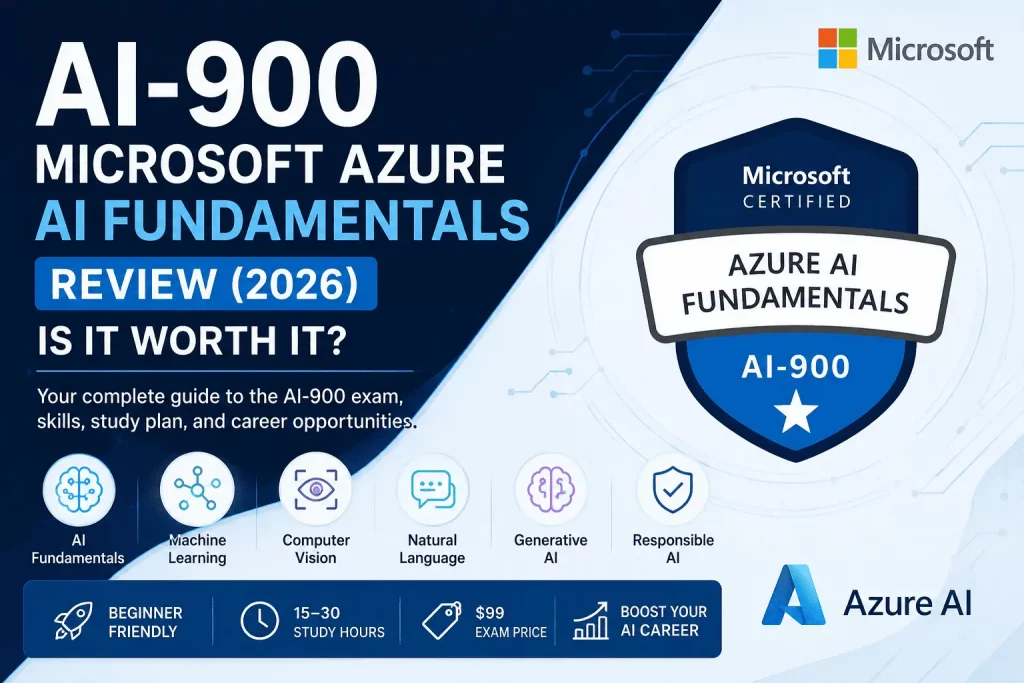
AI literacy is no longer a “nice to have” for people working in technology — it’s becoming a baseline expectation, the way basic cloud knowledge became a baseline expectation a decade ago. IT professionals are being asked to support AI workloads. Developers are being asked to build on top of Azure OpenAI Service. Business analysts are being asked to evaluate AI vendor proposals. Cloud engineers are being asked to secure and govern AI systems they didn’t design. In every one of these situations, the person who understands AI concepts — even at a foundational level — moves faster and gets trusted with more responsibility than the person who doesn’t.
AI-900 (Microsoft Certified: Azure AI Fundamentals) is Microsoft’s answer to that shift: a beginner-friendly, no-code, no-prerequisite certification that validates you understand what AI actually is, how machine learning works at a conceptual level, and how Azure’s AI services fit together. This review breaks down exactly what’s on the exam, who should (and shouldn’t) take it, how to study for it efficiently, and where it leads next.
Quick Verdict™
AI-900 is worth taking if you’re new to AI, want a low-cost, low-risk way to validate foundational AI knowledge, or need a credential that signals AI literacy to employers without requiring coding or data science experience. It’s not worth taking if you already hold a technical AI/ML role and need to prove hands-on engineering skill — in that case, skip straight to AI-102 or DP-100.
| Factor | Verdict |
|---|---|
| Best for | Beginners, IT pros, business analysts, career changers |
| Difficulty | Easy to Moderate |
| Study time | 15–30 hours |
| Cost | $99 USD |
| Career impact | Strong as a foundation; limited on its own for technical AI roles |
| Next step | AI-102 (Azure AI Engineer Associate) |
Exam Snapshot™
| Detail | Value |
|---|---|
| Exam Code | AI-900 (retiring June 30, 2026; replaced by AI-901) |
| Exam Price | $99 USD (standard Fundamentals-level pricing) |
| Duration | 45 minutes of exam time, ~65 minutes total seat time |
| Passing Score | 700 out of 1000 |
| Question Count | 40–60 questions |
| Certification Level | Fundamentals |
| Prerequisites | None |
Microsoft has confirmed that the underlying Microsoft Certified: Azure AI Fundamentals certification itself is not going away — only the AI-900 exam is being refreshed into AI-901 to reflect current generative AI and Copilot content. If you’re reading this well after mid-2026, confirm on Microsoft’s official credentials page whether you should register for AI-900 or its successor; the exam objectives in this guide are current as of the AI-900 syllabus and largely carry forward into AI-901.
What Is AI-900?
AI-900 is Microsoft’s entry-level certification for artificial intelligence and machine learning concepts on Azure. It’s explicitly designed to be accessible to non-technical learners — Microsoft states plainly that data science or software engineering experience is not required to pass it. The exam focuses on conceptual understanding: knowing what a concept is, when to use it, and which Azure service implements it, rather than writing code or building models from scratch.
Think of AI-900 as the AI equivalent of AZ-900: it won’t make you an AI engineer, but it proves you can speak the language of AI with confidence, understand the tradeoffs behind common AI workloads, and know where Azure’s AI tooling fits into a real solution. That combination — broad conceptual fluency plus platform awareness — is exactly what most non-engineering roles actually need.
Microsoft designed AI-900 with a deliberately wide funnel. Unlike Associate-level exams, which assume you’re already doing the job, AI-900 assumes nothing except curiosity and a willingness to learn. That’s a big part of why it consistently ranks among the most-taken Microsoft certifications globally: it’s the rare credential that’s genuinely useful whether you’re a first-year computer science student, a 15-year IT operations veteran, or a marketing manager trying to understand what your data team keeps talking about in meetings.
Who Should Take AI-900?
- Students — a strong, resume-ready first certification that requires no prior technical background and demonstrates initiative to future employers or internship recruiters.
- IT Professionals — infrastructure, support, and helpdesk professionals who are increasingly being asked to support AI-powered tools and need foundational vocabulary to do so credibly.
- Cloud Beginners — anyone starting a Microsoft cloud journey who wants to pair AI literacy with their broader Azure learning, especially alongside AZ-900.
- Business Analysts — professionals evaluating AI tools, writing requirements for AI features, or working alongside data science teams who need to understand what’s technically feasible.
- Developers — engineers who haven’t worked with AI/ML before and want a low-friction on-ramp before committing to the much more technical AI-102.
- Career Changers — people moving into tech from unrelated fields who need a credible, low-cost way to demonstrate AI knowledge without months of prerequisite study.
Who Should Skip AI-900?
- Experienced AI Engineers — professionals already building and deploying AI models in production will find AI-900 too conceptual and should go directly to AI-102.
- Data Scientists — those with a data science background already possess the statistical and modeling knowledge AI-900 only introduces at a surface level; DP-100 is a better use of time.
- Machine Learning Engineers — engineers with hands-on ML pipeline experience will find little new material here and should prioritize AI-102 or specialty ML credentials instead.
For these groups, AI-900 isn’t wrong, exactly — it’s just inefficient. The exam simply isn’t designed to test the depth of knowledge these professionals already have.
Skills You’ll Learn
- AI Fundamentals — what AI is, common AI workload types, and the difference between AI, machine learning, and deep learning.
- Machine Learning — core ML concepts including supervised and unsupervised learning, training and validation data, and how Azure Machine Learning supports the ML lifecycle.
- Computer Vision — image classification, object detection, and facial recognition concepts, and the Azure services that implement them.
- NLP — natural language processing fundamentals including sentiment analysis, key phrase extraction, and language understanding.
- Generative AI — large language models, prompt engineering basics, retrieval-augmented generation (RAG), and how Azure OpenAI Service and Copilot fit together.
- Responsible AI — Microsoft’s six responsible AI principles: fairness, reliability and safety, privacy and security, inclusiveness, transparency, and accountability.
- Azure AI Services — the practical service catalog: Azure AI Foundry, Azure AI Services, Azure Machine Learning, Azure AI Search, and how they map to real business scenarios.
Exam Objectives Breakdown
This is the most important section of this guide, because knowing what’s actually tested — not just the topic names — is what separates a first-attempt pass from a costly retake.
Domain 1: Describe Artificial Intelligence Workloads and Considerations. This domain covers the “why” and “what” of AI before the exam gets technical: identifying features of common AI workloads (prediction, anomaly detection, computer vision, NLP, conversational AI, generative AI), and — critically — Microsoft’s responsible AI principles. Expect scenario questions that ask you to identify which responsible AI principle a described situation violates or supports. This domain is heavily weighted and frequently underestimated by candidates who skip straight to the technical content.
Domain 2: Describe Fundamental Principles of Machine Learning on Azure. Covers core ML terminology (features, labels, training data, validation data), common ML types (classification, regression, clustering), and how Azure Machine Learning supports building, training, and deploying models — including automated ML and the designer interface. You won’t need to write any code, but you will need to correctly match scenarios to the right ML approach.
Domain 3: Describe Features of Computer Vision Workloads on Azure. Tests your ability to distinguish between image classification, object detection, optical character recognition (OCR), and facial detection/recognition, plus which Azure AI Vision or Azure AI Face capabilities support each. Expect questions that describe a business scenario and ask which computer vision capability solves it.
Domain 4: Describe Features of Natural Language Processing Workloads on Azure. Covers key phrase extraction, entity recognition, sentiment analysis, language detection, and translation, along with the Azure AI Language and Azure AI Translator services. Conversational AI concepts (bots, Question Answering) also live in this domain.
Domain 5: Describe Features of Generative AI Workloads on Azure. The fastest-growing domain on the exam. Covers large language model (LLM) fundamentals, transformer architecture at a conceptual level, tokens, prompt engineering, retrieval-augmented generation (RAG), and responsible generative AI practices like content filtering. Azure OpenAI Service and Microsoft Copilot products are central to this domain — do not underweight it just because it’s newer material.
None of these five domains is tested in isolation. A well-written exam question will often blend two domains at once — for example, describing a customer service scenario that requires both an NLP capability (sentiment analysis) and a responsible AI consideration (avoiding biased outputs). The candidates who struggle most on AI-900 are usually the ones who studied each domain as a separate, disconnected topic instead of practicing how they interact in realistic business scenarios. When you review practice questions, pay attention not just to which answer is correct, but to which domains the question is quietly testing together.
Atlas Exam Blueprint™
A single view of how much of the exam each domain actually accounts for, paired with how tough that domain tends to be for candidates. Use this to decide where your study hours go, not just what order to read the material in.
| Domain | Weight | Difficulty |
|---|---|---|
| AI Workloads & Responsible AI | 20% | ⭐⭐ |
| Machine Learning | 20% | ⭐⭐⭐ |
| Computer Vision | 15% | ⭐⭐ |
| NLP | 20% | ⭐⭐⭐ |
| Generative AI | 25% | ⭐⭐⭐⭐ |
Highest Priority: Generative AI + Machine Learning
Together these two domains account for roughly 45% of the exam — nearly half your questions — while also carrying the highest difficulty ratings on the blueprint. Generative AI is the heaviest single domain and the newest material on the exam, which means older study guides and outdated practice questions consistently under-cover it. Machine Learning, meanwhile, is where conceptual candidates most often lose points simply because the terminology (features, labels, training vs. validation data) doesn’t map to anything in their existing vocabulary. If your study time is limited, protect your hours for these two domains first, then fill in AI Workloads, NLP, and Computer Vision with whatever time remains.
Microsoft Learn Modules
Microsoft Learn offers a free, official learning path built specifically for AI-900, broken into modules that map directly to the five exam domains above: AI workloads and responsible AI, fundamentals of machine learning, computer vision workloads, NLP workloads, and generative AI workloads. Each module combines short readings with interactive knowledge checks, and working straight through the official path in order is the most efficient single way to prepare — most candidates complete it in 12–20 hours.
Hands-on Learning Resources
- Microsoft Learn — the primary, free training source, with modules and knowledge checks aligned directly to every exam domain.
- Azure Sandbox — free, temporary Azure environments embedded inside select Microsoft Learn modules, letting you experiment with real Azure AI services without needing your own subscription or incurring cost.
- Practice Assessments — Microsoft’s official free practice assessment mirrors the real exam’s format and question style, and is the single best gut-check for exam readiness before you book a testing appointment.
AI Tools Covered
- Azure AI Foundry — Microsoft’s unified platform for building, evaluating, and deploying AI applications and agents, increasingly the “front door” for generative AI development on Azure.
- Azure AI Services — the umbrella collection of prebuilt AI APIs covering vision, language, speech, and decision-making capabilities.
- Azure OpenAI Service — Azure’s managed access to OpenAI’s models, central to the exam’s generative AI domain and to real-world LLM application development.
- Azure Machine Learning — the end-to-end platform for building, training, and deploying custom machine learning models.
- Azure AI Search — Azure’s AI-powered search and retrieval service, frequently tested in the context of retrieval-augmented generation (RAG) architectures.
Study Plan
7-Day Plan (for fast-moving beginners with some tech background)
Days 1–2: AI workloads and responsible AI. Day 3: Machine learning fundamentals. Day 4: Computer vision. Day 5: NLP and conversational AI. Day 6: Generative AI — LLMs, prompt engineering, RAG, Copilot products. Day 7: Full practice assessment, review weak areas, book the exam if scoring 80%+.
14-Day Plan (for most candidates)
Days 1–3: AI workloads and responsible AI, with extra time on the six responsible AI principles. Days 4–6: Machine learning fundamentals plus hands-on time in the Azure Machine Learning designer sandbox. Days 7–8: Computer vision. Days 9–10: NLP. Days 11–13: Generative AI, including hands-on time with Azure AI Foundry if you have sandbox access. Day 14: Full practice assessment and final review.
30-Day Plan (for complete beginners with no cloud background)
Week 1: Foundational cloud and AI vocabulary, plus Domain 1 (AI workloads and responsible AI). Week 2: Machine learning fundamentals with hands-on sandbox practice. Week 3: Computer vision and NLP domains combined. Week 4: Generative AI domain, two full practice assessments spaced a few days apart, and a final review of any domain scoring below 75%.
Exam Tips
- Don’t skip the responsible AI content — it’s tested more heavily than most candidates expect and shows up across multiple domains, not just Domain 1.
- Treat generative AI as a first-class domain, not an afterthought. It has grown significantly in weighting as Azure OpenAI Service and Copilot have matured.
- Expect scenario-based questions that describe a business situation and ask you to pick the right Azure service — memorizing service names alone isn’t enough; know what each one actually does.
- Use the sandbox environments, even briefly. Seeing Azure AI Foundry or the Azure Machine Learning designer in action makes scenario questions far easier to answer correctly.
- Take at least one full, timed practice assessment before exam day so you’re calibrated to the 45-minute pace.
Cost
AI-900 costs $99 USD, Microsoft’s standard price for Fundamentals-level exams. Pricing may vary slightly by country due to currency conversion and local taxes. If you fail, retaking costs the full $99 fee again — Microsoft does not offer a discounted Fundamentals retake rate.
Free Learning Resources
The entire AI-900 syllabus can be prepared for at $0 beyond the exam fee itself:
- The official Microsoft Learn learning path (free, self-paced)
- Embedded Azure Sandbox environments (free, no subscription required)
- Microsoft’s official free practice assessment
- Microsoft Virtual Training Days, which periodically offer free AI-900 exam vouchers to attendees
Practice Tests
Beyond Microsoft’s own free practice assessment, third-party practice test providers offer larger question banks with detailed explanations. These can be useful for extra repetition, but treat them as supplementary — Microsoft’s official practice assessment remains the most accurate predictor of real exam difficulty and question style, and should be your final readiness check before booking.
Is AI-900 Worth It?
For its target audience — beginners, business professionals, IT staff, and career changers — yes. At $99 and roughly 15–30 hours of study, AI-900 has one of the strongest cost-to-signal ratios of any certification in Microsoft’s entire portfolio. It won’t get a non-technical candidate hired as an AI engineer, and it shouldn’t be marketed to yourself that way. What it will do is make you meaningfully more credible in any role that touches AI decision-making, tooling evaluation, or cross-functional AI projects — and it derisks the much harder AI-102 exam if that’s your eventual goal.
The clearest way to think about “worth it” is opportunity cost, not just dollar cost. Fifteen to thirty hours is roughly a long weekend or two focused evenings a week for a month. Very few professional development activities offer that kind of return — a globally recognized, verifiable credential, a structured introduction to a technology area that touches nearly every industry right now, and a natural on-ramp to higher-value certifications — for that little time investment. The people who get the least value from AI-900 are the ones who take it and then do nothing with it; the people who get the most value are the ones who immediately put the vocabulary and platform awareness to use in their current role, even informally, before deciding whether to pursue AI-102.
Career Opportunities
- AI Specialist — entry-level roles focused on supporting, configuring, or evaluating AI tools within a business.
- Azure AI Engineer (next step) — the natural technical progression after AI-900, requiring AI-102 to formalize.
- Cloud Engineer — infrastructure professionals who add AI-900 to an existing Azure skill set to support AI workload deployment.
- Solutions Architect — professionals who need broad AI literacy to design systems that incorporate AI components, even if they’re not building the models themselves.
- Technical Consultant — client-facing roles that require translating AI capabilities into business value without necessarily writing the underlying code.
Salary Outlook
AI-900 alone rarely drives a large, direct salary jump — it’s a Fundamentals-level credential, and Microsoft designs it that way intentionally. Its real financial value shows up in two ways: it strengthens a resume enough to clear ATS keyword filters for roles that mention “AI” or “Copilot,” and it functions as the low-cost first step toward AI-102, which does carry a meaningful salary premium as a genuine technical AI credential. Candidates who treat AI-900 as a stepping stone rather than a destination see the strongest long-term earnings impact.
AI-900 vs AI-102
This is one of the most important comparisons in the entire AI certification track, because candidates frequently pick the wrong one for their goals.
| AI-900 | AI-102 | |
|---|---|---|
| Level | Fundamentals | Associate |
| Coding required | No | Yes |
| Cost | $99 | $165 |
| Study time | 15–30 hours | 80–120 hours |
| Audience | Beginners, business roles | Technical AI engineers |
| Validates | Conceptual AI knowledge | Hands-on AI solution building |
| Prerequisite | None | None formally, but AI-900 knowledge strongly recommended |
Pros of Starting with AI-900
- Extremely low cost and time investment relative to the credibility it provides
- No coding or data science background required
- Builds vocabulary and conceptual grounding that makes AI-102 significantly easier later
- Works for both technical and non-technical career paths
Cons of Starting with AI-900
- Won’t qualify you for hands-on AI engineering roles on its own
- Some experienced technical candidates may find it too basic to be worth the time
- Doesn’t test practical coding or model-building skill, which many AI engineering roles specifically require
Atlas Decision Matrix™
Take AI-900 if: you’re new to AI, want a low-risk first certification, or need to demonstrate AI literacy in a non-engineering role. Skip to AI-102 if: you already have coding experience and need to prove hands-on AI solution-building skill. Skip AI entirely for now if: your immediate career goal is unrelated to AI — start with AZ-900, SC-900, or DP-900 based on your actual target track instead.
Atlas Certification Roadmap™
Beginner → AI-900 → AI-102 → Azure AI Engineer → Azure Solutions Architect
This is the default technical progression for anyone aiming at a genuine AI engineering career. AI-900 builds vocabulary and platform awareness; AI-102 builds hands-on solution-building skill; from there, real-world Azure AI Engineer experience combined with an expert-level credential like AZ-305 (Azure Solutions Architect Expert) rounds out a senior technical profile capable of designing AI-integrated cloud architecture end to end.
Atlas Learning Path™
AI Fundamentals → Prompt Engineering → Azure AI → Machine Learning → Generative AI Applications
Notice that prompt engineering sits early in this path, right after AI fundamentals — that’s intentional. Prompt engineering has become a practical, immediately applicable skill that reinforces the generative AI domain of the exam while also being directly useful in day-to-day work with Copilot and Azure OpenAI Service, regardless of whether you continue toward AI-102.
Atlas Skill Matrix™
| Skill area | Depth at AI-900 level |
|---|---|
| AI concept literacy | Strong |
| Responsible AI principles | Strong |
| Machine learning theory | Foundational |
| Computer vision application | Foundational |
| NLP application | Foundational |
| Generative AI / LLM concepts | Foundational to Moderate |
| Hands-on coding | None |
| Azure AI service selection | Strong |
Atlas Difficulty Meter™
On a 1 (easiest) to 5 (hardest) scale: AI-900 rates a 2. It sits comfortably at the easy end of Microsoft’s Fundamentals tier — harder than a pure vocabulary quiz because of its scenario-based questions, but well within reach of a motivated beginner with no technical background, provided they don’t skip the responsible AI and generative AI domains.
Atlas Outcome Score™
Very High — despite its low salary impact in isolation, AI-900’s minimal time and cost investment relative to the credibility, resume strength, and AI-102 preparation it provides makes it one of the highest-leverage single certifications in Microsoft’s entire portfolio, particularly for beginners and non-technical professionals.
Atlas Exam Readiness™
A domain-by-domain self-check to run before you book your exam. Rate your own confidence honestly against each domain — anything below 4 stars deserves another study session before test day.
| Domain | Readiness |
|---|---|
| AI Concepts | ⭐⭐⭐⭐☆ |
| Machine Learning | ⭐⭐⭐☆☆ |
| Azure AI Services | ⭐⭐⭐⭐☆ |
| Responsible AI | ⭐⭐⭐⭐⭐ |
| Generative AI | ⭐⭐⭐☆☆ |
If your self-assessment looks similar to the pattern above — strong on concepts and responsible AI, softer on machine learning and generative AI — that’s the most common readiness gap among AI-900 candidates. Spend your final study days closing that specific gap rather than re-reviewing material you’ve already mastered.
Frequently Asked Questions
1. What is AI-900? AI-900 is Microsoft’s Fundamentals-level certification validating foundational knowledge of AI workloads, machine learning, computer vision, NLP, generative AI, and responsible AI on Azure.
2. How much does AI-900 cost? $99 USD, the standard price for Microsoft Fundamentals-level exams.
3. Is AI-900 hard? No — it’s rated easy to moderate difficulty and is designed to be accessible to candidates with no technical or data science background.
4. Do I need coding experience for AI-900? No. The exam tests conceptual understanding, not coding or model-building skill.
5. How long is the AI-900 exam? 45 minutes of exam time, with approximately 65 minutes of total seat time including check-in and instructions.
6. How many questions are on AI-900? Typically 40–60 questions, including multiple-choice, drag-and-drop, and scenario-based formats.
7. What is the passing score for AI-900? 700 out of 1000 on Microsoft’s scaled scoring system.
8. Does AI-900 expire? Fundamentals-level certifications like AI-900 are designed to remain valid without an annual renewal requirement, unlike Associate and Expert-level Microsoft certifications.
9. Is AI-900 being retired? Yes — Microsoft has announced AI-900 will retire and be replaced by an updated exam, AI-901, though the underlying Azure AI Fundamentals certification itself continues.
10. Should I take AI-900 or AI-901? If you’re preparing now and AI-900 is still available, either is a reasonable choice; if AI-900 has already retired by the time you’re reading this, register for AI-901 instead — check Microsoft’s official credentials page for the current status.
11. What comes after AI-900? AI-102 (Azure AI Engineer Associate) is the standard next step for candidates pursuing a technical AI engineering career.
12. Is AI-900 worth it for non-technical professionals? Yes — it’s specifically designed to be accessible and valuable for business analysts, project managers, and other non-technical roles that intersect with AI decision-making.
13. Can beginners with zero IT background pass AI-900? Yes, with focused study — most complete beginners report needing 20–30 hours of preparation using free Microsoft Learn content.
14. What topics are covered on the AI-900 exam? AI workloads and responsible AI, machine learning fundamentals, computer vision, natural language processing, and generative AI.
15. How much of the AI-900 exam is about generative AI? It’s one of five major domains and has grown in weighting as Azure OpenAI Service and Copilot have expanded — don’t underestimate it relative to older exam guides.
16. What is responsible AI, and why is it on the exam? Responsible AI refers to Microsoft’s six principles — fairness, reliability and safety, privacy and security, inclusiveness, transparency, and accountability — and it’s tested because Microsoft treats ethical AI deployment as core professional knowledge, not an optional add-on.
17. Can I study for AI-900 for free? Yes — the entire syllabus is covered by free Microsoft Learn modules, sandbox environments, and Microsoft’s official practice assessment.
18. What’s the difference between AI-900 and DP-900? AI-900 focuses on AI and machine learning concepts; DP-900 (Azure Data Fundamentals) focuses on data storage, processing, and analytics concepts — they’re complementary, not competing, certifications.
19. What’s the difference between AI-900 and AZ-900? AZ-900 covers general Azure cloud concepts and services; AI-900 focuses specifically on AI and machine learning workloads — many candidates take both, often starting with AZ-900.
20. Is AI-900 a good certification for students? Yes — it requires no prerequisites, costs relatively little, and gives students a credible, resume-ready credential before they’ve completed a technical degree.
21. Will AI-900 get me a job as an AI engineer? No — it’s a foundational credential. Technical AI engineering roles typically require AI-102 or equivalent hands-on experience.
22. How do I register for the AI-900 exam? Through Microsoft’s official Pearson VUE scheduling portal, accessible from the AI-900 certification page on Microsoft Learn.
23. What happens if I fail AI-900? You must wait 24 hours before your first retake, and pay the full exam fee again — there is no discounted retake rate for Fundamentals exams.
24. Are there hands-on labs for AI-900 prep? Yes — free Azure Sandbox environments are embedded in several Microsoft Learn modules, letting you practice with real Azure AI services at no cost.
25. Is AI-900 recognized by employers? Yes — it’s a widely recognized entry point into Microsoft’s AI certification track and is commonly used by applicant tracking systems and recruiters as a baseline AI literacy signal.
26. How does AI-900 compare to Google or AWS AI fundamentals certifications? It covers similar foundational ground and follows a comparable no-code, conceptual format — the right choice generally depends on which cloud platform your target employer or industry primarily uses.
27. Can I take AI-900 without ever using Azure before? Yes — Microsoft explicitly designs it for candidates with no prior Azure or cloud experience, though basic cloud awareness can make some concepts click faster.
28. What Azure tools should I focus on for AI-900? Azure AI Foundry, Azure AI Services, Azure OpenAI Service, Azure Machine Learning, and Azure AI Search — these five appear repeatedly across the exam’s five domains.
29. How long should I study for AI-900? Most candidates need 15–30 hours, depending on prior cloud or technical experience, spread across a 7-, 14-, or 30-day study plan.
30. Is AI-900 the right first Microsoft certification if I’m interested in AI as a career? Yes — it’s specifically designed as the entry point into Microsoft’s AI track and directly de-risks the harder AI-102 exam that follows.
Roadmap
Microsoft Certifications Guide ✅ ↓ AI-900 ⭐ (you are here) ↓ AZ-900 ↓ SC-900 ↓ DP-900 ↓ PL-300
This review reflects the AI-900 exam syllabus as of mid-2026, including its scheduled transition to AI-901. Exam pricing, duration, and objectives can change — always confirm current details on Microsoft’s official Learn and Credentials pages before scheduling your exam.