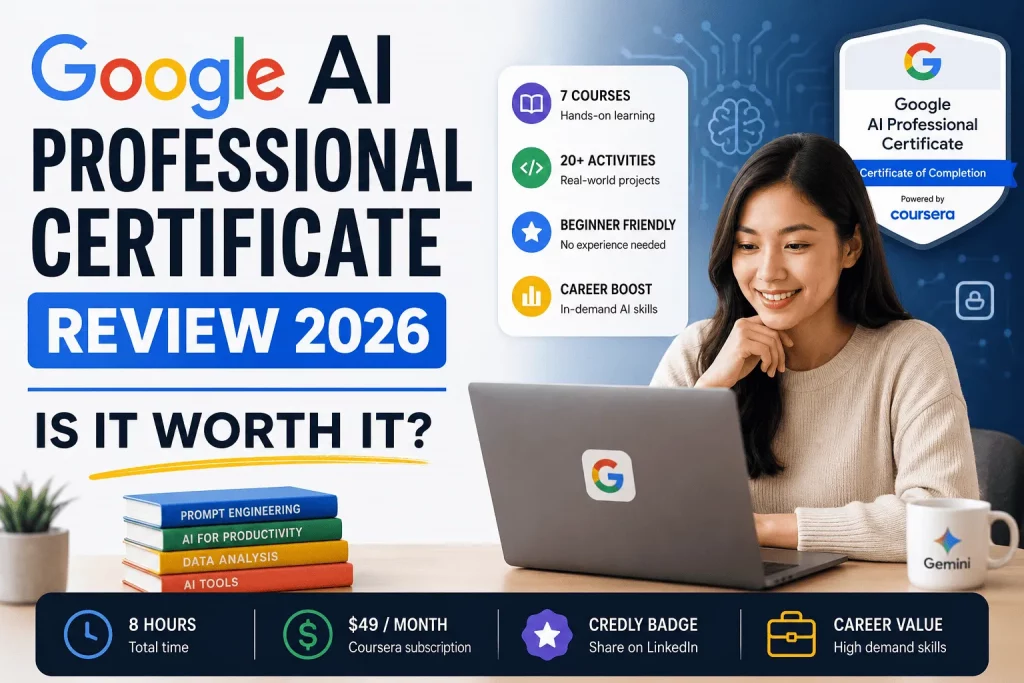
Google didn’t need to launch another beginner AI course. It already had one — Google AI Essentials — and that course became, by Google’s own account, the most enrolled course in Coursera’s history. So when Google introduced the Google AI Professional Certificate in February 2026, the move signaled something different from “AI 101 v2.”
Essentials taught people what generative AI is and how to write a basic prompt. The Professional Certificate is built for the next problem employers are actually facing: workers who understand AI conceptually but can’t yet apply it to real deliverables — a client report, a messy spreadsheet, a stakeholder deck, a workflow that’s still eating three hours a week it shouldn’t. Google built this certificate by mapping AI capability to actual job-posting data and validating the curriculum with a coalition of major U.S. employers, rather than starting from “here’s what a chatbot is” and hoping it translates to the job.
That distinction — foundational literacy versus applied, portfolio-building fluency — is the entire reason this certificate exists, and it’s the lens this review uses throughout. Below, you’ll find a full breakdown of the curriculum, real cost figures, the financial aid process, the badge and credentialing system, how it stacks up against Microsoft, IBM, and DeepLearning.AI, and a role-by-role verdict on whether it’s worth your time and $49.
Quick Verdict
Is the Google AI Professional Certificate worth it? Yes, if you’re a non-technical professional who wants a fast, Google-branded credential and hands-on practice with Gemini, NotebookLM, and Google AI Studio — and you’re willing to actually use the 3-month Google AI Pro trial rather than let it sit unused. It’s a weak fit if you already use AI tools daily at an advanced level, or if your goal is a technical machine-learning career, in which case a program like IBM’s AI Engineering Professional Certificate or DeepLearning.AI’s specializations will serve you better.
At roughly 8 hours of core content across 7 courses, one $49 billing cycle can cover the whole thing if you move with intent. The certificate won’t teach you to build models — it teaches you to get more done with the models that already exist, which is a more immediately useful skill for the vast majority of working professionals.
Course Snapshot
| Detail | Information |
|---|---|
| Provider | Google (Google Career Certificates) |
| Platform | Coursera, Google Skills, and Udemy |
| Launched | February 2026 |
| Structure | 7 courses |
| Total time | ~8 hours (Coursera lists this; most learners report 8–15 hours depending on how deeply they engage with the 20+ hands-on activities) |
| Level | Beginner — no AI or coding experience required |
| Cost | $49/month (U.S. and Canada); Coursera Plus subscribers get it included |
| Free trial | 7-day Coursera trial (certificate can’t be completed during the trial window) |
| Bonus | 3 months of no-cost Google AI Pro access |
| Credential | Shareable Google certificate + Credly digital badge |
| Enrollment | 1.2 million+ learners on Coursera |
| Rating | 4.8 out of 5 across roughly 4,900+ course reviews |
| Financial aid | Available (forfeits the Google AI Pro trial if approved) |
What Is the Google AI Professional Certificate?
The Google AI Professional Certificate is a seven-course training program, built by Google and delivered primarily through Coursera, designed to take someone from “I know what ChatGPT and Gemini are” to “AI-fluent” — meaning they can competently apply generative AI across the six areas of work where it’s having the most impact: brainstorming and planning, research, writing and communication, content creation, data analysis, and lightweight app building.
Unlike a traditional lecture-and-quiz MOOC, the certificate is built around more than 20 hands-on activities that produce artifacts you can actually use at work — a workback plan, a research report, a cleaned-up dataset, a functioning mini web app you built without writing code. Google frames this as a “portfolio,” and that’s an accurate description: by the end, you have tangible outputs, not just a transcript.
The program sits inside Google’s broader Career Certificates family, alongside long-standing programs like Google Data Analytics, Google Project Management, and Google UX Design. Notably, though, it’s much shorter than those — most of the flagship Google Career Certificates run 150–180 hours over three to six months. The AI Professional Certificate is designed to be finished in roughly a week of casual effort, or a single focused weekend.
Google AI Professional Certificate vs. Google AI Essentials
⭐ Important — these two programs get confused constantly, and picking the wrong one wastes both your time and your $49.
Google AI Essentials is the shorter, foundational program. It teaches core AI literacy: what generative AI is, how it works at a conceptual level, and how to write a basic effective prompt. It’s aimed at someone who has genuinely never used an AI tool with intention before.
The Google AI Professional Certificate assumes you already grasp the basics (or picks them up quickly in Course 1) and moves straight into applying AI to real job functions. It’s built around workplace domains, not concepts — brainstorming, research, writing, content, data, and app-building — and each course ends in a usable deliverable rather than a quiz.
| Google AI Essentials | Google AI Professional Certificate | |
|---|---|---|
| Focus | AI literacy and basic prompting | Applied AI across 6 work domains |
| Best for | True beginners, first exposure to AI | Professionals who already use AI casually and want to go deeper |
| Structure | 5 courses | 7 courses |
| Time | ~8–10 hours | ~8 hours |
| Cost | $49/month | $49/month |
| Google AI Pro trial included | No | Yes (3 months) |
| Credential weight | Certificate of completion / specialization certificate | Google Career Certificate (heavier resume signal) |
| Employer validation | General | Curriculum built with a coalition of major U.S. employers |
The practical rule of thumb: if you’ve never used Gemini, ChatGPT, or a similar tool for anything beyond curiosity, start with Essentials. If you already use AI tools at work occasionally but want structured, job-specific fluency plus a stronger credential, go straight to the Professional Certificate — you don’t need to complete Essentials first.
What You’ll Learn
The certificate is organized around a “collaborator mindset” — treating AI as a professional collaborator you direct with clear, structured instructions, not a vending machine you poke until something useful falls out. Core learning outcomes include:
- Structured prompting. Using a repeatable framework to get high-quality, relevant outputs instead of generic ones.
- Responsible and critical AI use. Evaluating AI outputs for accuracy and bias, and understanding where the technology’s limitations create risk.
- Domain-specific application. Applying AI to the six areas where it’s changing work fastest: brainstorming/planning, research, writing/communication, content creation, data analysis, and app building.
- Vibe coding. Building a functional custom app or internal tool using natural language instead of traditional programming — no coding background required.
- Workflow chaining. Linking multiple AI-assisted tasks together into a single, faster end-to-end workflow rather than treating each prompt as an isolated task.
You’ll work primarily inside Gemini (including Gemini Canvas and Gemini Deep Research), NotebookLM, Gemini integrated into Google Workspace (Docs, Slides, Sheets, and Meet), and Google AI Studio for the app-building course. Google is explicit, though, that you are not required to use Google’s tools specifically — any browser-based generative AI tool can be used to complete the labs, which matters if your workplace already has AI tooling from another vendor.
Curriculum Breakdown: All 7 Courses
The certificate is deliberately modular. Google’s own guidance is that you can jump into whichever course is most relevant to your job first — you don’t have to move through it in strict order, though Course 1 is the natural starting point since it covers the fundamentals everything else builds on.
Course 1 — AI Fundamentals (≈3 hours) Covers core generative AI concepts, a structured prompting framework, and how to evaluate AI output for accuracy and bias. You’ll also map your own workflow to find where AI can realistically save you time. This is the longest course in the program and functions as the on-ramp for everything after it.
Course 2 — AI for Brainstorming and Planning (≈1 hour) Uses AI as a creative partner to generate and stress-test ideas, prioritize them against decision criteria, and convert a rough project brief into a detailed workback plan — including surfacing gaps, risks, and timeline dependencies you might otherwise miss.
Course 3 — AI for Research and Insights (≈1 hour) Centers on Gemini Deep Research and NotebookLM/Gemini Notebook. You’ll synthesize multiple sources into a coherent research report, build a personal research hub, create a custom AI “expert” persona for a specific topic, and — critically — verify AI-generated findings against source documents rather than accepting them at face value.
Course 4 — AI for Writing and Communicating (≈1 hour) Focuses on turning meeting transcripts into clear summaries and action items, using Gemini Canvas to adapt one message for multiple audiences and stakeholder personas, and rehearsing high-stakes conversations through role-play scenarios with Gemini Live.
Course 5 — AI for Content Creation (≈2 hours) Covers generating images, video, and presentation assets from a creative brief, transforming a generic slide deck into something visually polished, setting brand and design guidelines the AI should follow consistently, and critiquing your own creative output using structured feedback prompts.
Course 6 — AI for Data Analysis (≈1 hour) Teaches you to define the right success metrics for a project, clean and standardize messy or unstructured data using natural-language prompts, generate spreadsheet formulas in Gemini for Google Sheets without knowing the formula syntax yourself, and build data visualizations that communicate a trend clearly.
Course 7 — AI for App Building (≈2 hours) The most technical course, but still requires zero coding experience. You’ll use “vibe coding” — describing what you want in natural language — to build a working web app that solves a specific problem in your own workflow, then use AI to debug and refine it inside Google AI Studio.
Hands-On Projects
The 20+ hands-on activities are the actual substance of this certificate, and they’re what separates it from a passive video course. Examples of what learners produce along the way:
- A detailed workback plan built from a vague project brief
- A synthesized, source-grounded research report
- A meeting summary and action-item list generated from a raw transcript
- Audience-specific versions of the same communication (executive summary vs. team update vs. client-facing note)
- On-brand marketing images, video, and a redesigned slide deck
- A cleaned dataset with automatically generated formulas and a finished visualization
- A working, custom-built mini web app addressing a real workplace task
Because the program is modular, you can pick and choose which projects matter most to your role — someone in marketing might spend extra time in Courses 4 and 5, while someone in operations might lean into Courses 3 and 6.
Google AI Professional Certificate Badge
Every learner who completes all seven courses earns a shareable Google certificate, plus a digital badge issued through Credly, the same Open Badge platform Google uses across its broader Career Certificates and Google Cloud credentialing programs.
How the badge works in practice:
- After completion, you’ll be prompted to claim your badge through Credly, using either a new or existing Credly account.
- Once claimed, the badge can be added directly to the Licenses & Certifications section of your LinkedIn profile, with one-click verification for anyone who clicks through.
- The badge can also be shared to other social platforms, embedded in a personal website, or added to an email signature.
- Because it’s issued and verified through Credly rather than a simple downloadable PDF, it carries a built-in verification link — a recruiter or hiring manager can confirm the credential is real and current without having to take your word for it.
For your resume, list it under a “Certifications” section as “Google AI Professional Certificate — Google (2026)” and include the Credly verification link if your resume format allows it (or place it directly beneath your LinkedIn URL). Because this is a Professional Certificate — not merely a “certificate of completion” — it carries more resume weight than shorter specialization-style credentials, a distinction that increasingly matters to employers parsing AI-related credentials on a candidate’s profile.
Google AI Professional Certificate Cost
In the U.S. and Canada, the Google AI Professional Certificate costs $49 per month through its Coursera subscription. Pricing may vary somewhat outside the U.S. and Canada. That single monthly fee unlocks the full program — all seven courses, every video and reading, all graded hands-on activities, and the final certificate.
Monthly Coursera subscription. The $49/month is a Coursera plan subscription, not a one-time purchase. Since the total course content is roughly 8 hours, most learners who set aside even a few evenings can realistically finish inside a single billing cycle — meaning the effective total cost for many people is one payment of $49, not an ongoing subscription. If you already have Coursera Plus, the certificate is included at no additional cost beyond your existing subscription.
Financial Aid. Coursera offers financial aid for qualifying learners, which can significantly reduce or eliminate the cost. See the dedicated Financial Aid section below for the full process.
Trial. Coursera offers a 7-day free trial. You can preview course content during that window, but you cannot complete the graded assessments needed to actually earn the certificate for free — the trial is for evaluation, not certification.
Total cost — realistic scenarios:
| Scenario | Approximate total cost |
|---|---|
| Finish inside one billing cycle | $49 one-time |
| Take 2 months to finish at a slower pace | $98 |
| Approved for full financial aid | $0 (no Google AI Pro trial) |
| Already a Coursera Plus subscriber | Included, no extra cost |
| U.S. small business enrollee (Google’s small-business access program) | $0 |
Can You Take It Free?
This is one of the most-searched questions about the certificate, and the honest answer has three parts.
Is there a Google AI Professional Certificate free trial? Yes — Coursera’s standard 7-day free trial applies, letting you preview lectures, readings, and course structure at no cost. However, you cannot pass the graded activities or earn the actual certificate during that trial window, since certification requires an active paid subscription (or approved financial aid).
Is the Google AI Professional Certificate free or paid? It’s a paid program at $49/month, with two legitimate no-cost paths: approved financial aid, or eligibility through Google’s small-business access initiative (U.S. small businesses can currently get free access to the certificate, alongside Google Workspace Business Standard, as part of Google’s push to expand AI training).
Is Google AI Professional Certificate is free? Only under those two exceptions above — general enrollment is not free, but the effective cost is often just one $49 payment given the short completion time, and legitimate no-cost routes exist for those who qualify.
Google AI Professional Certificate on Coursera
The certificate is hosted on Coursera as its primary platform (it’s also mirrored on Google Skills and Udemy, though Coursera is where most learners enroll and where the Credly badge integration is most seamless).
Platform experience. Coursera’s interface for this certificate is standard for its Professional Certificate line: a course dashboard tracking your progress across all seven courses, embedded video lectures, in-browser hands-on labs for many of the AI activities, peer-reviewed or auto-graded assignments, and a completion certificate generated automatically once every course is finished.
Mobile vs. desktop. The video and reading components work fine on Coursera’s mobile app for on-the-go review, but the hands-on activities — especially the app-building course, which requires working inside Google AI Studio, and the data analysis course, which involves spreadsheet work — are meaningfully easier on desktop. If you’re trying to squeeze this into commute time, treat mobile as supplementary rather than your primary study environment.
Assessments. Rather than traditional multiple-choice-heavy quizzes, most of the grading is tied to the hands-on activities themselves — did you produce a usable workback plan, a coherent research report, a functioning app. This is a meaningfully more practical assessment style than older-generation MOOCs, and it’s part of why the certificate feels closer to a workshop than a lecture series.
Google AI Professional Certificate Salary
Google doesn’t publish a figure claiming “earn $X after completing this certificate,” and treat any site that does with skepticism — a single 8-hour certificate is not going to single-handedly move your salary by a fixed dollar amount, and it would be misleading to imply otherwise.
What’s more useful is understanding which roles value these specific AI skills, and how the certificate strengthens a candidate profile when it’s combined with real experience and a visible project portfolio:
- Marketing and content roles increasingly expect comfort with AI-assisted content creation, brand-consistent asset generation, and campaign ideation — directly mirrored in Courses 2 and 5.
- Operations, project management, and business analyst roles value the planning, research synthesis, and data-cleaning skills covered in Courses 2, 3, and 6.
- Client-facing and communications roles — account management, customer success, internal comms — benefit from the audience-adaptation and stakeholder-communication skills in Course 4.
- Product and “no-code” builder roles are increasingly interested in candidates who can prototype quickly using tools like the vibe coding covered in Course 7, even without a formal engineering background.
- General “AI-fluent” hiring signals. A growing share of employers now list AI fluency as a baseline expectation across roles, not a specialized skill — which is part of why a broad, applied, Google-branded certificate has more resume traction than a narrow technical one for non-engineering roles.
The certificate functions best as a credibility multiplier, not a standalone qualification. Paired with actual work experience, a visible project or two you can speak to in an interview, and a demonstrated habit of using AI tools productively, it meaningfully strengthens a resume and a LinkedIn profile. On its own, without that context, its salary impact is modest — which is true of nearly every short-form certificate on the market, not a unique weakness of this one.
Google AI Professional Certificate Financial Aid
Financial aid is genuinely one of the easiest wins in this whole program — Coursera’s financial aid process for this certificate is not especially competitive, and approval rates for Google Career Certificates tend to be high for applicants who complete the form thoughtfully.
Eligibility. Financial aid is intended for learners who can demonstrate that the cost is a genuine barrier to enrollment. There’s no rigid income cutoff published publicly; Coursera evaluates applications individually.
Application. From the certificate’s Coursera page, you’ll find a “Financial aid available, learn more” link. The application asks you to explain, in your own words, your current financial situation, your motivation for taking the certificate, and your career goals. There’s no formal documentation (tax returns, pay stubs) required for most Coursera financial aid applications — it’s a short-answer form, not a means-tested bureaucratic process.
Approval. Most applicants hear back within about 15 days. If approved, you get full access to the certificate at no cost.
The trade-off to know before applying. If you’re approved for financial aid, you will not receive the 3-month Google AI Pro trial that’s otherwise bundled with paid enrollment. For many learners, that’s an acceptable trade — you can complete every hands-on lab using any free-tier AI tool, since Google explicitly does not require its own tools to finish the coursework. But if part of your motivation for enrolling is getting extended hands-on time with Gemini Advanced-tier features, factor that loss into your decision.
Tips for a stronger application:
- Be specific about your career goal rather than generic (“I want to move from an administrative role into a data-adjacent role at my company, and this certificate directly maps to that transition”) rather than vague AI enthusiasm.
- Mention concrete financial context briefly and honestly — you don’t need to over-explain, but vague applications get vague outcomes.
- Apply well before you intend to start; approval isn’t instant, so don’t wait until the week you want to begin studying.
Time Commitment
Coursera’s official estimate is about 8 hours across all seven courses. In practice, expect a range:
- Fast pace: A single focused weekend (roughly 8–10 hours) if you move through videos at 1.5–2x speed and complete the hands-on activities efficiently.
- Typical pace: One to three weeks of casual evening study, especially if you take time to genuinely apply each lab to your own real work rather than a throwaway example.
- Deliberate pace: Several weeks if you’re using this as a genuine skill-building period and revisiting activities to refine the outputs for your actual portfolio.
Compared to Google’s flagship Career Certificates (Data Analytics, UX Design, Project Management), which typically run 150–180 hours over three to six months, this is a dramatically lighter commitment — intentionally so, since it’s designed for busy professionals who need to build fluency quickly, not switch careers from scratch.
Pros and Cons
Pros
- Backed by the Google brand, with curriculum built and validated against real employer hiring needs
- Genuinely applied, project-based structure — you leave with usable deliverables, not just a transcript
- Short time commitment relative to the credential weight it carries
- Includes 3 months of no-cost Google AI Pro access (when not on financial aid)
- Modular design lets you prioritize the domains most relevant to your job
- Strong completion rating (4.8/5 across thousands of reviews) and large existing learner base
- Doesn’t require any specific AI tool — you can complete labs with any browser-based generative AI
- Legitimate, accessible financial aid process with high approval likelihood
Cons
- Not technical — this is not a machine-learning, data-science, or AI-engineering credential, and won’t prepare you for those roles
- No individual dollar salary guarantee, and value depends heavily on how you present it alongside real experience
- Financial aid recipients lose the Google AI Pro trial
- The certificate can’t be earned for free during the 7-day trial window
- Some hands-on labs (app building, data work) are noticeably harder on mobile than desktop
- Currently English-first, with additional language rollout still expanding
- As with any fast-growing credential, market saturation is a real long-term risk if too many candidates hold an identical certificate with no differentiated portfolio to back it up
Comparison: Google vs. Microsoft vs. IBM vs. DeepLearning.AI
| Google AI Professional Certificate | Microsoft AI/Azure AI Fundamentals | IBM AI Engineering Professional Certificate | DeepLearning.AI (Andrew Ng) Specializations | |
|---|---|---|---|---|
| Audience | Non-technical professionals | Mixed — business and early-technical learners | Aspiring AI/ML engineers | Learners wanting genuine technical depth in ML/AI |
| Technical depth | Low — no coding required | Low to moderate | High — Python, ML frameworks, model deployment | High — math, model architecture, hands-on model building |
| Format | 7 courses, ~8 hours | Self-paced modules via Microsoft Learn | Multi-course program, Coursera | Individual specializations, Coursera |
| Cost | $49/month | Free to low-cost (exam fees apply for certification) | Coursera subscription pricing | Coursera subscription pricing |
| Best for | Applying AI to daily work tasks across departments | Cloud/enterprise AI literacy, especially in Microsoft-stack environments | Building and deploying real ML models | Understanding how AI/ML actually works under the hood |
| Credential recognition | Strong for general “AI fluency” hiring signals | Strong within Microsoft/Azure-centric employers | Strong for engineering and technical hiring | Strong academically and among technical hiring managers |
| Coding required | No | Minimal | Yes, extensively | Yes |
The short version: if your goal is to get faster and better at your current non-technical job using AI tools, the Google AI Professional Certificate is the most directly applicable option here. If you want to eventually build or deploy AI models yourself, IBM’s program or a DeepLearning.AI specialization is the better long-term investment. Microsoft’s path is the strongest choice specifically if your organization already runs on the Azure/Microsoft ecosystem.
Atlas Decision Matrix™
Atlas Course Score™
| Category | Rating (out of 5) | Notes |
|---|---|---|
| Time Investment | ★★★★★ | Among the shortest credentials in Google’s Career Certificate lineup |
| Cost | ★★★★☆ | $49 is low, and often just a single payment; financial aid strengthens this further |
| Certificate | ★★★★☆ | Real Google-issued, Credly-verified credential with LinkedIn integration |
| Skills | ★★★★☆ | Genuinely practical and immediately applicable, though not technical |
| Career Value | ★★★☆☆ | Strong as a supporting credential; limited as a standalone differentiator |
Atlas ROI™
For an $49 investment and roughly 8 hours of time, the certificate produces: a portfolio of 20+ usable work artifacts, a verifiable Google-branded credential, three months of premium AI tool access, and a structured framework for using AI across six work domains you’ll likely touch regularly. Measured purely against cost-per-hour-of-practical-skill-building, it’s a strong value — the ROI ceiling, though, depends entirely on whether you actually apply what you built rather than letting the certificate sit unused on a LinkedIn profile.
Atlas Career Roadmap™
AI Beginner
     ↓
Google AI Professional Certificate
     ↓
Hands-on AI Projects
     ↓
Portfolio
     ↓
AI Productivity Skills
     ↓
Career Growth
This roadmap reflects the realistic path most learners follow: start with limited AI exposure, complete the structured curriculum, apply the hands-on projects to real work rather than throwaway examples, assemble those outputs into a visible portfolio (a shared doc, a LinkedIn post, a portfolio site), let that translate into durable day-to-day productivity gains, and use the combination — credential plus demonstrated skill plus real output — to support a promotion case, a role change, or a new job search.
Is It Worth It? A Breakdown by Role
Students. Worth it as a low-cost way to build a resume-ready AI credential before entering the job market, especially paired with financial aid. The research, writing, and data courses translate directly to coursework as well.
Professionals (general). Strong fit, particularly for anyone whose role touches planning, communication, reporting, or content — which is most office-based work. The short time commitment makes it easy to complete without disrupting a full-time job.
Teachers. Useful for building lesson-planning efficiency, communication templates for parents and administrators, and general AI fluency that’s increasingly expected in education settings — though it’s not education-specific, so expect to adapt the generic frameworks to a classroom context yourself.
Government employees. A reasonable option for building baseline AI literacy in a sector where formal AI adoption policies are still maturing; the responsible-AI and critical-evaluation components in Course 1 are particularly relevant given the scrutiny public-sector AI use often faces.
Business owners. Especially strong value for small business owners in the U.S., given Google’s free-access program for small businesses — the planning, content creation, and data analysis courses map directly onto the tasks a lean team handles without dedicated specialists.
Freelancers. High practical value — the certificate essentially teaches faster ways to do client research, content production, and reporting, all of which directly affect billable hours and turnaround time.
Career changers. Useful as a supporting credential and skill-builder, but should not be mistaken for a standalone career-change vehicle into a technical AI role. Pair it with a more technical program (see the comparison table above) if the target role is engineering- or data-science-adjacent.
Frequently Asked Questions
Is Google AI Professional Certificate free? No, standard enrollment costs $49/month. It’s free only through approved financial aid or Google’s U.S. small-business access program.
How much does Google AI Professional Certificate cost? $49 per month in the U.S. and Canada, often totaling just one payment since the program takes about 8 hours to complete.
How long does Google AI Professional Certificate take? Roughly 8 hours across 7 courses, with most learners finishing within one to three weeks at a casual pace.
Is Google AI Professional Certificate worth it? Yes for non-technical professionals seeking applied AI skills and a Google-branded credential; less so for anyone pursuing a technical AI/ML career path.
Is financial aid available? Yes, through Coursera’s standard financial aid application, with most decisions returned within about 15 days.
Does Google AI Professional Certificate include a badge? Yes, a Credly-issued digital badge that’s shareable to LinkedIn with built-in verification.
Can I earn the certificate through Coursera? Yes, Coursera is the primary platform; it’s also available through Google Skills and Udemy.
What is the difference between Google AI Essentials and Google AI Professional Certificate? Essentials teaches foundational AI literacy; the Professional Certificate applies AI across six specific work domains and includes a stronger, employer-validated credential plus a Google AI Pro trial.
Is the certificate recognized by employers? Yes — the curriculum was built and validated with a coalition of major U.S. employers, and the Google brand carries general hiring-manager recognition.
Can beginners complete this certificate? Yes, no prior AI or coding experience is required.
Is there a free trial? Coursera offers a 7-day free trial, but you can’t complete the graded work or earn the certificate during that window.
Does it require a Google AI Pro subscription? No — the 3-month Google AI Pro access is a free bonus for paid or non-financial-aid enrollees, not a requirement to finish the labs.
What tools does the certificate teach? Gemini (including Canvas and Deep Research), NotebookLM, Gemini in Google Workspace, and Google AI Studio, though any browser-based AI tool can be substituted for the labs.
Do I need coding experience for the app-building course? No — Course 7 uses “vibe coding,” where you describe what you want in plain language rather than writing code.
How many courses are in the certificate? Seven: AI Fundamentals, Brainstorming and Planning, Research and Insights, Writing and Communicating, Content Creation, Data Analysis, and App Building.
Is the certificate available in languages other than English? It’s available in English, with translations in several additional languages including Spanish, French, German, Japanese, and others, with more rolling out over time.
Can I take a single course instead of the whole certificate? Yes, but enrolling in a single course that’s part of the certificate automatically subscribes you to the full program.
Does the certificate carry university credit? No, it does not carry academic credit.
What happens if I get financial aid — do I still get the AI Pro trial? No, financial aid recipients do not receive the complimentary 3-month Google AI Pro trial.
Is small business access really free? Yes, Google currently offers free access to the certificate for eligible U.S. small businesses as part of its broader AI-skills initiative.
How does this compare to IBM’s AI certificate? IBM’s AI Engineering Professional Certificate is significantly more technical, requiring Python and machine-learning concepts, while Google’s certificate requires no coding.
Will this certificate get me an AI engineering job? No — it builds applied AI fluency for general professional roles, not the technical skill set required for AI/ML engineering positions.
How is the certificate graded? Primarily through hands-on activities and applied projects rather than traditional quizzes, so completion depends on producing usable deliverables.
What rating does the certificate have? Approximately 4.8 out of 5 stars across nearly 5,000 course reviews on Coursera.
Can I add the badge to my resume? Yes — list it under Certifications with the Credly verification link, and add the badge itself to LinkedIn’s Licenses & Certifications section.
Is the Google AI Professional Certificate better than Google AI Essentials? Neither is strictly “better” — Essentials is the right starting point for true AI beginners, while the Professional Certificate is the right next step for anyone ready to apply AI to specific work tasks and wants a stronger resume credential.
Related Professional Development Guides
Leadership rarely develops in isolation — it usually pairs with a handful of other practical workplace skills. If you’re building out a broader professional development plan, these guides cover the skills that most often complement leadership training:
- Best Communication Skills Courses Online
- Best Excel Courses Online
- Best Microsoft Word Courses Online
- Best PowerPoint Courses Online
- Best Leadership Courses Online in 2026
- Best Project Management Courses Online in 2026
- Free Online Courses for Skill Upgrade in 2026: The Complete Global Guide
- Google AI Essentials Review (2026): Everything You Need to Know Before You Enroll
This review reflects publicly available program details as of July 2026. Cost, structure, and regional pricing may change — always confirm current details on the official Coursera enrollment page before signing up.