In a hiring market where a recruiter often spends less than ten seconds on a first pass, the resume is still the single document that decides whether you get a callback or get filtered out. It doesn’t matter if you are a fresh graduate applying for your first job, a career shifter trying to break into a new industry, a government job applicant navigating strict formatting rules, or a remote worker competing against candidates from other countries — your resume is doing the talking before you ever get the chance to.
The data backs this up. An eye-tracking study by TheLadders found that recruiters spend an average of just 7.4 seconds reviewing each resume during the initial screening stage. That window is often even shorter today: nearly 98% of Fortune 500 companies now rely on an Applicant Tracking System to filter resumes before a recruiter ever opens one, and broader industry research shows roughly 75% of recruiters and hiring managers use some form of applicant tracking software in their day-to-day hiring process. In other words, most resumes have to clear a software filter first, then survive a scan measured in single-digit seconds — which is exactly the combination a resume builder is designed to handle.
That is exactly why resume builders have become the default tool for job seekers in 2026. They remove the guesswork of formatting, reduce the risk of costly mistakes, and help you produce a document that both human recruiters and Applicant Tracking Systems (ATS) can actually read.
Why resumes still matter
Despite predictions that AI would replace resumes with LinkedIn profiles or video pitches, the resume remains the primary screening document for over 90% of employers. It is compact, scannable, and easy to compare side-by-side with other candidates — which is exactly what hiring teams need when they’re reviewing hundreds of applications for a single opening.
How recruiters screen candidates
Most mid-sized and large companies use an Applicant Tracking System to filter resumes before a human ever sees them. The ATS scans for keywords, job titles, formatting consistency, and relevant experience. Resumes that use complex tables, graphics, or unconventional layouts often get parsed incorrectly — sometimes rejected outright — regardless of how qualified the candidate actually is. Once a resume clears the ATS, a recruiter typically does a rapid visual scan, looking for a clear summary, quantifiable achievements, and relevant skills before deciding whether to read further.
Why resume builders are becoming popular
A resume builder solves both problems at once. It provides ATS-compatible formatting by default, and it guides you through the content so you don’t skip sections recruiters expect to see. Instead of wrestling with margins and fonts in a word processor, you fill in structured fields and the tool handles the layout.
Who should use a resume builder
If you fall into any of these groups, a resume builder will likely save you time and improve your results:
- Fresh graduates with limited work history who need help structuring what they do have
- Career shifters who need to reframe past experience for a new industry
- Government job applicants who must follow strict, standardized formats
- Corporate professionals updating an outdated resume for a promotion or new role
- Virtual assistants and freelancers who need multiple resume versions for different client types
- Remote workers applying to companies across time zones and countries
- International job seekers adapting their resume to different regional standards
Try our Free Resume Builder and have a polished, ATS-friendly resume ready in minutes — no design skills required.
What Is a Resume Builder?
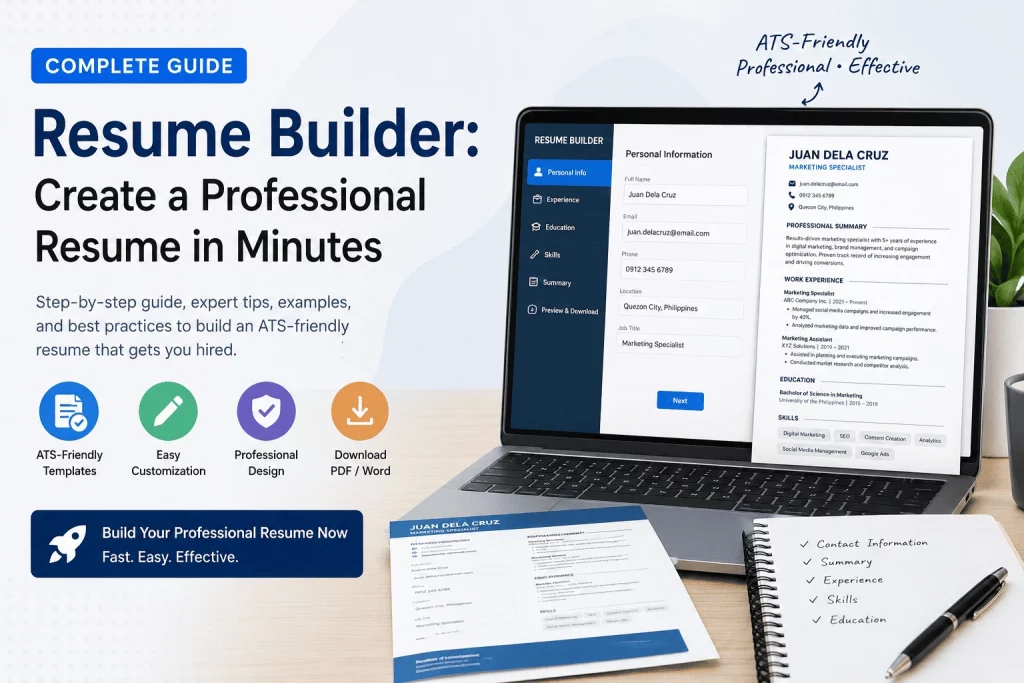
A resume builder is a software tool that helps you create a resume by filling in guided fields — personal details, work experience, skills, education — while the tool automatically applies professional formatting, spacing, and structure. Instead of starting from a blank page in Word or Google Docs, you work inside a structured interface that already knows what a resume needs.
Definition
At its core, a resume builder is a content-to-layout engine. You provide the content (your information), and the builder provides the layout (fonts, margins, section order, visual hierarchy). Most modern builders also include ATS-compatibility checks, keyword suggestions, and export options for PDF, Word, or plain text.
How it works
The typical workflow looks like this:
- You select a template or layout style.
- You enter your information section by section — contact details, summary, experience, skills, education.
- The builder formats everything automatically as you type, showing a live preview.
- You download the finished resume as a PDF or Word document, ready to submit.
Some advanced builders — including AI-powered ones — go a step further by suggesting phrasing for your professional summary, recommending industry-specific skills, or rewriting weak bullet points into achievement-focused statements.
Difference between templates and builders
This distinction trips a lot of job seekers up, so it’s worth clarifying:
- A resume template is a static file — usually a Word document or Canva design — that you download and manually edit. You are responsible for maintaining formatting consistency as you add or remove content.
- A resume builder is an interactive tool. It generates the layout dynamically based on what you enter, so formatting stays consistent no matter how much text you add or remove.
In short: a template gives you a starting shape. A builder gives you a working system.
Examples
Common examples of what resume builders offer include: chronological, functional, and hybrid layout options; industry-specific templates (corporate, creative, government, technical); built-in ATS scoring; and one-click export in multiple formats. This guide focuses on the practical decisions you need to make, not on any single product’s screenshots — the goal is understanding what a resume builder actually needs to deliver for it to work for you.
Benefits of Using a Resume Builder
Saves Time
Manually formatting a resume in a word processor — adjusting margins, aligning bullet points, fixing spacing every time you add a line — can easily eat up hours. Every time you add a new bullet point or remove an old job, the whole layout can shift, forcing you to re-align spacing across the entire document. A resume builder collapses that process into minutes because the layout is already handled. You focus on the content; the tool handles the presentation. For job seekers applying to multiple openings in a short window — which is increasingly the norm in a competitive market — this time savings compounds quickly, freeing up hours that are better spent researching companies or preparing for interviews.
Professional Formatting
Consistent font sizing, proper white space, and clean section dividers are things most people get wrong when building a resume from scratch. Small inconsistencies — a slightly larger font in one bullet, uneven spacing between sections, misaligned dates — are easy to miss when you’re staring at your own document, but they stand out immediately to a recruiter scanning dozens of resumes in a row. A builder applies these design principles automatically, so your resume looks like it was made by a professional designer, even if you have zero design background. This matters more than most job seekers realize: a visually clean resume signals attention to detail before the recruiter has even read a single line of content.
ATS-Friendly Design
This is arguably the most important benefit for job seekers today. A resume builder built with ATS compatibility in mind avoids the formatting traps — text boxes, columns, embedded graphics, unusual fonts, headers and footers used for key information — that cause parsing errors in applicant tracking systems. When an ATS misreads your resume, it can strip out your job titles, misplace your dates, or drop entire sections before a recruiter ever opens the file. A builder engineered around ATS logic avoids these traps by default, meaning your information actually reaches the recruiter instead of getting mangled or silently dropped by the software before a human sees it.
Reduces Errors
Builders often include spell-check, formatting validation, and section completeness checks that flag missing information before you submit. This catches the kind of small but damaging mistakes — inconsistent date formats, missing contact info, awkward line breaks, duplicated bullet points — that a tired job seeker editing their own resume at midnight is prone to miss. Some builders will also flag when a section looks unusually thin (for example, a skills section with only one entry), prompting you to fill in gaps you might not have noticed on your own.
Easy Customization
Because your content and your layout are separate, tailoring your resume for a different job posting is fast. You can swap out a skills section, reorder your experience, or adjust your summary without breaking the rest of the document’s formatting — something that’s genuinely painful to do in a manually built Word file, where deleting one line can silently shift every section below it. This makes it realistic to maintain two or three tailored versions of your resume for different job types, rather than sending the same generic document to every posting and hoping it sticks.
Resume Builder vs Creating a Resume Manually
| Feature | Resume Builder | Manual Resume |
|---|---|---|
| Speed | ✅ | ❌ |
| Formatting | ✅ | ⚠️ |
| ATS Optimization | ✅ | ⚠️ |
| Customization | ✅ | ✅ |
| Ease of Use | ✅ | ❌ |
Speed — A resume builder can take you from blank profile to finished document in under 30 minutes. A manual resume, especially your first one, often takes several hours once you factor in formatting trial-and-error.
Formatting — Builders enforce consistent formatting by design. Manual resumes depend entirely on the creator’s attention to detail, which is why so many manually built resumes have inconsistent spacing, font mismatches, or misaligned bullet points.
ATS Optimization — Builders designed with ATS compatibility in mind strip out the elements that confuse parsing software. Manual resumes can be ATS-friendly too, but only if the person building it understands the technical constraints — most don’t.
Customization — Both approaches allow customization, which is why this is the one category where manual resumes hold their own. A skilled resume writer working manually can achieve very specific, tailored formatting that some builders restrict.
Ease of Use — Builders are designed for non-designers. Manual resume creation in Word or Google Docs requires you to understand tables, tab stops, and style consistency — skills most job seekers don’t have and shouldn’t need.
The practical takeaway: unless you have strong design skills and plenty of time, a resume builder gets you a better outcome faster.
Resume Builder vs AI Resume Generators
With AI chatbots now able to write text on demand, a growing number of job seekers are asking whether they even need a resume builder — or if a general-purpose AI chatbot can just write the resume for them. The two tools solve different parts of the problem, and understanding that difference matters before you pick one.
| Feature | Resume Builder | AI Chatbot |
|---|---|---|
| Formatting | ✅ | ❌ |
| ATS Layout | ✅ | ⚠️ |
| Speed | ✅ | ✅ |
| Resume Export | ✅ | ❌ |
Formatting — A resume builder outputs a fully formatted, ready-to-send document. An AI chatbot outputs text — you’re still responsible for pasting it into a document and formatting it yourself, which reintroduces the exact manual-formatting problems a resume builder is meant to eliminate.
ATS Layout — A resume builder designed around ATS logic keeps your layout parsing-safe by default. A chatbot has no concept of layout at all — it can write strong content, but it can’t guarantee that content ends up in an ATS-safe structure once you format it yourself, which is why this column is marked as a caution rather than a clear pass.
Speed — Both tools are genuinely fast for generating content, which is why chatbots have become popular for drafting a professional summary or rewriting a weak bullet point. This is the one category where AI chatbots hold their own.
Resume Export — A resume builder gives you a downloadable PDF or Word file, ready to submit. A chatbot only gives you text in a chat window — there’s no export, no template, and no guarantee of consistent formatting once you move that text elsewhere.
The practical approach: many job seekers now use both — an AI chatbot to brainstorm or sharpen the wording of a summary or bullet point, and a resume builder to turn that content into a properly formatted, ATS-friendly, exportable document. Treat the chatbot as a drafting assistant and the builder as the production tool.
How to Create a Resume Using a Resume Builder
Step 1: Choose Your Target Job
Before you type a single word, decide which job or job type you’re building this resume for. Your target role determines your professional summary, which skills you highlight, and which past experience deserves the most space. A resume aimed at “any job” typically performs worse than one clearly aimed at one role or role family.
Step 2: Add Personal Information
Include your full name, phone number, professional email address, city and country (full street address is no longer standard), and links to relevant profiles like LinkedIn or a portfolio site. Skip anything unnecessary — date of birth, marital status, or a photo are not expected in most English-speaking job markets and can even work against you with some employers.
Step 3: Write a Professional Summary
This is a two-to-three sentence pitch at the top of your resume that tells the reader who you are professionally, what your key strength is, and what kind of role you’re targeting. A strong summary front-loads your most relevant qualification instead of opening with generic language like “hardworking team player.”
Step 4: Add Work Experience
List your positions in reverse-chronological order (most recent first). For each role, include your job title, company name, dates of employment, and three to five bullet points describing what you did — ideally framed as achievements with measurable results rather than a list of duties.
Step 5: Add Skills
Include a mix of hard skills (software, technical abilities, certifications-adjacent competencies) and soft skills (communication, leadership, problem-solving) — but lean heavier on hard skills, since these are what ATS systems scan for most aggressively.
Step 6: Add Education
List your degree, institution, and graduation year. Fresh graduates with limited work experience can expand this section with relevant coursework, honors, or academic projects. Experienced professionals should keep this section brief.
Step 7: Add Certifications
Include any relevant certifications, licenses, or completed training programs, especially ones tied directly to your target job. For government applicants, technical professionals, and career shifters, this section can meaningfully strengthen an otherwise thin resume.
Step 8: Download and Review
Export your resume as a PDF (the safest universal format) unless the job posting specifically requests a Word document. Before submitting, review it once more for typos, formatting consistency, and whether it’s genuinely tailored to the job you’re applying for.
Essential Sections Every Resume Should Include
- Contact Information — name, phone, email, location, and professional profile links. Keep this section brief and place it clearly at the top so both recruiters and ATS software can find it instantly.
- Professional Summary — a short pitch that frames your candidacy at a glance, ideally mentioning your target role, years of relevant experience, and your single strongest qualification.
- Work Experience — your job history with achievement-focused bullet points, listed in reverse-chronological order with consistent date formatting throughout.
- Skills — a scannable list of hard and soft skills relevant to the target role, weighted toward the exact terms used in the job posting.
- Education — your academic background, sized appropriately to your experience level — expanded for fresh graduates, condensed for experienced professionals.
- Certifications — licenses, courses, or credentials that support your candidacy, especially ones with direct relevance to the target industry.
- Projects (Optional) — useful for fresh graduates, career shifters, or freelancers without extensive formal work history, and a strong way to demonstrate hands-on ability.
- Awards (Optional) — recognitions that reinforce your credibility, used sparingly and only when genuinely relevant to the role being targeted.
Resume Examples by Career Level
Fresh Graduate Resume Example
A fresh graduate resume typically leads with education and academic achievements, since formal work history is limited. Internships, part-time jobs, group projects, capstone projects, and volunteer work all count as legitimate experience here — recruiters hiring for entry-level roles expect this and evaluate accordingly. The professional summary should focus on potential and relevant coursework rather than years of experience the candidate doesn’t have yet. A strong structure for this level usually looks like: Contact Information, Professional Summary, Education (with relevant coursework or honors), Projects, Internships or Part-Time Work, and Skills. Because the resume is short on traditional experience, every bullet point should work harder to demonstrate transferable skills — teamwork from group projects, initiative from extracurricular leadership roles, or technical ability from academic assignments.
Entry-Level Resume Example
Entry-level candidates usually have one to two years of experience. The resume should shift the balance slightly toward work experience while still keeping education visible, typically placing Work Experience above Education once at least one relevant role has been completed. This is the stage where quantifying small wins — “reduced processing time by 15%,” “handled 50+ customer inquiries daily,” “trained two new hires during onboarding” — starts to matter and separates a strong entry-level candidate from a generic one. Skills sections at this level should already start narrowing toward the specific tools and competencies used in the target role, rather than listing broad, generic abilities.
Mid-Career Professional Resume Example
Mid-career resumes should lead with a strong professional summary and a solid block of relevant, recent experience — typically the last three to four roles, unless an older position is directly relevant to the target job. Education moves toward the bottom of the document, and a graduation year can often be dropped altogether if it’s more than 10-15 years in the past. This is also where a candidate should start trimming older, less relevant roles to keep the resume focused and to length, replacing a full job history with a condensed “Additional Experience” line if needed. Achievements should dominate this section: promotions earned, teams built, targets exceeded, or processes improved, each backed by a number wherever possible.
Executive Resume Example
Executive resumes emphasize leadership impact, strategic results, and organizational scope (team size managed, budget responsibility, revenue impact) over day-to-day task lists. These resumes often run to two pages and may include a short “Core Competencies” or “Leadership Highlights” section near the top, followed by a condensed history of senior roles that foregrounds business outcomes — revenue growth, cost reduction, market expansion, organizational turnarounds — rather than routine responsibilities. Board memberships, speaking engagements, and major publications, when relevant, are typically placed near the end of the document rather than the top.
ATS-Friendly Resume Tips
Use Standard Headings — Stick to conventional section titles like “Work Experience,” “Skills,” and “Education” rather than creative alternatives like “My Journey” or “What I Bring.” ATS software is trained to recognize standard headings; unconventional ones can be misread or skipped entirely, which means an entire section of genuinely strong content can simply disappear from the recruiter’s view without you ever knowing why.
Avoid Graphics — Icons, photos, charts, progress bars for skill levels, and decorative elements often fail to parse correctly and can cause an ATS to misread or drop entire sections of content. Even something as simple as a text box used to highlight your contact information can cause an ATS to miss your phone number or email entirely, since many parsers only read the document’s main text flow.
Include Relevant Keywords — Mirror the language used in the job posting, especially for skills, tools, and job titles. If the posting says “project management,” using only “managed projects” elsewhere in your resume may not register as a match. ATS systems are essentially keyword-matching engines, so alignment between your resume and the posting directly affects your ranking. A useful habit is to keep the job description open side-by-side while tailoring your resume, and to naturally work in exact-match phrases wherever they genuinely apply to your background.
Use Simple Formatting — Single-column layouts, standard fonts (Arial, Calibri, Georgia), and consistent bullet points parse far more reliably than multi-column designs or unusual typefaces. Multi-column resumes look modern to the human eye, but many ATS parsers read left to right across the entire page, which can scramble a two-column layout into an unreadable jumble of mixed content from both sides.
Tailor Your Resume — Generic resumes sent to every job posting consistently underperform. Adjusting your summary, skills, and top bullet points for each application meaningfully increases your ATS match rate and recruiter interest. This doesn’t mean rewriting the whole document each time — most job seekers only need to adjust the top third of the resume (summary, top skills, most relevant experience bullets) to see a meaningful improvement in match quality.
Common Resume Mistakes to Avoid
Spelling Errors — Even a single typo can signal carelessness to a recruiter reviewing dozens of applications, especially in detail-sensitive fields like finance, law, or government work. Always proofread, ideally out loud or by reading the document backward, and have a second person review it too — most people miss their own typos because they read what they meant to write, not what’s actually on the page.
Generic Objectives — Statements like “Seeking a challenging position where I can grow” tell the reader nothing about your value and waste valuable space at the top of the document, exactly where a recruiter’s attention is highest. Replace objectives with a targeted professional summary instead — one that states your role focus, your strongest qualification, and what kind of value you bring, in two to three sentences.
Lack of Achievements — Listing job duties without results (“Responsible for managing a team”) is far weaker than quantifying impact (“Led a team of 8, improving on-time project delivery by 20%”). If you’re unsure how to quantify a role, ask yourself: What changed because I was there? Fewer errors, faster turnaround, higher sales, better retention — these are the numbers recruiters are trained to look for.
Too Much Information — Irrelevant jobs, excessive personal details, or a decade-old skill list can dilute your strongest qualifications. Every line should earn its place on the page. This also applies to older technical skills that are no longer relevant — listing software you haven’t used in ten years can actually work against you by making your skill set look outdated rather than current.
Unprofessional Email Address — An email like “coolguy123@email.com” undermines an otherwise strong resume, particularly for corporate or government roles where professionalism is scrutinized closely. Use a simple, name-based professional email address, and consider creating a dedicated one for job applications if your personal email doesn’t look professional.
Poor Formatting — Inconsistent fonts, uneven spacing, or cramped margins make a resume harder to scan and can signal a lack of attention to detail — one of the exact qualities recruiters are screening for. This is one of the easiest mistakes to eliminate entirely by using a resume builder, since consistent formatting is handled automatically rather than left to manual attention.
How Long Should a Resume Be?
1-page resume — Best for fresh graduates, entry-level candidates, and anyone with under seven or eight years of experience. Recruiters generally prefer concise, high-signal resumes at this stage.
2-page resume — Appropriate for mid-career and senior professionals with a longer, relevant work history. The second page should still be filled with substance, not padding — if you can’t fill it meaningfully, stick to one page.
Executive resume — Senior executives and specialized professionals (e.g., in academia or highly technical fields) can extend to two, occasionally three pages, particularly when leadership scope, publications, or board experience justify the extra length. Even then, the first page should stand alone as a strong summary of the candidate’s value.
Resume Builder for Different Career Paths
Government Jobs — Government applications often require a highly structured, standardized format with detailed employment history, exact dates, specific qualification statements, and sometimes a narrative response to listed competencies. Unlike private-sector resumes, brevity isn’t always rewarded here — completeness and precision matter more. A resume builder with government-style templates helps applicants meet these strict formatting requirements without missing required fields, which is critical since an incomplete government application is often disqualified automatically regardless of the candidate’s actual qualifications.
Virtual Assistant Jobs — VA resumes benefit from a skills-first layout that highlights tools (project management platforms, scheduling software, communication tools) and specific task categories (email management, calendar coordination, data entry, social media management) since VA clients often scan for capability match first before reading anything else. Because many VA roles are sourced through freelance platforms rather than traditional ATS systems, a slightly more personable summary — one that signals reliability and communication style — can help more here than in corporate applications.
Customer Service Jobs — These resumes should foreground metrics like customer satisfaction scores, call volume handled, average resolution time, and upsell or retention numbers, along with soft skills like patience and communication under pressure. Naming the specific tools used (CRM platforms, ticketing systems, live chat software) also helps these resumes clear ATS filters for call center and support roles.
IT Jobs — Technical resumes need a clearly organized skills section (programming languages, platforms, certifications, frameworks) and project-based achievements, since ATS systems in tech hiring are especially keyword-dependent and often filter almost entirely on exact tool and technology matches. A dedicated “Technical Skills” section, separate from general skills, helps both the ATS and the human reviewer scan quickly for exact matches to the job posting.
Marketing Jobs — Marketing resumes perform best when they quantify campaign results — engagement growth, lead generation, conversion rate improvements, audience growth, ROI on ad spend — rather than simply listing platforms used. Naming specific channels (SEO, paid social, email marketing, content marketing) alongside results helps position the candidate for the specific marketing specialty the employer is hiring for.
Remote Work — Remote job resumes should explicitly highlight self-management skills, asynchronous communication experience, and familiarity with remote collaboration tools (project trackers, video conferencing, shared documentation platforms), since employers are screening for reliability and communication without direct supervision. Mentioning prior remote or distributed-team experience, even briefly, can meaningfully reduce an employer’s hesitation about hiring someone they won’t see in person.
Resume Templates by Industry
Different industries expect different resume structures, so using a template built for your specific field — rather than a generic one — gives you a head start on both formatting and content expectations.
Virtual Assistant Resume — Structured around a skills-first layout that surfaces tools and task categories immediately, since most VA clients are scanning for capability match before anything else.
Customer Service Resume — Built to foreground measurable service metrics — satisfaction scores, resolution times, call or ticket volume — alongside the specific support platforms and CRM tools used.
Teacher Resume — Organized around certifications, subject specializations, classroom management experience, and measurable student outcomes, following the structured format most school districts and hiring boards expect.
Government Resume — Formatted for the detailed, standardized structure government applications require, with space for exact employment dates, duties, and qualification statements that private-sector templates typically don’t include.
IT Resume — Anchored by a dedicated technical skills section — languages, platforms, certifications — positioned prominently so both ATS filters and technical recruiters can scan it at a glance.
Marketing Resume — Built around campaign results and channel-specific achievements, with room to highlight tools, platforms, and quantified performance metrics.
Choosing the template that matches your target industry, rather than a one-size-fits-all layout, makes it easier for both the ATS and the recruiter to immediately recognize you as a fit for the role.
Is a Resume Builder Worth It?
Pros
- Faster resume creation with far less formatting effort
- Built-in ATS compatibility reduces the risk of your resume being filtered out unfairly
- Consistent, professional visual presentation without design skills
- Easy to update, duplicate, and tailor for multiple job applications
- Often includes guidance on content, not just layout
Cons
- Some free builders restrict downloads or add watermarks
- Heavily templated designs can look generic if overused across a competitive applicant pool
- Certain builders limit customization for very specialized resume formats (academic CVs, highly creative portfolios)
Who benefits most
Job seekers who are short on time, unsure how to format a resume professionally, or applying to multiple roles at once benefit the most from a resume builder. This includes fresh graduates building their first professional document from nothing, career shifters who need help reframing existing experience for a new field, and busy professionals who simply don’t have hours to spend fighting with margins in a word processor. Candidates who need a highly specialized or non-standard document — academic CVs with publication lists, highly creative portfolio-style resumes for design roles, or very long government applications with narrative responses — may still need to supplement a builder with manual adjustments, but even then, the builder typically handles the bulk of the structural work.
Weighing the pros and cons side by side, the case for using a builder is strongest whenever ATS compatibility, speed, and consistent formatting matter more than highly bespoke visual design — which describes the vast majority of job applications submitted today.
How Our Free Resume Builder Works
Our Resume Builder is designed around the exact process outlined in this guide: guided input, automatic ATS-friendly formatting, and fast export — with no design experience required.
Feature highlights:
- Step-by-step guided sections for contact info, summary, experience, skills, education, and certifications
- ATS-friendly templates with clean, single-column layouts
- Real-time formatting as you type — no manual layout adjustments
- Multiple export options, including PDF
- Easy editing for tailoring your resume to different job applications
Benefits:
Whether you’re a fresh graduate building your first resume, a career shifter repositioning your experience, a government job applicant navigating strict formatting requirements, or a remote worker applying across borders, the builder adapts to your situation without requiring you to learn design tools or formatting rules yourself. You spend your time on what actually moves the needle — your summary, your achievements, your skills — while the tool handles the layout decisions that used to eat up hours.
The process mirrors everything covered in this guide: choose your target job, work through each guided section, apply the ATS-friendly tips outlined above, and check your draft against the Resume Quality Matrix™ before submitting. By the time you reach the final export step, you’ll have a resume built the same way a professional resume writer would build one — just faster, and without the cost.
Ready to put this guide into practice? Try our Free Resume Builder now and have a professional, ATS-friendly resume ready in minutes.
Resume Builder Readiness Score™
Before you start building, use this quick self-assessment to see where you stand.
| Question | Yes | No |
|---|---|---|
| Do you have work experience? | ||
| Do you have measurable achievements? | ||
| Do you know your target job title? | ||
| Do you have relevant skills listed? | ||
| Do you have certifications? |
Score:
- 0–2 = Beginner — start with the Fresh Graduate or Entry-Level guidance above.
- 3–4 = Developing — focus on turning duties into measurable achievements.
- 5 = Ready — go straight into the resume builder and start filling in your sections.
Resume Quality Matrix™
Use this matrix to evaluate a draft resume — your own or one you’re reviewing — across the five areas that matter most to recruiters and ATS systems.
| Area | Poor | Good | Excellent |
|---|---|---|---|
| Formatting | ❌ | ⚠️ | ✅ |
| Skills | ❌ | ⚠️ | ✅ |
| Achievements | ❌ | ⚠️ | ✅ |
| ATS Compatibility | ❌ | ⚠️ | ✅ |
| Professional Summary | ❌ | ⚠️ | ✅ |
If more than two areas fall in the “Poor” column, that resume needs a rebuild before it’s submission-ready — this is exactly the gap a resume builder is designed to close.
Resume Submission Checklist
Before you hit submit, run your resume through this final checklist:
- [ ] ATS-friendly format (single column, no graphics or text boxes)
- [ ] Professional email address
- [ ] No spelling errors
- [ ] Relevant keywords added from the job posting
- [ ] PDF exported
Every item on this list maps directly back to a section of this guide — if any box is unchecked, that’s the section to revisit before you apply.
Ready to Build Your Resume?
Instead of starting from a blank document, use our Resume Builder to create a professional ATS-friendly resume in minutes.
Resume Tools Compared
A resume builder is one part of a larger job-application toolkit. Here’s how it fits alongside the other tools job seekers typically use:
| Tool | Best For |
|---|---|
| Resume Builder | Creating resumes |
| Resume Templates | Manual editing |
| Resume Checker | Auditing resumes |
| Cover Letter Generator | Job applications |
A resume builder is the right starting point for most job seekers, since it produces the finished document. Resume templates suit people who prefer full manual control over formatting. A resume checker is worth running afterward, whether your resume was built manually or through a builder, since it audits what’s already there rather than creating it. A cover letter generator rounds out the application package once the resume itself is finished.
Frequently Asked Questions
Is a resume builder free to use? Many resume builders offer a free tier that covers the core building and formatting process, sometimes with limits on downloads or premium templates. Always check what’s included before assuming a “free resume builder” is entirely free end-to-end.
Are resume builders actually ATS-friendly? Not all of them. A resume builder is only ATS-friendly if it avoids graphics, columns, and unusual fonts in its templates. Choose a builder that explicitly designs for ATS compatibility rather than assuming any builder automatically qualifies.
Can I use a resume builder for a government job application? Yes, as long as the builder offers a template that matches the structured, detailed format most government applications require. Not every builder supports this, so check for government-specific templates before relying on one.
How many resume versions should I have? Most job seekers benefit from at least two to three tailored versions — one per job type or industry they’re targeting — rather than a single generic resume used for every application.
Do I need a different resume for remote jobs? It helps. Remote-focused resumes should emphasize self-management, communication tools, and asynchronous work experience more heavily than a standard in-office resume would.
What file format should I submit my resume in? PDF is the safest default for most applications because it preserves formatting across devices and operating systems. Only submit a Word document if the job posting specifically asks for one — some older or highly customized ATS platforms parse Word files more reliably than PDFs.
Should I include a photo on my resume? In most English-speaking job markets (US, UK, Canada, Australia, and most remote-first companies), photos are not expected and can sometimes work against a candidate due to bias-avoidance hiring practices. Some regions and industries differ, so check local norms before including one.
How often should I update my resume? Update it after every significant achievement, promotion, or new skill gained, rather than waiting until you need it for a new job search. A resume that’s kept current is far easier to tailor quickly when an opportunity comes up unexpectedly.
Can a resume builder help if I have employment gaps? Yes. Most builders let you frame gaps constructively — for example, grouping freelance work, caregiving responsibilities, or further study into a labeled entry rather than leaving a visibly empty stretch of time, which tends to raise more questions than a brief, honest explanation.
Related Guides
- Resume Format Examples: Best Resume Formats for Every Career
- Resume Objective Examples: 150+ Examples for Every Job
- Work Experience Examples for Resume: 200+ Examples by Profession
- Skills for Resume: 300+ Skills Examples for Every Profession
- Resume Summary Examples: 150 Professional Summary Examples for Every Job
- Application Letter for Fresh Graduates: Sample and Writing Guide
- Free Application Letter Generator for Government Jobs and Private Companies
- Application Letter for Administrative Assistant I: Complete Sample and Writing Guide
- Application Letter for Teacher I: Sample, Format, and Writing Guide
- Application Letter for Nurse I: Sample and Writing Guide