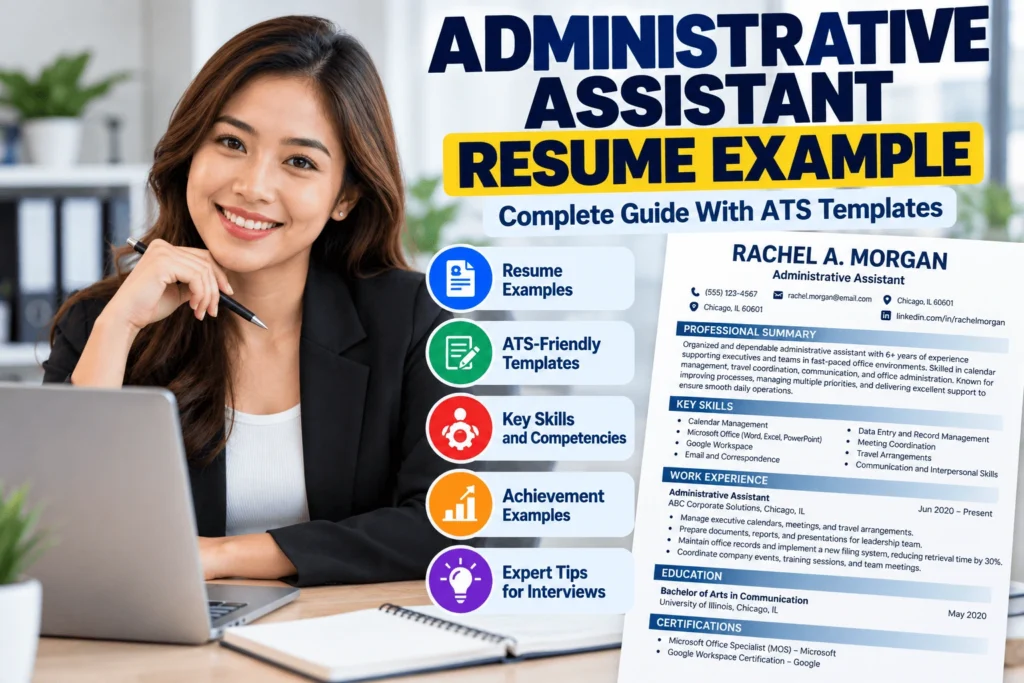
Quick Answer: An administrative assistant resume example demonstrates how to present administrative skills, office experience, achievements, and qualifications in a professional format that helps candidates stand out to employers and pass ATS screening systems. The best administrative assistant resumes combine a focused summary, relevant software and organizational skills, and measurable results such as time saved, events coordinated, or processes improved.
Almost every organization, from a two-person startup to a hospital system, a law firm, a school, or a global corporation, depends on someone who keeps the office running. Administrative assistants manage calendars, coordinate meetings, handle correspondence, organize records, support teams, and make sure small details don’t become big problems. When they do the job well, nobody notices the chaos that never happened.
That invisibility is exactly why your resume needs to do the noticing for you. A list of duties like “answered phones” and “filed documents” doesn’t show how organized, reliable, and efficient you are. A resume that shows scope, tools, and results does.
Importance of a professional administrative assistant resume
Administrative roles attract many applicants because they exist in every industry and often welcome people at different career stages. A polished resume helps you:
- Stand out from candidates with similar job titles
- Show that you have the organization and attention to detail the role requires (your resume itself is the first sample of your work)
- Pass automated screening and reach a human reader
- Position yourself for growth into executive assistant, office manager, or operations roles
Demand for administrative professionals
Administrative and office support work remains widespread across industries, and employers keep hiring for it even as technology changes what the work looks like. Tasks like data entry and scheduling are increasingly automated, so employers tend to value assistants who also bring judgment, communication, tech skills, and the ability to manage projects and people. Demand varies by location and industry, so look at current postings in your area.
What employers look for
Hiring managers for administrative roles commonly look for:
- Organization and reliability. Can you juggle priorities without dropping details?
- Software proficiency. Microsoft Office or Google Workspace, scheduling tools, and sometimes CRM or project management systems.
- Communication. Clear writing, polished phone and email manner, and professionalism with executives, clients, and vendors.
- Discretion. Handling confidential information responsibly.
- Initiative. Solving problems before they escalate and improving processes.
- Results. Evidence that you made the office run better.
ATS requirements
Many employers use an Applicant Tracking System (ATS) to receive applications and let recruiters search by keywords such as “calendar management,” “Microsoft Excel,” or “travel coordination.” If your formatting confuses the software, or your resume lacks the terms in the posting, a recruiter may not find you. We’ll cover the formatting and keyword basics below.
What you’ll learn in this guide
This guide gives you a complete administrative assistant resume example, an ATS-friendly template, summary and objective examples, a skills list, work experience examples, 40+ achievement statements, action verbs, resume headlines, examples by experience level, certifications, common mistakes, and customization tips. For the full resume-building process, see Resume Builder: Complete Guide to Creating a Professional Resume.
Important: All names, companies, and numbers in the examples are fictional. Replace them with your own accurate information, and never exaggerate or invent results.
Administrative Assistant Resume Example
Here is a complete sample resume for an experienced administrative assistant. Use it as a model for structure and tone.
RACHEL A. MORGAN Chicago, IL 60601 (555) 123-4567 | rachel.morgan@email.com | linkedin.com/in/rachelmorgan
PROFESSIONAL SUMMARY Organized and dependable administrative assistant with 6+ years of experience supporting executives and multi-department teams in fast-paced corporate offices. Skilled in calendar management, travel coordination, document preparation, and process improvement. Reduced document retrieval time by 30% by redesigning the department’s filing system.
SKILLS
- Office and software: Microsoft Word, Excel, PowerPoint, Outlook; Google Workspace; Zoom; Slack; Asana
- Administrative: Calendar management, scheduling, travel arrangements, expense reports, data entry, document management, event coordination
- Core strengths: Organization, communication, attention to detail, multitasking, discretion, problem-solving
WORK EXPERIENCE
Administrative Assistant | Lakeshore Financial Group, Chicago, IL | March 2021 to Present
- Manage calendars and coordinate meetings for a team of 12 managers and two directors across three departments
- Prepare agendas, meeting minutes, reports, and presentations with 99% accuracy
- Arrange domestic and international travel, saving an estimated 10% on annual travel costs by comparing options
- Redesigned the filing and document-naming system, reducing average search time by 30%
- Process 40+ invoices and expense reports monthly using the accounting system
- Greet visitors, direct calls, and handle confidential information with discretion
Office Assistant | Prairie Dental Associates, Naperville, IL | June 2018 to February 2021
- Scheduled and confirmed 50+ patient appointments daily, reducing no-shows by 15% through reminder calls
- Maintained organized patient and vendor files while following privacy procedures
- Ordered and tracked office supplies, staying within budget every quarter
ACHIEVEMENTS
- Recognized as “Employee of the Quarter” for outstanding support during a company-wide office relocation
- Coordinated logistics for an annual client event of 150 attendees with zero scheduling conflicts
EDUCATION Associate Degree in Business Administration | Harper College, Palatine, IL | 2018
CERTIFICATIONS
- Microsoft Office Specialist (MOS): Excel | 2022
- Project Management Fundamentals (online course) | 2023
Why this example works
- The summary is specific. It states the role, years of experience, setting, key skills, and a result.
- Bullets show scope. Numbers (12 managers, 40+ invoices, 150 attendees) give context to everyday tasks.
- Results are visible. Time saved, error rates, and cost savings show impact.
- Skills are grouped. Software, administrative skills, and soft skills are easy to scan.
- It is clean. One page, simple headings, consistent dates.
ATS-Friendly Administrative Assistant Resume Template
ATS formatting
Applicant Tracking Systems read your resume and sort the information into fields such as name, job titles, dates, skills, and education. Simple layouts parse more reliably. Complicated layouts can scramble the order or hide information.
- Use a single-column layout.
- Use standard section headings: “Professional Summary,” “Skills,” “Work Experience,” “Education,” “Certifications.”
- Avoid tables, text boxes, columns, headers/footers containing key information, photos, icons, and graphics.
- Use plain round bullets.
- Write dates consistently (for example, “March 2021 to Present”).
- Put your contact information in the main body of the document.
As an administrative professional, a clean, well-aligned resume is also a quiet demonstration of your skills.
Resume structure
A reverse-chronological structure works best for most administrative candidates.
FULL NAME
City, State ZIP | Phone | Email | LinkedIn (optional)

PROFESSIONAL SUMMARY
2-4 lines: role, years of experience, key skills, one result.

SKILLS
Office and Software: (list)
Administrative: (list)
Core Strengths: (list)

WORK EXPERIENCE
Job Title | Company Name, City, State | Month Year to Month Year
- Action verb + what you did + scope/volume + result
- Action verb + what you did + result
- Action verb + what you did + result

Job Title | Company Name, City, State | Month Year to Month Year
- Bullet
- Bullet

EDUCATION
Degree | School, City, State | Year

CERTIFICATIONS
Certification Name | Issuer | Year
Fonts
Choose standard, readable fonts such as Arial, Calibri, Helvetica, Cambria, Georgia, or Times New Roman. Use 10 to 12 points for body text and slightly larger for headings. Keep margins around 0.7 to 1 inch.
File formats
- Follow the file type requested in the job posting or application portal.
- A text-based PDF usually preserves formatting. A Word (.docx) file can be a safer choice if the system or posting prefers it.
- Never upload a scanned photo of a printed resume.
- Name the file clearly: “Rachel-Morgan-Administrative-Assistant-Resume.pdf.”
Keyword optimization
Keywords are the terms an employer’s system or recruiter searches for. To use them well:
- Read the job posting and highlight repeated skills, tools, and responsibilities.
- Use the exact phrases where they honestly apply, such as “calendar management,” “travel coordination,” “Microsoft Excel,” or “records management.”
- Spread keywords naturally across your summary, skills, and experience bullets.
- Include both the spelled-out term and abbreviation once, for example “Customer Relationship Management (CRM).”
- Don’t stuff keywords or list tools you can’t use. You may be asked about them in an interview.
For more templates, see ATS-Friendly Resume Templates: Best Templates That Pass ATS, Resume Templates: Best Resume Templates for Every Career, and Resume Format Examples: Best Resume Formats for Every Career.
Administrative Assistant Resume Summary Examples
A summary is a short snapshot at the top of your resume. Aim for 2 to 4 lines that cover your role, experience, strengths, and one result. Below are administrative assistant resume summary examples for different situations. For more, see Resume Summary Examples: 150 Professional Summary Examples for Every Job.
Example 1: Entry-Level Administrative Assistant
Organized and reliable administrative assistant with hands-on experience from part-time office roles and internships. Proficient in Microsoft Office and Google Workspace, with strong typing, scheduling, and customer communication skills. Eager to support a busy team and grow with a growth-oriented company.
Example 2: Experienced Administrative Assistant
Administrative assistant with 7+ years of experience supporting managers and cross-functional teams. Skilled in calendar management, document preparation, and vendor coordination. Streamlined office supply ordering, reducing annual costs by 12%.
Example 3: Executive Administrative Assistant
Executive administrative assistant with 10 years of experience supporting C-suite leaders in corporate settings. Expert in complex calendar management, board meeting preparation, confidential communications, and international travel coordination. Trusted partner known for discretion and anticipating needs.
Example 4: Office Administrator
Office administrator with 8 years of experience managing daily operations for a 40-person professional services firm. Oversees facilities, vendor contracts, supplies, and front-desk operations. Implemented digital filing that cut paper use by 40% and improved document retrieval.
Example 5: Senior Administrative Assistant
Senior administrative assistant with 12+ years of experience supporting directors and vice presidents across multiple departments. Skilled in project coordination, event planning, onboarding support, and process improvement. Mentors junior staff and leads administrative initiatives that save time and reduce errors.
Tips for writing your summary
- State your title and years of experience honestly.
- Name two or three skills the job posting emphasizes.
- Include one concrete result when possible.
- Avoid filler like “team player” or “hard worker” without evidence.
- Write in an implied first person (skip “I”).
Administrative Assistant Resume Objective Examples
An objective is a brief statement of what you want and what you offer. It works best for entry-level applicants, fresh graduates, career changers, and people with no direct experience. If you have solid experience, a summary is usually stronger. For more, see Resume Objective Examples: 150+ Examples for Every Job.
Here are administrative assistant resume objective example statements for different situations.
Entry-Level Examples
Organized and detail-oriented professional seeking an entry-level administrative assistant position. Eager to apply strong computer skills, clear communication, and a commitment to accuracy to support daily office operations.
Dependable candidate with strong time management skills seeking an administrative assistant role in a collaborative office. Ready to contribute through reliable scheduling, document handling, and customer service.
Fresh Graduate Examples
Recent business administration graduate seeking an administrative assistant position to apply academic training in office management and proficiency in Microsoft Office. Quick learner ready to support a busy team.
Fresh graduate with leadership experience in student organizations seeking an administrative role where organization, communication, and initiative can improve office efficiency.
For more help, see Resume for Fresh Graduates: The Complete Guide With Examples and Templates and Resume for Students: Complete Guide With Examples and Templates.
Career Change Examples
Experienced retail supervisor transitioning to administrative support. Bringing strong organizational skills, scheduling experience, and customer communication to a role that supports efficient office operations.
Former teacher seeking an administrative assistant role. Skilled in planning, documentation, parent and stakeholder communication, and managing multiple priorities under tight schedules.
No Experience Examples
Motivated and reliable applicant seeking to begin an administrative career. Strong in Microsoft Office, typing, and organization, with volunteer experience coordinating schedules and materials for community events.
Detail-oriented individual with no formal office experience, seeking an administrative assistant position. Completed online training in Excel and business writing, and eager to learn systems quickly.
See Resume With No Experience: Complete Guide With Examples and Templates for more strategies.
Administrative Assistant Skills for Resume
Choose skills that match the job posting and that you can demonstrate. For many more ideas, see Skills for Resume: 300+ Skills Examples for Every Profession.
Technical Skills
- Microsoft Word. Creating, formatting, and editing letters, reports, and templates.
- Microsoft Excel. Tracking data, building simple spreadsheets, using formulas, sorting and filtering.
- Microsoft PowerPoint. Preparing presentations and slide decks.
- Google Workspace. Docs, Sheets, Slides, Gmail, Calendar, and Drive.
- Calendar Management. Scheduling meetings across time zones, avoiding conflicts, and prioritizing requests.
- Data Entry. Entering information accurately and efficiently.
- Document Management. Organizing, naming, storing, and retrieving digital and paper files.
- Office Administration. Managing supplies, equipment, vendors, mail, and front-desk operations.
- Scheduling. Coordinating appointments, meetings, and events.
- CRM Software. Updating customer or client records in systems such as Salesforce or HubSpot.
Other useful tools if you’ve used them: Outlook, Zoom, Microsoft Teams, Slack, Asana, Trello, Smartsheet, DocuSign, Adobe Acrobat, QuickBooks (basic), expense and travel platforms, and phone systems.
Soft Skills
- Communication. Writing clear emails and speaking professionally on the phone and in person.
- Organization. Keeping tasks, files, and schedules in order.
- Attention to Detail. Catching errors in documents, dates, and numbers.
- Problem Solving. Finding practical solutions to scheduling conflicts, supply issues, or process gaps.
- Time Management. Prioritizing tasks and meeting deadlines.
- Multitasking. Handling several requests at once without losing accuracy.
- Teamwork. Supporting colleagues and working across departments.
- Professionalism. Maintaining confidentiality, courtesy, and a polished presence.
Tips for presenting skills
- Lead with the skills the job posting emphasizes.
- Group skills into categories for easy scanning.
- Show skills in context in your bullets: “Managed calendars for 12 managers using Outlook” is stronger than listing “Outlook” alone.
- Be honest about your skill level.
Administrative Assistant Work Experience Examples
Good work experience bullets follow a pattern: action verb + what you did + scope + result. Below are five sample entries. For more, see Work Experience Examples for Resume: 200+ Examples by Profession.
Example 1: Administrative Assistant
Administrative Assistant | Summit Legal Partners, Denver, CO | 2020 to Present
- Support a team of 8 attorneys by managing calendars, scheduling client meetings, and preparing documents
- Prepare and proofread correspondence, reports, and presentations with high accuracy
- Maintain organized digital and paper files, reducing time to locate case documents
- Handle incoming calls and emails, directing inquiries to the right team member promptly
- Order office supplies and track expenses, staying within budget
Example 2: Office Assistant
Office Assistant | Greenway Property Management, Phoenix, AZ | 2021 to 2024
- Answered 60+ calls and emails daily from tenants and vendors, resolving routine requests on the first contact
- Entered and updated tenant records with 99% accuracy
- Scheduled maintenance appointments and followed up to confirm completion
- Prepared lease paperwork and tracked renewals, helping prevent missed deadlines
- Assisted with filing, mailing, and supply inventory
Example 3: Executive Assistant
Executive Assistant to the Chief Operating Officer | Northbridge Logistics, Atlanta, GA | 2018 to Present
- Manage a complex executive calendar across time zones, prioritizing meetings and travel
- Prepare board materials, agendas, and meeting minutes, and track action items to completion
- Coordinate domestic and international travel, including itineraries, visas, and expense reports
- Screen communications and handle confidential information with discretion
- Lead logistics for quarterly leadership offsites with up to 40 attendees
Example 4: Receptionist
Front Desk Receptionist | Willow Creek Medical Group, Charlotte, NC | 2019 to 2023
- Greeted 100+ patients and visitors daily, creating a welcoming first impression
- Answered a multi-line phone system, routing calls and taking accurate messages
- Verified appointment details and updated records in the scheduling system
- Managed mail, deliveries, and meeting room bookings
- Maintained a tidy, organized reception area and ordered supplies as needed
Example 5: Administrative Supervisor
Administrative Supervisor | Metro City School District, Columbus, OH | 2017 to Present
- Supervise a team of 6 administrative staff across district offices
- Create schedules, assign tasks, and monitor workloads to meet deadlines
- Train new hires on systems, procedures, and customer service standards
- Standardized forms and templates, reducing processing errors and rework
- Report on office performance and recommend process improvements to leadership
Administrative Assistant Achievements Examples
Achievements show impact beyond routine duties. Use numbers whenever you can: volume, time saved, money saved, accuracy rates, attendees, or deadlines met. If you don’t have exact data, use reasonable, defensible estimates and be ready to explain them.
For more, see Resume Achievements Examples: 300+ Achievement Statements for Every Profession.
Calendar, scheduling, and meetings
- Managed executive calendars and coordinated meetings for multiple departments.
- Scheduled 30+ meetings per week across time zones with zero double bookings.
- Prepared agendas and meeting minutes for weekly leadership meetings, with action items tracked to completion.
- Coordinated quarterly board meetings, preparing materials for up to 15 participants.
- Reduced scheduling conflicts by implementing a shared team calendar and booking guidelines.
- Organized virtual meetings and webinars for 100+ attendees.
Organization and records
- Improved filing and document retrieval processes, reducing search time by 30%.
- Digitized more than 2,000 paper records, improving access and saving storage space.
- Maintained accurate records and supported office operations with minimal supervision.
- Created a standardized document naming system adopted by the entire department.
- Maintained 99% accuracy in data entry across more than 500 records monthly.
- Reorganized the supply room and inventory tracking, cutting rush orders by 25%.
Events and programs
- Assisted in organizing company events and training programs.
- Coordinated an annual client appreciation event for 150 guests, completed on time and under budget.
- Planned logistics for a two-day staff retreat for 60 employees.
- Helped organize onboarding sessions for 25+ new hires each quarter.
- Booked venues, catering, and vendors for 10+ events per year, staying within budget.
Cost savings and efficiency
- Negotiated with vendors to cut annual office supply costs by 12%.
- Saved an estimated 10% on travel expenses by comparing airlines and hotels.
- Streamlined expense report submission with a template, reducing processing time by 20%.
- Introduced a shared task tracker that reduced missed deadlines on routine tasks.
- Automated recurring reports with spreadsheet formulas, saving about five hours per month.
- Consolidated duplicate subscriptions and software licenses, saving the department money.
Support and communication
- Provided daily support to a team of 12 managers with a rapid, courteous response.
- Served as the first point of contact for clients and visitors, receiving consistent positive feedback.
- Managed 100+ emails and calls daily, prioritizing urgent items for executives.
- Drafted and proofread correspondence, reports, and presentations with a very low error rate.
- Handled confidential personnel and financial information with complete discretion.
Process improvement and projects
- Developed standard operating procedures for common administrative tasks, reducing training time for new staff.
- Supported an office relocation, coordinating movers, IT setup, and employee communications with minimal downtime.
- Implemented a digital sign-in system, improving visitor tracking and security.
- Created templates for forms and letters, reducing formatting errors and rework.
- Helped transition the office to a new document management system, training 20 colleagues.
Training and leadership
- Trained 6 new administrative staff on systems and procedures.
- Mentored junior assistants, improving team accuracy and consistency.
- Served as backup for the executive assistant and covered duties during absences without disruption.
- Led the office’s monthly supply and equipment audit.
Recognition and reliability
- Recognized as Employee of the Quarter for outstanding support during a company-wide transition.
- Maintained near-perfect attendance for two consecutive years.
- Received positive reviews from supervisors for reliability, initiative, and professionalism.
- Consistently met deadlines on time-sensitive tasks such as payroll submissions and compliance reports.
- Awarded a service excellence certificate for outstanding internal customer support.
How to write your own
Formula: Action verb + what you did + scope + result. Example: “Reduced [process time or cost] by [number or percent] by [action you took].”
If you don’t have numbers, show scope and quality: “Coordinated daily operations for a 25-person office, ensuring supplies, equipment, and schedules ran smoothly.”
Administrative Assistant Action Verbs
Strong verbs make your experience easier to scan and more convincing. Avoid repeating the same verb in every bullet. For a larger list, see Resume Action Verbs: 500+ Powerful Resume Verbs for Every Profession.
Core verbs: Coordinated, Organized, Managed, Scheduled, Prepared, Maintained, Processed, Supported, Facilitated, Implemented
More verbs by purpose:
- Organization: Arranged, Cataloged, Filed, Categorized, Tracked, Archived
- Communication: Drafted, Corresponded, Relayed, Presented, Documented, Greeted
- Planning and events: Planned, Booked, Arranged, Hosted, Orchestrated, Confirmed
- Improvement: Streamlined, Standardized, Automated, Updated, Simplified, Reduced
- Leadership: Trained, Supervised, Mentored, Delegated, Led, Onboarded
- Finance and records: Reconciled, Verified, Audited, Budgeted, Reported, Invoiced
Administrative Assistant Resume Headlines
A resume headline is a concise line below your name that signals your role and focus. For more examples, see Resume Headline Examples: 300+ Professional Resume Headlines for Every Job.
- Administrative Assistant With 5+ Years of Office Experience
- Detail-Oriented Administrative Professional
- Experienced Office Administrator and Executive Support Specialist
- Results-Driven Administrative Assistant
- Executive Assistant | Calendar Management, Travel, and Board Support
- Entry-Level Administrative Assistant | Microsoft Office and Google Workspace
- Senior Administrative Assistant | Process Improvement and Team Support
- Organized Office Assistant | Data Entry, Scheduling, and Customer Service
Tips: Keep it short (about 10 to 12 words), use your real or target title, and add one differentiator such as tools, experience, or specialty.
Administrative Assistant Resume Examples by Experience Level
These shorter samples show how emphasis changes with your career stage.
Entry-Level Administrative Assistant Resume Example
MEGAN L. PARKER Portland, OR 97204 | (555) 234-5678 | megan.parker@email.com
Summary: Entry-level administrative assistant with 1 year of experience in part-time office support. Proficient in Microsoft Office, scheduling, and data entry. Dependable and eager to learn.
Skills: Microsoft Word, Excel, Outlook; Google Workspace; data entry (65 WPM); scheduling; customer service; filing and record keeping
Experience Office Assistant (Part-Time) | Cascade Insurance Agency, Portland, OR | 2025 to Present
- Answer phones and greet clients, directing them to the appropriate agent
- Enter policy information into the agency database with 99% accuracy
- Schedule appointments and send reminders, reducing missed appointments
- Organize digital and paper files for 200+ client accounts
Education: Associate Degree in Business Administration | Portland Community College | 2025
Administrative Assistant Resume With No Experience
TYLER J. BENNETT Austin, TX 78701 | (555) 345-6789 | tyler.bennett@email.com
Objective: Organized and reliable candidate seeking an entry-level administrative assistant role. Ready to apply strong computer skills and communication to support a busy office.
Skills: Microsoft Office, Google Workspace, typing (60 WPM), scheduling, written communication, teamwork, time management
Relevant Experience and Activities Volunteer Event Coordinator | Austin Community Food Bank | 2024 to 2025
- Scheduled 40+ volunteers per month and tracked attendance in spreadsheets
- Answered volunteer questions by phone and email
Treasurer, Student Business Club | University of Texas at Austin | 2023 to 2025
- Tracked club budgets and prepared monthly reports
- Organized meetings and prepared agendas for 30 members
Education: Bachelor of Business Administration | 2025 Training: Microsoft Excel Essentials (online course)
Fresh Graduate Administrative Assistant Resume Example
PRIYA N. PATEL Boston, MA 02108 | (555) 456-7890 | priya.patel@email.com
Summary: Recent communications graduate with internship experience in office administration. Strong writing, organizational, and software skills. Seeking an administrative assistant role in a collaborative workplace.
Education: Bachelor of Arts in Communications | Boston University | 2026 | GPA 3.7
Experience Administrative Intern | Harbor Nonprofit Alliance, Boston, MA | Summer 2025
- Maintained donor and volunteer databases, updating 500+ records
- Drafted meeting minutes and event materials for staff and board events
- Assisted in organizing a fundraising event with 120 attendees
Skills: Microsoft Office, Google Workspace, CRM basics, proofreading, event support, communication
Senior Administrative Assistant Resume Example
DENISE R. HOLLOWAY Dallas, TX 75201 | (555) 567-8901 | denise.holloway@email.com
Summary: Senior administrative assistant with 12+ years of experience supporting directors and VPs. Skilled in project coordination, vendor management, and process improvement. Trains and mentors junior staff.
Experience Senior Administrative Assistant | Lone Star Energy Corporation, Dallas, TX | 2016 to Present
- Support three vice presidents with scheduling, travel, expense reporting, and correspondence
- Coordinate cross-department projects, tracking timelines and communicating with stakeholders
- Negotiated vendor contracts, reducing annual administrative costs by 14%
- Trained and mentored 5 junior assistants, improving team consistency
- Led the transition to a new document management platform for a 150-person division
Administrative Assistant | Prairie Manufacturing, Fort Worth, TX | 2012 to 2016
Education: Associate Degree in Office Administration Certifications: Certified Administrative Professional (CAP), Microsoft Office Specialist
Executive Assistant Resume Example
ALEXANDRA J. REEVES New York, NY 10001 | (555) 678-9012 | alexandra.reeves@email.com
Summary: Executive assistant with 10 years of experience supporting CEOs and C-suite executives in finance and technology. Expert in complex scheduling, board support, travel, and confidential communication. Proactive, discreet, and highly organized.
Experience Executive Assistant to the CEO | Meridian Capital Partners, New York, NY | 2019 to Present
- Manage a demanding calendar of internal and external meetings across multiple time zones
- Prepare board packets, agendas, and minutes for quarterly meetings
- Coordinate international travel and events for the executive team
- Serve as liaison between the CEO and senior leaders, investors, and partners
- Handle sensitive information and communications with absolute discretion
Executive Assistant | BrightPath Technologies, New York, NY | 2016 to 2019
- Supported two senior vice presidents and coordinated company-wide meetings
Education: Bachelor of Arts in English | New York University Certifications: Microsoft Office Specialist, Project Management Fundamentals
For help with layout choices at each level, see Resume Format Examples.
Administrative Certifications to Include
Certifications aren’t always required for administrative roles, but they can help you stand out, especially if you have limited experience. List only credentials you’ve earned or are actively pursuing (and label in-progress items).
- Microsoft Office Specialist (MOS). A Microsoft certification program that validates skills in Word, Excel, PowerPoint, and other Office apps. Helpful for roles that rely heavily on spreadsheets and documents.
- Google Workspace Certification. Google offers training and credentials related to Workspace tools. Check the current programs, since offerings and names change.
- Administrative Professional Certification. Options include the Certified Administrative Professional (CAP) credential from the International Association of Administrative Professionals (IAAP), which is aimed at experienced administrative professionals. Confirm current eligibility requirements on the issuer’s website.
- Project Management Fundamentals. Introductory courses or certificates in project management, useful for coordinating events, onboarding, and cross-team tasks.
- Customer Service Certification. Useful for front-desk and client-facing roles. For related resume tips, see our Customer Service Resume Example.
Other helpful training
- Business writing or professional communication courses
- Excel intermediate or advanced courses
- Notary public commission (where applicable and useful for the role)
- Minute-taking or meeting facilitation workshops
- Data privacy and confidentiality training
How to list certifications
Use the format Certification Name | Issuer | Year. Put the most relevant ones first, and omit outdated or unrelated credentials.
Common Administrative Assistant Resume Mistakes
Using generic summaries
“Hard-working professional seeking a challenging role” could describe anyone. Fix it: include your title, years of experience, key skills, and one result.
Listing duties instead of achievements
“Answered phones and filed documents” describes the job, not how well you did it. Fix it: add scope and outcomes, such as volumes handled, accuracy rates, or time saved.
Poor formatting
Dense text, inconsistent fonts, tables, graphics, and cluttered layouts are hard to read and hard for ATS software to parse. Fix it: use a clean single-column layout with consistent spacing. For an administrative candidate, formatting is a quiet sample of your skills.
Missing keywords
If your resume doesn’t mention the tools and responsibilities in the posting, a recruiter’s search may not find you. Fix it: use the posting’s exact phrases where they honestly apply, such as “calendar management” or “travel coordination.”
Lack of measurable results
Without numbers, your impact is hard to see. Fix it: quantify with volumes, percentages, dollar amounts, attendees, or timeframes.
Other mistakes to avoid
- Typos and grammar errors, which are especially costly for a role built on accuracy
- Overly long resumes (one page is enough for most candidates)
- Outdated skills such as listing basic typing as a headline skill without context
- Unprofessional email addresses
- Exaggerating titles or responsibilities
- Using the same resume for every application
How to Customize an Administrative Assistant Resume
Customization takes about 10 to 15 minutes per application and can improve your results significantly.
Read job descriptions closely
Note the industry, software, supervisor level, and responsibilities. A legal assistant role emphasizes confidentiality and document formatting. A school office role emphasizes parent communication and records. An executive support role emphasizes calendars, travel, and discretion.
Match ATS keywords
Identify repeated terms in the posting, such as “scheduling,” “Microsoft Excel,” “invoice processing,” or “vendor coordination,” and use them naturally where they accurately describe your experience.
Highlight office administration experience
Move your most relevant bullets to the top of each job. If the role centers on travel and events, lead with those. If it emphasizes records and data, lead with accuracy and organization.
Showcase measurable achievements
Choose the achievements that best match what the employer values: cost savings, efficiency, accuracy, or event success.
Tailor skills to the role
Reorder your skills list so the most relevant ones appear first. Remove skills that don’t support the role.
Adjust your summary and headline
Update your summary to mirror the position, such as “executive administrative assistant” or “medical office assistant.”
Proofread and format
Check spelling, dates, and contact details. Save the file in the requested format with a clear name. For layout help, see ATS-Friendly Resume Templates.
Frequently Asked Questions
What should an administrative assistant resume include?
A strong administrative assistant resume includes contact information, a professional summary or objective, relevant skills, work experience with measurable results, education, and certifications. You may also include achievements, volunteer work, and languages.
What skills should I put on an administrative assistant resume?
Include technical skills such as Microsoft Office, Google Workspace, calendar management, data entry, document management, scheduling, and CRM software, along with soft skills like communication, organization, attention to detail, problem solving, time management, multitasking, teamwork, and professionalism. Prioritize the skills named in the job posting. See Skills for Resume.
How do I write an administrative assistant resume summary?
Write 2 to 4 lines covering your role, years of experience, two or three key skills, and one result. Tailor it to the job. For example: “Administrative assistant with 5+ years of experience supporting executives and managing calendars, travel, and documents. Reduced filing time by 30%.” See Resume Summary Examples.
Can I apply without administrative experience?
Yes. Many entry-level administrative roles welcome candidates who show transferable skills. Highlight your software skills, organization, communication, volunteer or school experience, and any training you have completed. See Resume With No Experience.
What certifications should I include?
Consider Microsoft Office Specialist (MOS), Google Workspace training, an administrative professional certification such as CAP (if you are eligible), project management fundamentals, and customer service training. List only credentials you have earned or are pursuing.
How long should an administrative assistant resume be?
One page is ideal for most candidates, especially those with under about 10 years of experience. Senior or executive assistants with extensive relevant history may use two pages if every section adds value.
How can I make my resume ATS-friendly?
Use a single-column layout, standard headings, common fonts, plain bullets, and consistent dates. Avoid tables, graphics, and text boxes. Use keywords from the posting naturally and submit the file format the employer requests.
What is the best format for an administrative assistant resume?
Reverse-chronological is the most common and ATS-friendly format. If you have limited experience, a hybrid format that highlights skills first can work, as long as it stays simple. See Resume Format Examples.
Related Resume Guides
- Resume Builder: Complete Guide to Creating a Professional Resume
- Resume Objective Examples: 150+ Examples for Every Job
- Resume Summary Examples: 150 Professional Summary Examples for Every Job
- Skills for Resume: 300+ Skills Examples for Every Profession
- Work Experience Examples for Resume: 200+ Examples by Profession
- Resume Format Examples: Best Resume Formats for Every Career
- Resume Achievements Examples: 300+ Achievement Statements for Every Profession
- Resume Action Verbs: 500+ Powerful Resume Verbs for Every Profession
- Resume Headline Examples: 300+ Professional Resume Headlines for Every Job
- Resume Templates: Best Resume Templates for Every Career
- ATS-Friendly Resume Templates: Best Templates That Pass ATS
- Resume for Students: Complete Guide With Examples and Templates
- Resume With No Experience: Complete Guide With Examples and Templates
- Resume for Fresh Graduates: The Complete Guide With Examples and Templates
- Customer Service Resume Example: Complete Guide With ATS Templates
- Nurse Resume Example: Complete Guide With ATS Templates
Conclusion
A professional administrative assistant resume does what a great assistant does: it anticipates the reader’s needs, keeps everything organized, and makes the next step easy.
- A professional resume matters. In a crowded field, specific, well-organized details help you rise above generic applications.
- ATS optimization helps. A clean single-column layout, standard headings, and honest keyword alignment make your qualifications easy for software and people to find.
- Skills and achievements carry the weight. Pair the right tools with measurable results like time saved, accuracy, events coordinated, and costs reduced.
- Tailor each application. Adjust your summary, skills, and bullets to the role, industry, and posting.
- Use examples and templates wisely. Treat them as models for structure and language, then fill them with your own accurate experience.
Start with the template above, write a focused summary, turn your daily duties into results, and proofread carefully. Then explore the Resume Builder guide and ATS-friendly resume templates to finish a resume that earns the interview.
All names, companies, and statistics in the sample resumes are fictional and for illustration only. Always use your own accurate information and confirm certification details with the issuing organization.