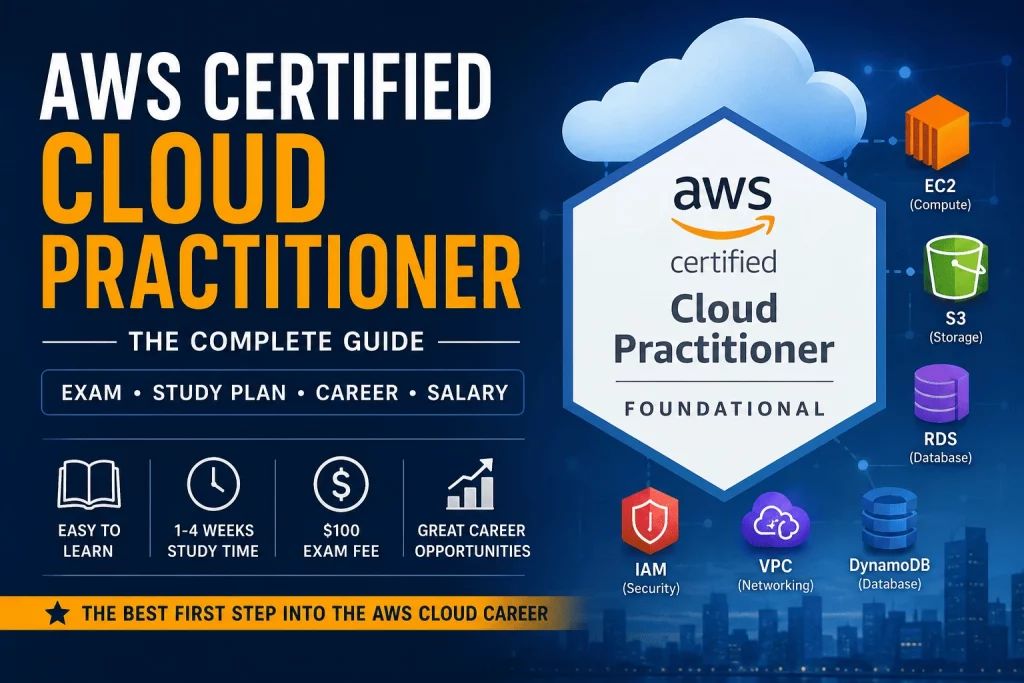
The AWS Certified Cloud Practitioner (CLF-C02) is Amazon Web Services’ foundational-level certification, built for anyone who wants to prove they understand how the AWS Cloud works — without needing to write a single line of code. It sits at the very base of the AWS certification pyramid, below the Associate, Professional, and Specialty tiers, and it’s designed to be approachable for people from every kind of background: technical, non-technical, student, or career changer.
Unlike the Solutions Architect or Developer certifications, Cloud Practitioner doesn’t test your ability to build anything. It tests your ability to understand — cloud concepts, AWS’s core services, security basics, pricing models, and the shared responsibility model that defines how AWS and its customers split accountability for what happens in the cloud. That makes it less a technical gatekeeper and more a literacy test: proof that you can speak the language of cloud computing fluently enough to work alongside people who build in it every day.
Who should take it? Beginners with zero cloud background, students exploring a tech career, career changers moving from unrelated fields, IT support and help desk professionals who touch cloud systems without owning them, and business-side professionals — sales, marketing, finance, project management — who need to understand AWS well enough to talk to engineering teams, price out cloud budgets, or sell cloud-adjacent products.
Why it’s considered the best entry-level AWS certification comes down to three things. First, there’s no prerequisite — you can sit for CLF-C02 on day one of your cloud journey. Second, it’s the lowest-cost, lowest-time-investment AWS credential, which makes it a low-risk way to test whether a cloud career is right for you. Third, and most practically, it functions as a foundation stone: everything you learn for Cloud Practitioner — regions and availability zones, IAM, the Well-Architected Framework, pricing models — reappears in every higher-level AWS exam. Passing it first makes Solutions Architect Associate, Developer Associate, and every other associate-level exam meaningfully easier.
Career opportunities after certification tend to cluster around cloud-adjacent, not purely cloud-engineering, roles: cloud support associate, junior cloud engineer, technical support engineer, IT sales and pre-sales roles, project coordination for cloud migrations, and business analyst positions at companies running AWS infrastructure. It’s rarely, by itself, the credential that lands a senior cloud engineering job — but it’s very often the credential that gets a foot in the door, or that turns an existing non-cloud role into one where “AWS” appears credibly on a resume.
Is it worth earning in 2026? Short answer: yes, for the audience it’s built for. Cloud adoption hasn’t slowed down, AWS remains the largest cloud provider globally, and entry-level cloud literacy is now expected in a growing number of non-engineering roles — support, sales, operations, compliance. The certification’s cost and time investment are low enough that the return doesn’t need to be dramatic to be worthwhile. Where it isn’t worth it: if you’re already an experienced cloud engineer, or if your goal is a hands-on technical role and you have the bandwidth to go straight for Solutions Architect Associate instead.
Quick Verdict™
| Category | Rating / Summary |
|---|---|
| Best for beginners | Yes — no prerequisites, foundational scope, widely regarded as the easiest official AWS exam |
| Difficulty | Low to moderate — conceptual rather than hands-on, but breadth of services can surprise first-timers |
| Cost | $100 USD (single exam attempt) |
| Study time | 1–4 weeks depending on prior IT/cloud exposure (roughly 20–40 hours total) |
| Job potential | Strong for entry-level and cloud-adjacent roles; limited on its own for senior technical positions |
| Overall recommendation | Recommended as a first certification for anyone starting a cloud career, or for non-technical professionals who work near AWS environments |
What Is AWS Certified Cloud Practitioner?
AWS Certified Cloud Practitioner (exam code CLF-C02) is Amazon’s entry point into its certification ecosystem. Its purpose is to validate a broad, working understanding of the AWS Cloud — what it is, how it’s structured, and how organizations use it — rather than the ability to design or operate specific systems.
The target audience is intentionally wide. AWS designed this exam for people in both technical and non-technical roles: sales and marketing professionals who sell cloud products, project and program managers overseeing cloud initiatives, financial analysts managing AWS budgets, and IT professionals just beginning to specialize in cloud. If you’ve never touched an AWS Management Console before, this exam is still built with you in mind.
Skills validated by the certification include the ability to explain the value of the AWS Cloud, describe the basic global infrastructure, understand the primary AWS service categories (compute, storage, database, networking), navigate the shared responsibility model, identify AWS’s core security and compliance capabilities, and understand billing, pricing, and support structures well enough to make basic cost decisions.
For an AWS ecosystem overview: AWS operates through a hierarchy of Regions (large geographic areas), Availability Zones (isolated data center clusters within a Region), and Edge Locations (used for content delivery). On top of that physical infrastructure sits a catalog of over 200 services spanning compute (EC2, Lambda), storage (S3, EBS), databases (RDS, DynamoDB), networking (VPC, Route 53), security (IAM, KMS), and management tooling (CloudWatch, CloudTrail). Cloud Practitioner doesn’t expect mastery of all 200+ services — it expects familiarity with the dozen or so that show up constantly in real-world AWS usage and in the exam itself.
It’s worth understanding why AWS structures the exam this way. Amazon isn’t trying to produce junior engineers with this certification — it’s trying to produce informed participants in cloud conversations. A sales rep who understands the difference between S3 and EBS can have a materially better conversation with a customer’s engineering team. A project manager who understands the shared responsibility model can scope a security review correctly instead of assuming AWS “handles everything.” A support technician who understands Availability Zones can escalate an outage report with the right context instead of guessing. That’s the actual skill CLF-C02 certifies: fluency, not fabrication.
This also explains why the exam leans so heavily on scenario-based questions rather than pure definitions. Instead of asking “What does EC2 stand for?”, the exam is more likely to describe a business situation — a company needs to reduce fixed infrastructure costs while scaling unpredictably — and ask which service or pricing model fits. That format rewards genuine understanding over rote memorization, which is part of why simply reading a glossary of AWS terms tends to produce weaker results than working through realistic practice scenarios.
Who Should Take AWS Certified Cloud Practitioner?
Beginners — If you have no IT background at all, Cloud Practitioner is arguably the gentlest possible introduction to cloud computing as a discipline. It teaches vocabulary and mental models before it asks you to apply them technically.
Students — Computer science, information systems, and business students benefit from having a recognized credential before graduating. It signals initiative and gives interviewers a concrete talking point, even before an internship or first job.
Career changers — For people moving out of retail, hospitality, teaching, or other unrelated fields into tech, Cloud Practitioner is a realistic first milestone. It doesn’t require months of prerequisite study, and it produces a credential fast enough to maintain momentum during a career transition.
IT support professionals — Help desk and desktop support staff who increasingly deal with cloud-connected systems benefit from understanding AWS at a conceptual level, even if they never provision an EC2 instance themselves.
Help desk technicians — Similar to IT support, but often more customer-facing; understanding AWS billing, support plans, and basic service categories helps in triaging customer issues that touch cloud infrastructure.
Cloud beginners — Anyone with general IT experience (networking, sysadmin, on-prem infrastructure) who is pivoting toward cloud specifically will find Cloud Practitioner a fast way to translate existing knowledge into AWS terminology.
Business professionals — Sales engineers, account managers, procurement staff, and consultants who need to speak credibly about AWS pricing, services, and capabilities without building anything themselves.
A useful way to think about fit: Cloud Practitioner rewards people who need breadth before they need depth. If your next career move depends on being able to say, credibly, “I understand how AWS works” — in an interview, in a client meeting, in a promotion conversation — this certification is built for exactly that moment. It’s less useful for someone who already has deep, hands-on AWS experience and needs a credential that reflects that depth; those candidates are usually better served skipping straight to an Associate-level exam, since Cloud Practitioner would test very little they don’t already know.
One audience worth calling out specifically: people re-entering the workforce after a career break, or professionals in adjacent fields (network administration, database administration, on-premises systems engineering) who already understand IT concepts but have never worked in a cloud environment. For this group, Cloud Practitioner functions less as an introduction to computing and more as a translation layer — mapping familiar on-premises concepts (a physical server becomes an EC2 instance, a local file share becomes an S3 bucket, a firewall becomes a security group) onto AWS-specific terminology. Study time for this group tends to be shorter than for complete beginners, since the underlying logic is already familiar.
AWS Cloud Practitioner Exam Overview
| Category | Details |
|---|---|
| Exam Code | CLF-C02 |
| Level | Foundational |
| Duration | 90 minutes |
| Questions | 65 (50 scored, 15 unscored/experimental — you won’t know which is which) |
| Passing Score | 700 out of 1,000 (scaled scoring) |
| Cost | $100 USD |
| Validity | 3 years from the date passed |
Question formats include multiple-choice (one correct answer) and multiple-response (select two or more correct answers from a longer list). The exam is closed-book, available at Pearson VUE testing centers or via online proctoring, and offered in multiple languages including English, Japanese, Korean, Simplified and Traditional Chinese, Bahasa Indonesia, Spanish, French, German, Italian, and Portuguese.
Official AWS CLF-C02 Skills Measured
AWS publishes an official exam guide for CLF-C02, and every question on the real exam is designed to map back to one of four measured skill domains. Understanding what AWS says it’s actually testing — in its own words, not a study guide’s paraphrase — is the most reliable way to know whether your preparation is on target.
Domain 1: Cloud Concepts (24% of the exam). AWS measures your ability to define what the AWS Cloud is and articulate its value proposition, including cost savings, scalability, elasticity, and agility. This domain also covers understanding of cloud economics — the shift from capital expenditure to operational expenditure — and the AWS Well-Architected Framework’s six pillars, which guide sound architectural decisions across every AWS workload.
Domain 2: Security and Compliance (30% of the exam). AWS measures your understanding of the shared responsibility model, AWS Identity and Access Management (IAM) fundamentals, the different types of cloud security (at the infrastructure, network, and data layers), and awareness of AWS’s compliance and governance capabilities, including where to find AWS compliance documentation.
Domain 3: Cloud Technology and Services (34% of the exam). This is the largest domain by weight, and it measures your ability to define methods of deploying and operating in the AWS Cloud, identify AWS global infrastructure components, identify the appropriate AWS service for a given compute, storage, database, networking, or other technology requirement, and identify AWS services for common use cases like data analytics, machine learning, and application integration at a high level.
Domain 4: Billing, Pricing, and Support (12% of the exam). AWS measures your ability to compare and contrast the various AWS pricing models, recognize the billing and pricing tools AWS provides (Cost Explorer, Budgets, Pricing Calculator), identify AWS technical resources and support options, and understand billing and pricing-related best practices.
Google and other search engines increasingly favor content that maps directly to a vendor’s official, verifiable framework rather than paraphrased third-party summaries — which is exactly why AWS’s own domain language, not just a rewritten version of it, deserves its own section here.
Skills You’ll Learn
Cloud concepts. The exam opens with the biggest-picture material: what cloud computing is, the difference between cloud deployment models (public, private, hybrid), and the six advantages of cloud computing AWS commonly cites (trading capital expense for variable expense, benefiting from economies of scale, no longer guessing capacity, increasing speed and agility, stopping spending on data center maintenance, and going global in minutes).
AWS global infrastructure. You’ll learn the difference between Regions, Availability Zones, and Edge Locations, and why choosing the right Region matters for latency, compliance, and cost.
Core AWS services. A working knowledge of compute, storage, database, and networking services — not deep technical mastery, but enough to know what each service is for and when it would be chosen over an alternative.
Security. The shared responsibility model sits at the center of this domain: AWS secures “the cloud” (physical infrastructure), while customers secure what they put “in the cloud” (data, access configuration, application-level security). You’ll also cover IAM fundamentals — users, groups, roles, and policies.
Billing. Understanding how AWS bills for usage, the tools available to track spend (AWS Cost Explorer, Billing Console, Budgets), and how to interpret an AWS bill at a basic level.
Pricing. The core AWS pricing models — pay-as-you-go, Savings Plans, Reserved Instances, Spot Instances — and when each makes sense.
Shared responsibility model. Worth calling out separately because it’s one of the most heavily tested concepts on the exam: knowing precisely where AWS’s security obligations end and the customer’s begin.
Basic networking. VPCs, subnets, and the difference between public and private resources, at a conceptual rather than configuration level.
Monitoring. Awareness of tools like CloudWatch and CloudTrail, and why observability matters in a cloud environment you don’t physically control.
AWS Services Covered
EC2 (Elastic Compute Cloud) — AWS’s core virtual server offering. Cloud Practitioner expects you to know that EC2 provides resizable compute capacity, that instances come in different families optimized for compute, memory, or storage, and that pricing options range from On-Demand to Reserved to Spot.
S3 (Simple Storage Service) — Object storage designed for durability and scalability. You should understand storage classes (Standard, Infrequent Access, Glacier for archiving) and know that S3 is not a file system but an object store accessed via API.
RDS (Relational Database Service) — A managed relational database service supporting engines like MySQL, PostgreSQL, and Aurora. The exam focuses on the “managed” part: AWS handles patching, backups, and failover so customers don’t have to.
Lambda — AWS’s serverless compute service, which runs code in response to events without requiring server management. Cloud Practitioner tests conceptual understanding of “serverless” as a model, not Lambda coding.
IAM (Identity and Access Management) — The service controlling who can do what within an AWS account. Expect to know the difference between users, groups, roles, and policies, and the principle of least privilege.
VPC (Virtual Private Cloud) — A logically isolated network within AWS where resources are launched. You should understand subnets, and the general idea of controlling network access at this layer.
CloudWatch — AWS’s monitoring and observability service, used to collect metrics, set alarms, and track resource health.
CloudFront — AWS’s content delivery network (CDN), which caches content at Edge Locations to reduce latency for end users.
DynamoDB — A fully managed NoSQL database service, contrasted against RDS as the go-to choice when data doesn’t fit a relational model or needs to scale with very low latency.
AWS Service Cheat Sheet
| Service | Purpose |
|---|---|
| EC2 | Virtual servers (compute) |
| S3 | Object storage |
| RDS | Managed relational database |
| Lambda | Serverless compute |
| IAM | Identity and access management |
| VPC | Private, isolated networking |
| CloudWatch | Monitoring and observability |
| CloudFront | Content delivery network (CDN) |
| DynamoDB | Managed NoSQL database |
| Route 53 | DNS and domain routing |
| EBS | Block storage for EC2 instances |
| SNS | Pub/sub notifications and messaging |
Keep this table close by while studying — a large share of Domain 3 questions ultimately reduce to matching a described need (fast key-value lookups, static website hosting, isolated network segmentation) back to one row on this list.
Exam Domains
The CLF-C02 exam is organized into four official domains, each weighted differently in the scoring:
Domain 1: Cloud Concepts (24%). Covers the value proposition of cloud computing, cloud economics, and AWS’s Well-Architected Framework — the six pillars (operational excellence, security, reliability, performance efficiency, cost optimization, and sustainability) that guide good cloud design decisions.
Domain 2: Security and Compliance (30%). The largest single domain by weight. Covers the shared responsibility model, AWS’s compliance certifications, IAM basics, and AWS’s security-related services (like AWS Shield, WAF, and KMS) at a conceptual level.
Domain 3: Cloud Technology and Services (34%). The heaviest domain, covering the compute, storage, database, networking, and other core service categories described above. This is where breadth of AWS service knowledge is tested most directly.
Domain 4: Billing, Pricing, and Support (12%). Covers pricing models, the AWS Free Tier, AWS Organizations and consolidated billing, and the different AWS Support plan tiers (Basic, Developer, Business, Enterprise).
Because Security and Compliance plus Cloud Technology and Services together make up 64% of the exam, study time should weight heavily toward those two domains rather than being split evenly across all four.
Within Domain 3, the largest domain, expect the exam to probe whether you can distinguish between similar-sounding services rather than simply recall what each one does in isolation. A common question pattern presents a scenario and asks you to choose between two or three plausible-sounding services — for example, deciding between RDS and DynamoDB based on whether the data described is relational or key-value in nature, or between S3 Standard and S3 Glacier based on whether the data needs to be accessed frequently or archived long-term. This is where hands-on Free Tier exploration pays off most directly: seeing the actual console options for each service makes these distinctions far more intuitive than memorizing a comparison chart.
Domain 2’s weight (30%) often surprises candidates who assume a “foundational” exam would go light on security. In practice, AWS treats security literacy as core to cloud literacy — an unavoidable consequence of the shared responsibility model being central to how AWS operates at all. Expect repeated testing of where the line falls: AWS is responsible for the security “of” the cloud — the physical data centers, host infrastructure, and managed service internals — while the customer is responsible for security “in” the cloud — data classification, IAM configuration, operating system patching (on unmanaged services like EC2), and network configuration. Nearly every Security and Compliance question, in one form or another, is testing whether you can correctly assign a security task to AWS or to the customer.
Domain 4, at just 12%, is the smallest but shouldn’t be skipped — a handful of predictable question types (Free Tier limits, Support plan tiers, Reserved vs. Spot vs. On-Demand pricing, and consolidated billing through AWS Organizations) show up reliably enough that a few focused hours of study here produce an outsized return relative to the time invested.
AWS Cloud Practitioner Learning Path
A typical, linear preparation sequence looks like this:
Beginner ↓ Cloud Concepts — build the vocabulary and mental models first ↓ Core AWS Services — learn what each major service does and when it’s used ↓ Security — understand the shared responsibility model and IAM fundamentals ↓ Pricing — learn how AWS charges for usage and how to estimate cost ↓ Practice Exams — validate retention and identify weak domains ↓ Certification Exam
This order mirrors how the exam itself is weighted: concepts first, services and security in the middle (where most of the exam’s weight sits), and pricing last, since it builds on an understanding of the services already covered.
Learning Roadmap Image
A condensed, save-and-share version of the full certification journey, useful as a quick visual reference or a printable/pinnable summary of where Cloud Practitioner sits in the bigger picture:
Beginner ↓ Cloud Practitioner ↓ Solutions Architect ↓ Professional ↓ Specialty
Each arrow represents months, not days, of accumulated experience and study — this roadmap is meant to show direction, not a fixed timeline. Some candidates move from Cloud Practitioner to Solutions Architect Associate within a few months; others spend a year or more gaining hands-on experience in between. Both are normal.
Study Plan
7-Day Crash Course
Best suited for candidates with some existing IT or business technology background who need a fast, intensive push.
- Day 1: Cloud concepts, AWS global infrastructure, six advantages of cloud computing
- Day 2: Compute services — EC2, Lambda, Elastic Beanstalk, containers overview
- Day 3: Storage and database services — S3, EBS, RDS, DynamoDB
- Day 4: Networking basics and security — VPC fundamentals, IAM, shared responsibility model
- Day 5: Billing, pricing models, support plans, AWS Organizations
- Day 6: Full-length practice exam, review incorrect answers, target weak domains
- Day 7: Second practice exam, light review, exam day
14-Day Plan
Suited for candidates with limited prior exposure who want a steadier pace without dragging preparation out.
- Days 1–3: Cloud concepts and AWS global infrastructure, with time for the Well-Architected Framework
- Days 4–7: Core services, spending extra time on compute and storage since they’re the most heavily tested category
- Days 8–9: Security and compliance, including IAM hands-on exploration in the AWS Free Tier console
- Days 10–11: Billing, pricing, and support plans
- Days 12–13: Two full practice exams with detailed review of missed questions
- Day 14: Light review and exam day
30-Day Study Plan
Recommended for complete beginners with no prior IT or cloud background, or anyone who prefers to study without time pressure.
- Week 1: Cloud concepts, cloud economics, AWS global infrastructure — take time to genuinely understand why cloud computing works the way it does, not just memorize terms
- Week 2: Core services, ideally paired with hands-on exploration in the AWS Free Tier — actually launching a small EC2 instance or creating an S3 bucket cements concepts far better than reading alone
- Week 3: Security, IAM, networking basics, and billing/pricing
- Week 4: Practice exams (at least 3–4 full-length attempts), targeted review of weak domains, and a final light review before the exam
10 Common Mistakes Candidates Make
- Memorizing instead of understanding. Flashcarding service names without understanding why a service exists falls apart quickly against the exam’s scenario-based questions.
- Ignoring pricing. Billing, Pricing, and Support is only 12% of the exam, so candidates routinely under-study it — then lose easy points on questions they could have secured with an hour of focused review.
- Not practicing in the Free Tier. Reading about EC2 and actually launching one produce very different levels of retention; skipping hands-on practice is one of the most common gaps among candidates who score lower than their practice exams predicted.
- Studying outdated CLF-C01 materials. Content not explicitly labeled CLF-C02 may reflect the retired exam version’s domain weighting and omit newer topics.
- Treating it like a technical exam. Candidates with programming backgrounds sometimes over-prepare on technical depth and under-prepare on business concepts like cloud economics and the Well-Architected Framework, which are tested just as heavily.
- Skipping the shared responsibility model. It’s one of the most heavily and repeatedly tested concepts on the exam, and yet frequently gets only a passing mention in self-study.
- Relying on a single practice exam provider. Different providers vary in quality and question style; using only one source risks building false confidence around a narrow question pattern instead of genuine understanding.
- Cramming the night before. Because the exam rewards conceptual understanding over memorized facts, last-minute cramming tends to produce shallow, easily confused knowledge rather than exam-ready recall.
- Ignoring time management during practice. 65 questions in 90 minutes leaves roughly 80 seconds per question; candidates who never practice under timed conditions sometimes run out of time on the real exam despite knowing the material.
- Not reading AWS’s official exam guide. Third-party study material is useful, but it’s a summary of AWS’s own documented domain weighting — skipping the source material risks missing nuances that only the official guide states directly.
Study Materials Checklist
□ Official AWS Exam Guide (CLF-C02) □ AWS Free Tier account □ Practice tests (from at least two different providers) □ Flashcards for service names and use cases □ Cheat sheets for pricing models and support plan tiers □ Hands-on labs (guided or self-directed) □ Personal notes summarizing each exam domain in your own words
One-Day-Before-Exam Checklist
✓ Government-issued ID confirmed and matching your Pearson VUE registration name exactly ✓ Pearson VUE login credentials tested and working ✓ Internet connection tested, if taking the exam via online proctoring ✓ Webcam and microphone tested, if taking the exam via online proctoring ✓ Final review of missed practice exam questions, not new material ✓ Testing room checked for a clear desk and no unauthorized materials nearby, if testing online ✓ Sleep early — a rested mind consistently outperforms a few extra hours of last-minute cramming
Exam Day Timeline
A simple structure for exam morning, assuming a mid-morning appointment — shift the times earlier or later to match your actual slot:
7:00 AM ↓ Breakfast ↓ Review Notes (light review only — key domains, not new material) ↓ Pearson Login (or arrive at the testing center early) ↓ Identity Verification ↓ Exam (90 minutes) ↓ Results (pass/fail shown immediately after submission; full score report follows by email)
The goal of a fixed timeline like this is to remove decision fatigue on exam morning. Candidates who leave the schedule loose often end up either over-reviewing right up to check-in, which increases anxiety, or rushing the identity verification step, which can cause delays. Locking in the sequence the night before removes both risks.
30-Day Progress Tracker
For candidates following the 30-Day Study Plan above, a simple daily checklist keeps momentum visible and makes it easy to spot when a week has quietly slipped:
Day 1 □ Day 2 □ Day 3 □ Day 4 □ Day 5 □ Day 6 □ Day 7 □ Day 8 □ Day 9 □ Day 10 □ Day 11 □ Day 12 □ Day 13 □ Day 14 □ Day 15 □ Day 16 □ Day 17 □ Day 18 □ Day 19 □ Day 20 □ Day 21 □ Day 22 □ Day 23 □ Day 24 □ Day 25 □ Day 26 □ Day 27 □ Day 28 □ Day 29 □ Day 30 □ (Exam Day)
Check off each day only after completing that day’s planned topic or practice session — not simply for opening a study resource. A tracker that rewards genuine completion, rather than mere activity, is what actually keeps a 30-day plan honest.
Best Learning Resources
AWS Skill Builder — AWS’s own free and paid learning platform, including the official “AWS Cloud Practitioner Essentials” course, which closely mirrors the exam’s domains and weighting.
AWS Documentation — Free, authoritative, and occasionally dense; best used to clarify specific service details rather than as a primary study path.
AWS Free Tier — Hands-on practice matters even for a conceptual exam. Free Tier access lets you actually launch EC2 instances, create S3 buckets, and explore the IAM console without incurring meaningful cost, as long as usage stays within free limits.
Practice exams — Arguably the single highest-leverage resource for this exam. Practice questions reveal not just knowledge gaps but the exam’s particular style of scenario-based questioning, which differs meaningfully from straightforward Q&A study.
Hands-on labs — Guided, sandboxed environments (offered by AWS and third parties) that walk through common tasks step by step, useful for turning passive reading into active understanding.
Recommended books — Look for CLF-C02-specific study guides rather than older CLF-C01 material, since the exam content and domain weighting changed between versions.
Video courses — Well suited to visual learners and to explaining infrastructure concepts (like VPC networking) that are harder to grasp from text alone.
A practical way to sequence these resources rather than trying to use all of them simultaneously: start with a structured video course or the official AWS Skill Builder path to build the initial mental model, since jumping straight into documentation without context tends to feel overwhelming given how many services AWS offers. Once the big picture is in place, move into hands-on Free Tier exploration — actually clicking through the EC2 launch wizard, creating an S3 bucket, or attaching an IAM policy does more for retention than a second pass of video content would. Save documentation for targeted lookups when a specific concept from a practice question doesn’t fully make sense. Finally, treat practice exams not as a final check but as an ongoing diagnostic tool — running one early in your study plan, even before you feel “ready,” helps identify which domains actually need the most attention rather than guessing based on how confident a topic feels.
One caution worth flagging: because CLF-C02 replaced the older CLF-C01 version, a meaningful amount of freely available study content online — old blog posts, outdated practice question banks, older YouTube playlists — still reflects the retired exam version. Content that doesn’t specifically reference CLF-C02, or that was published before the version transition, may cover outdated domain weightings or omit newer topics like AWS’s expanded generative AI service awareness. Always check the publish or last-updated date, and cross-reference against the official AWS exam guide when in doubt.
Learning Resources Comparison
| Resource | Best For |
|---|---|
| AWS Skill Builder | Official, exam-aligned content straight from AWS; the safest starting point for domain coverage |
| Udemy | Affordable, structured video courses with lifetime access; good for visual learners on a budget |
| Coursera | Guided learning paths with structured pacing, often bundled with AWS Educate or university partnerships |
| A Cloud Guru | Hands-on labs and sandboxed environments; strong for candidates who want practice without a real AWS bill |
| Tutorials Dojo | High-quality practice exams with detailed explanations; widely regarded as one of the best practice question sources for AWS exams |
AWS Free Tier Guide
The AWS Free Tier is the single most underused resource by Cloud Practitioner candidates, largely because the exam is conceptual and candidates assume hands-on practice isn’t necessary. It is — even a small amount goes a long way. The Free Tier gives new AWS accounts limited free usage of core services (a small EC2 instance, a set amount of S3 storage, a small RDS database, and more) for a defined period after account creation, along with certain services that remain free indefinitely up to a usage cap.
For Cloud Practitioner preparation specifically, the highest-value Free Tier activities are: launching a small EC2 instance and observing how instance types, security groups, and key pairs work together; creating an S3 bucket and uploading a file to see how storage classes and permissions are configured; creating an IAM user and attaching a policy to see the difference between users, groups, and roles in practice; and exploring the AWS Billing Dashboard to see how usage translates into an actual bill. None of this requires more than an hour or two, and it consistently produces better retention than an equivalent amount of additional reading. The one caution: always set a billing alarm before experimenting, since accidentally leaving a resource running past the Free Tier limit is the most common way beginners get an unexpected charge.
AWS Cloud Practitioner Exam Cost
Registration fee. The exam costs $100 USD, payable when scheduling through the AWS Certification portal via Pearson VUE.
Retake policy. If you don’t pass on your first attempt, you must wait 14 days before retaking. There’s no cap on total retakes, but each attempt requires paying the full $100 fee again unless a free retake voucher applies.
Discounts. AWS occasionally issues free retake vouchers alongside a failed attempt’s score report, and runs periodic promotions (such as discounted vouchers for exam prep program participants). AWS re/Start and other structured programs sometimes include exam vouchers as part of the curriculum.
Student benefits. AWS Academy and AWS Educate programs, run through partner academic institutions, sometimes provide discounted or subsidized exam vouchers to enrolled students — worth checking with your school’s IT or career services department if you’re currently enrolled.
Beyond the exam fee itself, it’s worth budgeting for the total cost of certification rather than just the $100 registration. Quality practice exam bundles, paid video courses, or a Skill Builder subscription can add anywhere from $0 (using free resources exclusively) to roughly $50–150 depending on the study path chosen. For most candidates, the total realistic cost of earning Cloud Practitioner — exam fee plus study materials — lands somewhere between $100 and $250, which remains inexpensive relative to Associate-level certifications ($150 per attempt) and Professional or Specialty-level certifications ($300 per attempt).
AWS Cloud Practitioner Salary
| Job Role | Typical Salary Range (USD, annual) |
|---|---|
| Cloud Support Associate | $55,000 – $80,000 |
| Junior Cloud Engineer | $65,000 – $95,000 |
| Technical Support Engineer | $60,000 – $85,000 |
| Solutions Architect (entry-level) | $85,000 – $115,000 |
These figures represent general market ranges in the United States and vary significantly by location, employer size, industry, and whether the role requires additional certifications or experience beyond Cloud Practitioner alone. Salaries in other regions, including the Philippines and Southeast Asia broadly, will typically be lower in absolute terms but can still represent a meaningful premium over non-cloud-certified peers in comparable roles.
A few factors consistently move these numbers more than the certification itself. Years of prior IT or technical experience matter more than the credential alone — a candidate with five years of help desk experience who adds Cloud Practitioner will typically see a bigger salary jump than a complete newcomer, simply because the certification compounds with existing, provable competence rather than replacing the need for it. Geographic market also plays an outsized role: the same title can pay meaningfully different amounts in a major tech hub versus a smaller regional market, and remote-friendly roles have somewhat compressed — but not eliminated — that gap. Finally, whether Cloud Practitioner is a standalone credential or the first entry in a stack of certifications changes its salary impact considerably; candidates who pair it with an Associate-level certification within their first year typically see a larger compounding effect on offers and negotiations than those who stop at the foundational level.
It’s also worth being realistic about what the certification does not do to salary. It doesn’t function like a technical skill that directly maps to a pay grade — it functions more like a credibility signal that shortens the distance between “unqualified” and “worth an interview.” The actual salary outcome still depends heavily on the role, the negotiation, and what else is on the resume alongside it.
AWS Cloud Practitioner Salary by Country
| Country | Typical Annual Salary Range (approximate, local currency) |
|---|---|
| USA | $65,000 – $110,000 |
| Canada | CAD 60,000 – 95,000 |
| UK | £30,000 – £55,000 |
| Australia | AUD 75,000 – 130,000 |
| Singapore | SGD 60,000 – 120,000 |
| Philippines | ₱400,000 – ₱900,000 |
These figures are approximate, aggregated from public salary data, and reflect the wide range across entry-level and mid-career roles that commonly cite Cloud Practitioner as a preferred or required qualification. Emerging markets, including the Philippines, generally show lower absolute salaries than the US, UK, Australia, or Singapore, but the relative uplift a certification provides — compared to an uncertified peer in the same market — can still be significant, particularly for candidates targeting multinational employers, BPO cloud-support roles, or remote positions serving overseas clients.
Career Opportunities
Cloud Engineer. Cloud Practitioner alone rarely qualifies someone for a full cloud engineering role, but it’s a common first step in a pathway that continues through Solutions Architect Associate or SysOps Administrator Associate.
Technical Support. Cloud-aware support roles — where agents troubleshoot issues touching AWS-hosted applications — are one of the most direct, immediate applications of Cloud Practitioner knowledge.
Solutions Architect pathway. For candidates aiming at systems design roles, Cloud Practitioner is the recommended (though not mandatory) first stop before Solutions Architect Associate, since it front-loads the vocabulary and service familiarity that exam assumes.
DevOps pathway. Cloud Practitioner provides the conceptual base — particularly around compute, deployment, and monitoring services — before moving into DevOps Engineer Professional-track material.
Security pathway. The Security and Compliance domain (30% of the exam) gives an early, if shallow, introduction to concepts that later deepen significantly in the AWS Certified Security – Specialty certification.
Beyond these five pathways, it’s worth noting how Cloud Practitioner actually shows up in day-to-day hiring rather than in the abstract. Recruiters and hiring managers screening entry-level and cloud-adjacent roles frequently use certifications as a filtering signal in applicant tracking systems and initial resume screens — not because the certification alone proves competence, but because it’s a fast, verifiable way to separate candidates who have made a documented investment in cloud skills from those who simply list “interested in cloud computing” without evidence. For candidates without a technical degree or without prior hands-on cloud experience, this filtering effect is often where Cloud Practitioner delivers the most tangible value: not a guaranteed job, but a better chance of getting past the first screen.
The certification also tends to open internal mobility opportunities that don’t show up in external job postings. IT support staff, customer success representatives at software companies, and operations coordinators at companies running AWS infrastructure often find that earning Cloud Practitioner makes them a more credible internal candidate for a lateral move into a cloud-facing team, even without formally changing job titles first. Because the certification is inexpensive and low-risk to pursue while still employed, it’s frequently used this way — as a stepping stone within a current employer rather than purely as a resume line for external job hunting.
Certification Path Diagram
Cloud Practitioner ↓ Solutions Architect ↓ Professional ↓ Specialty
This is the simplest way to visualize the overall AWS certification structure: a foundational layer, followed by Associate-level certifications (Solutions Architect being the most common next step), then Professional-level certifications for candidates with deeper, production-level AWS experience, and finally Specialty certifications for those choosing to go deep in a single domain like security, networking, or machine learning.
Hiring Companies
Cloud Practitioner and other foundational AWS credentials appear regularly as preferred or required qualifications in job postings from a wide range of employers, including:
- Amazon (AWS-specific support and sales roles)
- Deloitte
- IBM
- Accenture
- Capgemini
- Cognizant
These companies span consulting, systems integration, and cloud-managed-services work — sectors where a large volume of AWS-related client engagements makes broad cloud literacy, even at the foundational level, a genuinely useful hiring signal across many non-engineering roles.
Real Job Titles to Search For
“Cloud Engineer” is the generic term most guides default to, but it rarely matches what’s actually posted for Cloud Practitioner-level candidates. Job boards respond better to these more specific, realistic titles:
- AWS Cloud Support Associate
- Junior AWS Engineer
- Cloud Operations Analyst
- Technical Consultant (Cloud)
- Infrastructure Analyst
- DevOps Trainee
Searching these terms directly, rather than the broader “Cloud Engineer,” tends to surface postings that genuinely match a Cloud Practitioner-level candidate’s qualifications — entry-level, support-oriented, or trainee positions — instead of Associate- or Professional-level roles that list Cloud Practitioner only as a “nice to have” alongside years of hands-on experience the certification alone doesn’t provide.
⭐ Atlas Learning Path™
Cloud Concepts ↓ AWS Core Services ↓ Cloud Practitioner ↓ Solutions Architect Associate ↓ Professional Certifications
⭐ Atlas Certification Timeline™
| Stage | Time |
|---|---|
| Learn AWS Basics | 1 week |
| Practice Labs | 2 weeks |
| Mock Exams | 1 week |
| Certification Exam | Week 4 |
⭐ Atlas Difficulty Meter™
| Topic | Difficulty |
|---|---|
| Cloud Concepts | ⭐⭐ |
| Security | ⭐⭐⭐ |
| Pricing | ⭐⭐⭐ |
| AWS Services | ⭐⭐⭐ |
⭐ Atlas Career Map™
| Goal | Next Certification |
|---|---|
| Cloud Engineer | Solutions Architect Associate |
| Developer | Developer Associate |
| SysOps | SysOps Administrator Associate |
| DevOps | DevOps Engineer Professional |
| AI | AI Practitioner |
⭐ Atlas ROI Meter™
| Category | Rating |
|---|---|
| Beginner Friendly | ⭐⭐⭐⭐⭐ |
| Career Growth | ⭐⭐⭐⭐ |
| Salary Potential | ⭐⭐⭐⭐ |
| Exam Difficulty | ⭐⭐ |
| Return on Investment | ⭐⭐⭐⭐⭐ |
⭐ Atlas Hiring Demand™
| Industry | Demand |
|---|---|
| Cloud Computing | ⭐⭐⭐⭐⭐ |
| Healthcare | ⭐⭐⭐⭐ |
| Finance | ⭐⭐⭐⭐⭐ |
| Government | ⭐⭐⭐ |
| Technology | ⭐⭐⭐⭐⭐ |
⭐ Atlas Decision Matrix™
| Factor | Rating / Note |
|---|---|
| Difficulty | ⭐⭐ — Low relative to other AWS certifications |
| Cost | ⭐⭐⭐⭐ — $100 is inexpensive relative to industry certifications broadly |
| Job Opportunities | ⭐⭐⭐⭐ — Strong for entry-level and cloud-adjacent roles |
| Salary | ⭐⭐⭐ — Modest on its own; grows when paired with Associate-level certifications |
| Beginner Friendliness | ⭐⭐⭐⭐⭐ — No prerequisites, designed explicitly for newcomers |
| Time Investment | ⭐⭐⭐⭐⭐ — As little as one to four weeks of study |
⭐ Atlas Career Decision Quiz™
A quick way to figure out where to head after Cloud Practitioner, based on what you actually enjoy rather than what sounds impressive on paper.
Do you enjoy networking and designing systems? ↓ YES ↓ Solutions Architect Associate
Do you like programming and building applications? ↓ YES ↓ Developer Associate
Are you interested in day-to-day operations and automation? ↓ YES ↓ SysOps Administrator Associate
Are you interested in AI and machine learning? ↓ YES ↓ AWS AI Practitioner
If more than one answer is “yes,” that’s normal — most cloud careers eventually touch several of these areas. The point of the quiz isn’t to lock in a single path permanently; it’s to identify which certification will feel most natural to study for next, so momentum right after Cloud Practitioner doesn’t stall out.
Pros:
- No prerequisites — open to complete beginners
- Low cost relative to other professional certifications
- Broad applicability across technical and non-technical roles
- Strong foundation for every higher-level AWS certification
- Recognized globally as a baseline cloud-literacy credential
Cons:
- Foundational scope means it rarely qualifies someone for senior technical roles on its own
- No hands-on/practical component, so it doesn’t prove you can actually build in AWS
- Some employers view it as a starting point rather than a differentiator, especially in saturated job markets
- Needs to be paired with an Associate-level certification (or real project experience) to meaningfully move salary
Is AWS Cloud Practitioner Worth It?
Benefits. It’s an accessible, affordable way to establish credible AWS literacy, and it demonstrably eases the path into every higher-tier AWS certification that follows. For career changers and students, it offers something concrete to point to during a period when concrete proof of effort matters most.
Limitations. Because it’s conceptual rather than hands-on, it doesn’t prove practical ability — you can pass CLF-C02 without ever having deployed a real application on AWS. Employers hiring for engineering-heavy roles generally know this and weight it accordingly.
Career value. The certification’s value is highest at the very start of a cloud career and drops off as a candidate’s experience grows. For someone with three years of hands-on AWS engineering experience, Cloud Practitioner adds little; for someone with zero AWS exposure trying to break into the field, it can meaningfully change how a resume reads.
Long-term ROI. Given the low cost ($100) and short study time (as little as one to four weeks), the certification requires very little to break even. Even a modest increase in interview callbacks, or a faster path into a first cloud-adjacent role, easily justifies the investment. Its long-term ROI, however, depends on what comes next — Cloud Practitioner alone rarely sustains a career; it’s the first rung, not the ladder.
A helpful frame for deciding whether it’s worth it for you specifically: ask what you’re actually trying to prove, and to whom. If the goal is proving to yourself that cloud computing is a field you want to pursue further, before committing to a longer and more technical study path, Cloud Practitioner is close to ideal — it’s a low-stakes way to test genuine interest before investing in something like Solutions Architect Associate, which demands significantly more study time and technical depth. If the goal is proving to an employer that you’re job-ready for a hands-on engineering role, the certification alone won’t carry that weight — it needs to be paired with either an Associate-level certification, real project experience (even self-directed projects built on the Free Tier), or both.
It’s also reasonable to weigh the opportunity cost, not just the direct cost. Because the study time required is genuinely low, the main tradeoff isn’t money — it’s the choice to spend a few weeks on Cloud Practitioner versus spending that same time studying directly for a higher-value certification you might already be ready for. For candidates with some existing technical background, it’s worth honestly assessing whether skipping Cloud Practitioner and studying directly for Solutions Architect Associate might be the faster path to the actual career outcome they want, even though it demands more effort per week.
AWS Cloud Practitioner vs Azure AI-900
Azure AI-900 (Microsoft Azure AI Fundamentals) is a narrower credential, focused specifically on foundational AI and machine learning concepts on Azure, rather than cloud computing broadly. AWS Cloud Practitioner covers the full breadth of cloud fundamentals — compute, storage, networking, security, pricing — while AI-900 is scoped tightly to AI/ML services and concepts. If your goal is general cloud literacy, Cloud Practitioner is the better fit; if your interest is specifically AI/ML on Microsoft’s platform, AI-900 serves a different, more specialized purpose. They aren’t direct competitors so much as answers to different questions.
Candidates sometimes confuse this comparison with AWS’s own AI-focused foundational certification, AWS Certified AI Practitioner, which is the more accurate counterpart to AI-900 within the AWS ecosystem. If your interest is specifically generative AI and machine learning on AWS rather than cloud fundamentals broadly, AWS AI Practitioner — not Cloud Practitioner — is the closer match to what AI-900 covers on the Azure side. Cloud Practitioner remains the right starting point if your goal is foundational cloud literacy first, with an AI-focused certification (on either platform) as a logical next step afterward.
AWS Cloud Practitioner vs AZ-900
| Factor | AWS Cloud Practitioner (CLF-C02) | Microsoft AZ-900 |
|---|---|---|
| Cloud provider | Amazon Web Services | Microsoft Azure |
| Audience | Broad — technical and non-technical roles | Broad — similarly designed for beginners across roles |
| Difficulty | Low to moderate | Low to moderate, generally considered comparable |
| Career path | Leads toward AWS Solutions Architect, Developer, SysOps tracks | Leads toward Azure Administrator, Azure Developer, and Azure Solutions Architect tracks |
The two certifications are close analogues of each other — same purpose, same market position, different vendor. The right choice generally comes down to which cloud provider your target employer, industry, or region uses most. In markets where AWS dominates enterprise cloud market share, Cloud Practitioner tends to carry more immediate weight; in Microsoft-heavy enterprise environments, AZ-900 may open more doors.
There’s also a practical case for pursuing both over time, rather than treating the choice as strictly either/or. Because the underlying cloud computing concepts — regions, availability zones, shared responsibility, pay-as-you-go pricing — transfer almost directly between AWS and Azure, a candidate who’s already passed Cloud Practitioner will find AZ-900 preparation considerably faster the second time around, since most of the study time goes toward relearning vendor-specific service names rather than relearning cloud fundamentals from zero. For candidates in consulting, IT staffing, or multi-cloud environments, holding both foundational certifications is a common and reasonably efficient way to signal cross-platform cloud literacy without committing to the much larger time investment of pursuing Associate-level certifications on two different providers simultaneously.
AWS Cloud Practitioner vs Google Cloud Digital Leader
Google Cloud’s Digital Leader certification occupies a similar foundational niche to Cloud Practitioner, aimed at both technical and non-technical audiences who need to understand Google Cloud’s value proposition and core services. The core difference is ecosystem: Google Cloud holds a smaller share of the global enterprise cloud market than AWS, which means Cloud Practitioner generally has broader immediate applicability across job postings. That said, Digital Leader can be the more strategic choice for candidates specifically targeting companies built on Google Cloud, or industries — like media and data analytics — where Google Cloud has a stronger relative foothold.
In terms of exam experience, the two are comparable in difficulty and format — both are multiple-choice, non-technical exams designed to be approachable without hands-on experience. Where they diverge more noticeably is in how heavily each platform’s ecosystem shows up in day-to-day job postings outside of big tech itself: AWS’s dominant market share means Cloud Practitioner skills transfer to a wider range of employers by default, while Google Cloud Digital Leader tends to pay off more predictably when a candidate already has a specific Google Cloud-centric employer or industry in mind, rather than being pursued as a general-purpose credential.
Should You Skip Cloud Practitioner?
Cloud Practitioner vs. going straight to Solutions Architect Associate is one of the most searched decisions in AWS certification planning, and the honest answer is: it depends on where you’re starting from.
Take Cloud Practitioner first if: you have little to no prior IT or cloud background, you want a lower-stakes way to confirm cloud computing is a field worth pursuing further, or you learn better by building up gradually rather than jumping into technical depth immediately. The vocabulary and mental models Cloud Practitioner builds — Regions, Availability Zones, the shared responsibility model, core service categories — are assumed knowledge in Solutions Architect Associate material, so skipping straight there without them often means re-learning fundamentals mid-course anyway, just under more pressure.
Skip straight to Solutions Architect Associate if: you already have solid IT fundamentals (networking, systems administration, or software development experience), you’ve already spent meaningful time in the AWS console through work or personal projects, or your timeline is tight enough that studying two exams back-to-back isn’t realistic. Solutions Architect Associate does assume more — it expects you to design solutions, not just recognize services — but candidates with a technical background frequently find that the “foundational” content in Cloud Practitioner adds relatively little they didn’t already know, making it a detour rather than a genuine stepping stone.
A reasonable middle-ground approach, if you’re unsure which camp you fall into: skim the official AWS Cloud Practitioner exam guide and a handful of sample questions. If most of it feels new, start there. If most of it feels like things you already know, it’s a strong signal you can skip ahead.
Frequently Asked Questions
1. Is AWS Cloud Practitioner worth it? Yes, for its intended audience — beginners, career changers, and non-technical professionals who work near AWS environments. It’s inexpensive, low-risk, and functions as a strong foundation for higher-level AWS certifications.
2. Is AWS Cloud Practitioner difficult? It’s considered one of the easier official certification exams, with reported pass rates commonly cited between 80–85%. It’s still broad enough that unstructured study can catch candidates off guard.
3. How long does it take to prepare? Most candidates need 1 to 4 weeks, or roughly 20–40 hours of study, depending on prior IT or cloud exposure.
4. Is AWS Cloud Practitioner enough to get a job? On its own, it’s usually enough for entry-level, cloud-adjacent roles like support or junior positions, but it rarely qualifies someone for a hands-on cloud engineering job without additional certification or experience.
5. Do I need programming experience? No. The exam is conceptual and doesn’t test coding ability at any point.
6. Is the exam multiple choice? It uses both multiple-choice (one correct answer) and multiple-response (select two or more correct answers) question formats.
7. What is the passing score? 700 out of a possible 1,000 points, using AWS’s scaled scoring model.
8. How much does the exam cost? $100 USD per attempt.
9. Does the certification expire? Yes, it’s valid for 3 years from the date you pass, after which it must be renewed.
10. What certification should I take next? Most candidates move on to AWS Solutions Architect Associate, though Developer Associate or SysOps Administrator Associate are equally valid depending on your career direction.
11. How many questions are on the exam? 65 total — 50 scored and 15 unscored, though you won’t know which questions fall into which category.
12. How long is the exam? 90 minutes.
13. Can I take the exam online? Yes, AWS offers online proctored testing in addition to in-person Pearson VUE testing centers.
14. What happens if I fail? You can retake the exam after a mandatory 14-day waiting period, paying the exam fee again unless a free retake voucher applies.
15. Are there any prerequisites? No formal prerequisites exist. Anyone can register and sit for the exam.
16. What’s the best way to study? A combination of a structured course (like AWS Skill Builder’s Cloud Practitioner Essentials), hands-on AWS Free Tier practice, and multiple full-length practice exams tends to produce the best results.
17. Is hands-on AWS experience necessary? It’s not required to pass, but it significantly improves retention and makes the material easier to apply afterward.
18. What are the four exam domains? Cloud Concepts (24%), Security and Compliance (30%), Cloud Technology and Services (34%), and Billing, Pricing, and Support (12%).
19. Which domain carries the most weight? Cloud Technology and Services, at 34% of the exam.
20. Is Cloud Practitioner the same as Solutions Architect Associate? No. Cloud Practitioner is foundational and conceptual; Solutions Architect Associate is a technical, design-focused certification that assumes deeper hands-on knowledge.
21. Can business professionals take this exam? Yes — it’s explicitly designed to be accessible to non-technical roles like sales, marketing, and project management.
22. Is there an age requirement? AWS doesn’t publish a strict age minimum, though candidates under 18 in some regions may need parental or guardian consent depending on local testing center policy.
23. What languages is the exam offered in? English, Japanese, Korean, Simplified and Traditional Chinese, Bahasa Indonesia, Spanish, French, German, Italian, and Portuguese, among others.
24. Can I use a calculator during the exam? No physical calculator is needed or typically permitted; a basic on-screen calculator may be provided for pricing-related questions where applicable.
25. How is the exam scored? Using a scaled scoring model from 100 to 1,000, with 700 required to pass, allowing AWS to normalize difficulty across different exam versions.
26. What is the shared responsibility model? The framework defining that AWS is responsible for security “of” the cloud (physical infrastructure), while customers are responsible for security “in” the cloud (data, configurations, access management).
27. Do I need to know how to use the AWS Management Console? Basic familiarity helps for hands-on practice, but the exam itself doesn’t require console navigation skills — it’s entirely conceptual, multiple-choice testing.
28. Is the AWS Free Tier enough to practice with? For Cloud Practitioner-level exploration, yes — most of what’s tested can be explored within Free Tier limits without incurring meaningful cost.
29. How does this compare to a college degree in computer science? It’s not a substitute for a degree, but it can complement one by adding a recognized, industry-specific credential that demonstrates applied cloud knowledge.
30. Will this help me get promoted? It can support a promotion case, particularly in roles that increasingly touch cloud infrastructure, but it’s rarely the sole deciding factor.
31. What industries value this certification most? Technology, finance, and cloud computing sectors show the strongest demand, though healthcare and government are increasingly hiring for cloud-aware roles as well.
32. Is Cloud Practitioner recognized internationally? Yes, AWS certifications are globally recognized, and CLF-C02 carries the same validity and standing regardless of the country in which it’s earned.
33. Can I skip Cloud Practitioner and go straight to Solutions Architect Associate? Yes, there’s no requirement to take Cloud Practitioner first, but most candidates find the transition to Solutions Architect Associate significantly smoother after passing Cloud Practitioner.
34. What’s the difference between CLF-C01 and CLF-C02? CLF-C01 has been retired; CLF-C02 is the current version, updated to include more recent content such as generative AI awareness, migration strategies, and expanded security coverage.
35. How often does AWS update this exam? AWS periodically updates its certifications to reflect service and industry changes, though updates aren’t on a fixed public schedule — always confirm you’re studying CLF-C02-specific material.
36. Does this certification cover AWS pricing calculators? At a conceptual level — you’re expected to understand the AWS Pricing Calculator’s purpose and the general pricing models, not to perform complex cost calculations manually.
37. Is there a discount for students? AWS Academy and AWS Educate programs, delivered through partner institutions, sometimes offer subsidized or free exam vouchers to enrolled students.
38. What score do most people get when they pass? AWS doesn’t publish average passing scores, but candidates who consistently score 80%+ on quality practice exams tend to clear the 700 threshold comfortably.
39. Can I retake the exam as many times as I want? Yes, there’s no cap on total retake attempts, though each attempt after the first requires a 14-day wait and, in most cases, another $100 fee.
40. Is Cloud Practitioner harder or easier than AI Practitioner? The two are generally considered comparable in difficulty, as both are foundational-level certifications; Cloud Practitioner covers general cloud fundamentals, while AI Practitioner focuses specifically on AI/ML concepts within AWS.
Conclusion
AWS Certified Cloud Practitioner isn’t trying to be the hardest certification on the market, and that’s exactly the point. It’s built to do one job well: give anyone — regardless of technical background — a credible, verifiable, and genuinely useful understanding of how the AWS Cloud works, at a cost and time investment low enough that almost anyone can justify trying it.
For beginners, students, and career changers, it’s a realistic first milestone that turns “interested in cloud computing” into something a resume can actually prove. For IT support staff, help desk technicians, and business professionals working near AWS environments, it closes a literacy gap that otherwise limits how effectively they can operate around cloud infrastructure they don’t own or build. And for anyone already planning to pursue Solutions Architect Associate or another higher-tier AWS certification, it front-loads the vocabulary and mental models that make everything after it noticeably easier.
What it isn’t is a finish line. Cloud Practitioner opens a door; it doesn’t walk anyone through it. The candidates who get the most out of this certification are the ones who treat it as step one of a longer path — pairing it with hands-on Free Tier practice, a clear-eyed look at which Associate-level certification fits their actual career goals, and a study approach built on understanding rather than memorization. Do that, and the $100 and few weeks of study this exam asks for turn into one of the highest-leverage investments available at the start of a cloud career.
Related Guides
- Microsoft Certifications Guide (2026): The Complete Certification Roadmap
- AI-900 Review (2026): Is Azure AI Fundamentals Worth It?
- AZ-104 Microsoft Azure Administrator Review (2026): Is It Worth It?
- Azure Certifications Guide (2026): The Complete Azure Certification Roadmap
- Free Online Courses for Skill Upgrade in 2026: The Complete Global Guide
- Best Time Management Courses in 2026 (For Government Employees & Professionals)
- Google AI Essentials Review (2026): Everything You Need to Know Before You Enroll
- Google AI Professional Certificate: The Complete 2026 Review
- Google Data Analytics Professional Certificate: The Complete Review
- Google Cybersecurity Professional Certificate Review (2026): Is It Worth It?
- Google IT Support Professional Certificate Review (2026): Is It Worth It?
- Google UX Design Professional Certificate Review (2026): Is It Worth It?
- Google Digital Marketing & E-commerce Professional Certificate Review: Is It Worth It