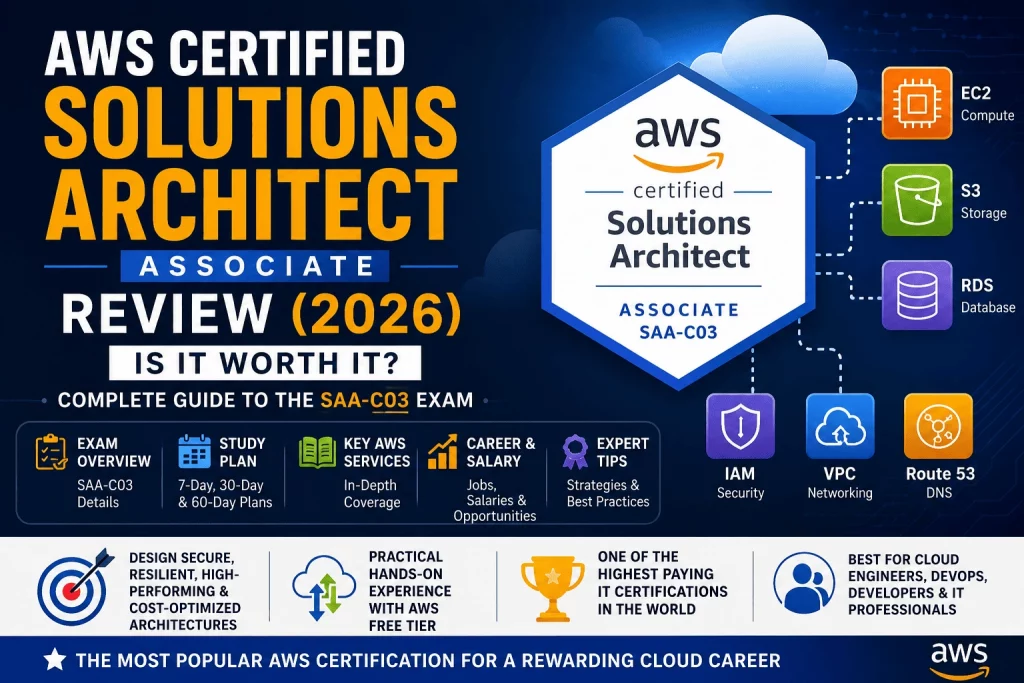
AWS Certified Solutions Architect – Associate (exam code SAA-C03) is Amazon’s most popular certification, and by a wide margin. It sits one level above AWS Certified Cloud Practitioner in AWS’s certification hierarchy, but the jump in scope is significant: where Cloud Practitioner asks whether you understand cloud computing conceptually, Solutions Architect Associate asks whether you can actually design AWS systems — choosing the right services, wiring them together correctly, and making the trade-offs between cost, performance, security, and reliability that real-world architecture decisions demand.
Why is it AWS’s most popular certification? Partly because it sits at the exact intersection of technical depth and career applicability. It’s technical enough to be respected by engineering teams, but broad enough that it doesn’t require deep specialization in any single domain — unlike, say, AWS Certified Security – Specialty or AWS Certified Machine Learning – Specialty. It’s also the certification most directly tied to job titles that already exist in large numbers across the industry: Solutions Architect, Cloud Engineer, DevOps Engineer, and Infrastructure Engineer roles all reference AWS architecture skills constantly, which keeps demand for this credential consistently high.
Who should take it? This certification is aimed at people who already touch AWS in some hands-on capacity, or who are close enough to that work to study toward it credibly — cloud engineers, system administrators moving into cloud roles, developers who want to move toward architecture, DevOps engineers, and IT professionals transitioning careers with at least some technical foundation already in place. Complete beginners with zero technical background generally struggle here; AWS itself recommends at least some hands-on AWS experience before attempting SAA-C03, even though there’s no formal prerequisite.
Career opportunities after earning this certification span a genuinely wide range: Solutions Architect, Cloud Engineer, Infrastructure Engineer, DevOps Engineer, Cloud Consultant, and Cloud Support Engineer are among the most common. Because architecture skills transfer across industries, this certification opens doors in technology companies, but also in banking, healthcare, government, and consulting firms that run substantial AWS workloads.
Is it worth earning in 2026? For the audience it’s built for, yes — decisively. It remains one of the highest-ROI certifications in tech broadly, not just within cloud computing, because it combines strong salary potential with genuinely transferable, real-world applicable skills. The caveat is that it rewards people who put in real hands-on practice, not just reading. Candidates who treat it as a memorization exercise tend to underperform relative to their study hours, while candidates who build things in the AWS Free Tier alongside their reading consistently report an easier exam experience.
Quick Verdict™
| Category | Rating / Summary |
|---|---|
| Difficulty | Moderate to high — the most commonly cited “hardest” foundational-adjacent AWS exam due to scenario-based, trade-off-heavy questions |
| Best for | Cloud engineers, developers moving into architecture, DevOps engineers, and IT professionals with some hands-on AWS exposure |
| Cost | $150 USD (single exam attempt) |
| Study time | 4–8 weeks for most candidates with prior IT experience; longer for complete beginners |
| Salary potential | Strong — commonly cited among the highest-paying IT certifications globally |
| Overall rating | Highly recommended as the natural next step after Cloud Practitioner, or as a first AWS certification for candidates with existing technical experience |
What Is AWS Certified Solutions Architect – Associate?
The purpose of SAA-C03 is to validate the ability to design distributed systems on AWS that are secure, resilient, high-performing, and cost-optimized — the same four pillars that structure the exam’s official domains. Unlike Cloud Practitioner, which tests recognition and conceptual understanding, this exam tests applied judgment: given a business requirement, can you choose the right combination of services and configurations to meet it.
Its certification level is Associate — the second tier in AWS’s four-tier structure (Foundational, Associate, Professional, Specialty). It sits above Cloud Practitioner and below AWS Certified Solutions Architect – Professional, and it’s positioned alongside AWS Certified Developer – Associate and AWS Certified SysOps Administrator – Associate as one of three Associate-level certifications, each focused on a different role’s perspective on AWS.
The target audience is architects, engineers, and technically-minded professionals who design or influence how systems are built on AWS — even if “Solutions Architect” isn’t yet their formal job title. AWS explicitly recommends candidates have at least one year of hands-on experience working with AWS technology before attempting this exam, though plenty of candidates pass with less, particularly if they supplement study with deliberate Free Tier practice.
Skills validated include the ability to design architectures that meet defined availability and fault-tolerance requirements, choose cost-effective storage and compute options for a given workload, apply appropriate security controls at the network, identity, and data layers, and select the right database, caching, and content-delivery strategy for a given performance requirement.
For AWS architecture fundamentals, this exam assumes working familiarity with concepts that Cloud Practitioner only introduces at a surface level: how VPCs are actually structured with public and private subnets, how Auto Scaling Groups respond to demand, how Multi-AZ deployments differ from Multi-Region ones, and how AWS’s various storage and database services trade off consistency, latency, and cost against one another. Where Cloud Practitioner asks “what is S3,” Solutions Architect Associate asks “which S3 storage class and lifecycle policy fits this specific access pattern, and why.”
This distinction matters more than it might first appear, because it changes what “studying” actually means for this exam. Cloud Practitioner rewards recognition — being able to identify the right term or service from a definition. Solutions Architect Associate rewards synthesis — being able to hold several services in mind simultaneously and reason about how they interact under a specific set of constraints. A typical exam question might describe a company needing to serve a global user base with low latency, strict data residency requirements in certain countries, and a fixed monthly budget, then ask which combination of CloudFront, Route 53 routing policies, and Regional deployment strategy satisfies all three constraints at once — not just which single service is “correct” in isolation.
This is also why AWS explicitly frames the certification around the Well-Architected Framework’s pillars rather than around a simple service catalog. Every scenario on the exam is implicitly asking which pillar matters most in that specific situation — sometimes security has to take priority even at a performance cost, sometimes cost optimization is the deciding constraint even if a more resilient design exists on paper. Recognizing which pillar is actually driving a given question is often the fastest way to eliminate wrong answers that would otherwise sound equally plausible.
Who Should Take This Certification?
Beginners — Not the ideal starting point for someone with zero technical background. AWS Cloud Practitioner is a better entry point for true beginners, since Solutions Architect Associate assumes a working knowledge of networking, storage, and compute concepts that beginners typically haven’t built yet.
Cloud Engineers — A near-perfect match. This certification directly validates the day-to-day skills cloud engineers already use, and formalizes that expertise into a credential recognized industry-wide.
System Administrators — Sysadmins transitioning from on-premises infrastructure to cloud roles find this certification bridges the gap well, translating familiar concepts (servers, storage, networking, backups) into their AWS equivalents.
Solutions Architects — Professionals already working in an architecture capacity, whether on-premises or in another cloud, benefit from formal AWS validation of skills they’re likely already applying informally.
DevOps Engineers — While DevOps Engineer Professional is the more specialized DevOps credential, Solutions Architect Associate provides essential architecture context that makes advanced automation and deployment work more effective.
Developers — Backend and full-stack developers who want to move toward architecture, or who simply want to make better-informed decisions about how their applications are deployed and scaled, gain significant value here.
IT Professionals changing careers — For career changers with an existing technical foundation (networking, systems administration, software development), this certification is a credible, respected way to pivot into cloud-focused roles without starting from zero.
AWS Solutions Architect Exam Overview
| Category | Details |
|---|---|
| Exam Code | SAA-C03 |
| Level | Associate |
| Duration | 130 minutes |
| Questions | 65 (50 scored, 15 unscored/experimental) |
| Passing Score | 720 out of 1,000 (scaled scoring) |
| Cost | $150 USD |
| Validity | 3 years from the date passed |
Question formats include multiple-choice and multiple-response, delivered via Pearson VUE testing centers or online proctoring. The exam does not include a hands-on labs component — unlike AWS Certified SysOps Administrator – Associate, which does — so all questions remain scenario-based multiple-choice or multiple-response rather than live console tasks.
Official Skills Measured
AWS structures SAA-C03 around four official domains, each representing a different architectural priority a real Solutions Architect has to balance simultaneously.
Design Secure Architectures (30%). The largest domain, covering how to design access controls using IAM, secure workloads at the network layer using VPCs, security groups, and NACLs, and apply data protection strategies including encryption at rest and in transit. This domain assumes familiarity with the principle of least privilege and the practical mechanics of implementing it across AWS services.
Design Resilient Architectures (26%). Covers designing multi-tier architectures, choosing appropriate storage and compute options for resilience, and implementing solutions that meet defined recovery time objective (RTO) and recovery point objective (RPO) requirements. Multi-AZ deployments, backup strategies, and decoupling components using SQS and SNS all fall under this domain.
Design High-Performing Architectures (24%). Focuses on selecting the right storage and database solutions for performance requirements, designing high-performing and elastic compute solutions using Auto Scaling and Elastic Load Balancing, and choosing networking and caching solutions — including CloudFront and ElastiCache — to reduce latency.
Design Cost-Optimized Architectures (20%). Covers designing cost-optimized storage, compute, database, and network solutions, including choosing between On-Demand, Reserved, and Spot pricing models, and applying storage lifecycle policies to control long-term cost.
Because Secure Architectures and Resilient Architectures together account for 56% of the exam, and all four domains draw heavily on the same underlying service knowledge, most candidates find that studying services deeply — rather than domain by domain in isolation — produces the most efficient path to exam readiness.
AWS Services Covered
EC2 — Virtual servers, with a much deeper expectation than Cloud Practitioner: instance types and families, placement groups, purchasing options, and how EC2 integrates with Auto Scaling and Elastic Load Balancing.
S3 — Object storage, tested in depth: storage classes, lifecycle policies, versioning, replication, and static website hosting configurations.
RDS — Managed relational databases, including Multi-AZ deployments for high availability, read replicas for performance, and how RDS compares against self-managed databases on EC2.
IAM — Identity and access management, tested at a design level: roles versus users, policy structure, cross-account access, and least-privilege design patterns.
VPC — Virtual private networking, one of the most heavily tested topics: public and private subnets, route tables, NAT gateways, VPC peering, and security groups versus network ACLs.
Route 53 — DNS and domain routing, including routing policies (weighted, latency-based, failover) used to direct traffic intelligently across Regions or endpoints.
CloudFront — AWS’s CDN, tested around caching strategies, origin configuration, and how it integrates with S3 and custom origins to reduce latency globally.
Elastic Load Balancer — Distributing traffic across multiple targets, including the differences between Application, Network, and Gateway Load Balancers and when each fits a given architecture.
Auto Scaling — Automatically adjusting compute capacity based on demand, tested alongside Elastic Load Balancing as a core pattern for resilient, cost-optimized architectures.
EBS — Block storage for EC2 instances, including volume types and their performance characteristics relative to workload requirements.
DynamoDB — Managed NoSQL database, tested against RDS for scenarios requiring high scalability, low-latency key-value access, or flexible schema design.
Lambda — Serverless compute, tested as a building block for event-driven and cost-optimized architectures rather than as a coding exercise.
ECS — Container orchestration, covering how containerized workloads are deployed and scaled on AWS, including the distinction between EC2 and Fargate launch types.
EFS — Managed, scalable file storage, tested against EBS and S3 for scenarios requiring shared, POSIX-compliant file access across multiple instances.
SQS — Managed message queuing, used to decouple application components in resilient, loosely coupled architectures.
SNS — Managed pub/sub messaging, used for fan-out notification patterns and integrating with SQS, Lambda, and other services in event-driven designs.
AWS Service Cheat Sheet™
| Service | Purpose |
|---|---|
| EC2 | Compute |
| S3 | Storage |
| IAM | Security |
| Lambda | Serverless |
| Route 53 | DNS |
| CloudFront | CDN |
| RDS | Database |
| VPC | Networking |
| Auto Scaling | Scalability |
| EBS | Block storage |
| DynamoDB | NoSQL database |
| SQS | Messaging (queues) |
| SNS | Messaging (pub/sub) |
| ECS | Container orchestration |
| EFS | Shared file storage |
Keep this table close during study — a large share of SAA-C03 questions ultimately reduce to matching a described architectural requirement back to one row on this list, then reasoning through the trade-offs against the next closest alternative.
Architecture Concepts
High Availability — Designing systems to remain operational despite individual component failures, typically through redundancy across Availability Zones.
Scalability — The ability of a system to handle increased load, either by adding more resources (horizontal scaling) or increasing the capacity of existing resources (vertical scaling).
Fault Tolerance — A step beyond high availability: designing systems that continue operating correctly even when a component fails, without a noticeable service interruption.
Disaster Recovery — Strategies for recovering systems after a major failure or outage, ranging from backup-and-restore (cheapest, slowest recovery) to multi-site active-active (most expensive, fastest recovery).
Cost Optimization — Designing architectures that meet requirements at the lowest sustainable cost, balancing pricing models, storage tiers, and right-sized compute against performance and resilience needs.
Shared Responsibility Model — Carried over from Cloud Practitioner but applied more concretely here: understanding exactly which security and availability responsibilities fall to AWS versus the architect designing the solution.
Multi-AZ — Deploying resources across multiple Availability Zones within a Region to protect against a single data center failure, most commonly discussed in the context of RDS and Auto Scaling Groups.
Elasticity — The ability of a system to automatically expand and contract capacity in response to real-time demand, distinct from scalability in that it’s specifically about automatic, on-demand adjustment.
Understanding how these eight concepts interact with each other, rather than studying each in isolation, is what actually separates strong SAA-C03 candidates from ones who’ve merely memorized definitions. High availability and fault tolerance are often confused, for instance, but the distinction shows up repeatedly on the exam: a high-availability design might still experience a brief, user-visible interruption during failover, while a fault-tolerant design is engineered specifically to avoid that interruption entirely — usually at meaningfully higher cost. Similarly, scalability and elasticity get used interchangeably in casual conversation, but the exam treats them as distinct: a system can be scalable (capable of handling more load if provisioned to do so) without being elastic (automatically adjusting that provisioning on its own).
Disaster recovery strategy is worth singling out further, since it’s one of the more numerically precise topics on the exam. AWS generally recognizes four DR strategies, ordered from cheapest/slowest to most expensive/fastest: backup and restore, pilot light, warm standby, and multi-site active-active. Exam questions in this area almost always hinge on matching a stated recovery time objective (RTO) and recovery point objective (RPO) to the cheapest strategy that still satisfies both — choosing a strategy that’s more resilient than the stated requirement demands is just as wrong an answer as choosing one that’s insufficient, because it fails the cost-optimization pillar even while succeeding on resilience.
Hands-On Skills Required
Unlike Cloud Practitioner, passing SAA-C03 on knowledge alone — without ever touching the AWS Console — is a difficult path for most candidates. The exam’s scenario-based format rewards intuition that’s genuinely difficult to build from reading alone. Priority hands-on skills include:
Building VPCs — Creating a VPC with public and private subnets, configuring route tables, and attaching an internet gateway or NAT gateway.
Launching EC2 — Choosing an instance type, configuring security groups, and understanding how EC2 instances interact with the surrounding VPC.
IAM Users — Creating users, groups, and roles, and attaching policies to understand how permissions actually propagate in practice.
S3 — Creating buckets, configuring storage classes and lifecycle rules, and testing static website hosting.
Load Balancers — Attaching an Elastic Load Balancer to a set of EC2 instances and observing how traffic distribution actually behaves.
Auto Scaling — Configuring an Auto Scaling Group with a launch template and scaling policy, then observing how it responds to simulated load.
Databases — Launching an RDS instance, enabling Multi-AZ, and comparing its behavior and cost against a DynamoDB table for the same basic use case.
AWS Learning Path
Beginner ↓ Cloud Practitioner ↓ Solutions Architect Associate ↓ Professional ↓ Specialty
This is the most commonly recommended AWS certification sequence, though it isn’t the only valid path — candidates with strong existing technical backgrounds sometimes skip Cloud Practitioner and move directly into Solutions Architect Associate preparation, as discussed further below.
Study Plan
7-Day Review
Suited only for candidates who already have significant hands-on AWS experience and are essentially reviewing and filling gaps rather than learning from scratch.
- Day 1: Review VPC networking, subnets, route tables, and security groups
- Day 2: Review EC2, Auto Scaling, and Elastic Load Balancing patterns
- Day 3: Review S3 storage classes, lifecycle policies, and static hosting
- Day 4: Review RDS, DynamoDB, and database selection criteria
- Day 5: Review IAM, encryption, and the Security domain broadly
- Day 6: Full-length practice exam and review of missed questions
- Day 7: Second practice exam, light review, exam day
14-Day Plan
Suited for candidates with moderate hands-on AWS experience — some Free Tier exposure, perhaps a junior cloud role — who need structured reinforcement rather than ground-up learning.
- Days 1–3: Networking fundamentals — VPC design, subnets, routing, security groups versus NACLs
- Days 4–6: Compute and scaling — EC2, Auto Scaling, Elastic Load Balancing, ECS basics
- Days 7–9: Storage and databases — S3, EBS, EFS, RDS, DynamoDB, with emphasis on choosing the right option for a given scenario
- Days 10–11: Security domain — IAM design patterns, encryption, VPC security controls
- Days 12–13: Two full-length practice exams with detailed review
- Day 14: Light review and exam day
30-Day Study Plan
Recommended for candidates with limited prior hands-on AWS experience — perhaps a Cloud Practitioner certification and some Free Tier exploration, but not yet a working cloud role.
- Week 1: Networking and VPC design, paired with hands-on Free Tier practice building an actual VPC from scratch
- Week 2: Compute, scaling, and storage — EC2, Auto Scaling, Elastic Load Balancing, S3, EBS, EFS, with hands-on practice launching and configuring each
- Week 3: Databases and security — RDS, DynamoDB, IAM design patterns, encryption, and the shared responsibility model applied to real scenarios
- Week 4: Cost optimization concepts, disaster recovery strategies, and at least 3–4 full-length practice exams with careful review of every missed question
60-Day Plan
Recommended for complete beginners to AWS architecture — including candidates coming straight from Cloud Practitioner with no professional AWS experience — who want a lower-pressure pace that leaves ample room for genuine hands-on practice.
- Weeks 1–2: Foundational review of networking concepts (even outside AWS, if networking is unfamiliar), then AWS VPC design specifically, built hands-on in the Free Tier
- Weeks 3–4: Compute and storage services in depth, with a small personal project (e.g., a simple web application deployed on EC2 behind a load balancer) to reinforce concepts practically
- Weeks 5–6: Databases, security, and IAM design, including deliberately misconfiguring and then correctly reconfiguring IAM policies to build genuine intuition
- Weeks 7–8: Cost optimization, disaster recovery, full architecture scenario practice, and a heavy rotation of practice exams — aiming for at least 5–6 full-length attempts with consistent scores above the passing threshold before scheduling the real exam
Best Learning Resources
AWS Skill Builder — Official, exam-aligned content directly from AWS, including the “Exam Prep” course specifically built for SAA-C03; the most reliable single source for staying aligned with the current exam version.
AWS Documentation — Free and authoritative, best used for targeted lookups on specific services rather than as a primary learning path given its density.
Tutorials Dojo — Widely regarded within the AWS certification community as producing some of the highest-quality practice exams available, with detailed explanations that go beyond simply marking answers right or wrong.
Udemy — Affordable, comprehensive video courses with lifetime access; particularly strong for candidates who want a full structured curriculum in one purchase.
Coursera — Structured learning paths, often with a more academic pacing, useful for candidates who prefer guided progression over self-directed study.
Hands-on Labs — Given how heavily SAA-C03 rewards applied understanding, guided lab environments that walk through real configuration tasks are disproportionately valuable for this exam compared to Cloud Practitioner.
Practice Exams — Arguably the single most important resource for SAA-C03 specifically, since the exam’s scenario-based, trade-off-heavy question style is difficult to replicate through reading alone; using more than one provider helps avoid over-fitting to one source’s particular question patterns.
AWS Free Tier Guide
For SAA-C03 candidates, the AWS Free Tier isn’t optional supplementary practice — it’s close to essential. The exam repeatedly tests whether a candidate understands how services actually behave when configured together, not just what each service does in isolation, and that kind of intuition is difficult to build from documentation alone.
A focused Free Tier practice sequence: start by building a VPC from scratch, including public and private subnets, a route table, and an internet gateway — this single exercise does more to cement networking concepts than any amount of reading. Next, launch an EC2 instance inside that VPC, attach a security group, and observe how inbound and outbound rules actually control access. Then create an S3 bucket, enable versioning, and experiment with lifecycle rules to see how objects transition between storage classes. Finally, launch a small RDS instance with Multi-AZ enabled (being mindful of Free Tier limits, since RDS Multi-AZ can exceed free usage more easily than single-AZ deployments) to see firsthand how AWS handles the failover process.
As with Cloud Practitioner preparation, always set a billing alarm before experimenting — SAA-C03-level practice tends to involve more services running simultaneously than Cloud Practitioner-level practice, which increases the risk of accidentally exceeding Free Tier limits if resources are left running.
Common Architecture Scenarios
Real SAA-C03 exam questions are almost always framed as a described business scenario rather than a direct service question. A few of the most common patterns worth practicing explicitly:
Highly available website — Typically solved with EC2 instances across multiple Availability Zones behind an Elastic Load Balancer, an Auto Scaling Group to handle demand fluctuation, and a Multi-AZ RDS database for the backend.
Static website — Typically solved with S3 static website hosting in front of CloudFront for global content delivery, often paired with Route 53 for custom domain routing.
Database backup — Typically solved using RDS automated backups and snapshots, or DynamoDB point-in-time recovery, depending on the database type and required recovery point objective.
Multi-region application — Typically solved using Route 53 latency-based or failover routing across resources deployed in multiple Regions, often combined with S3 cross-region replication or DynamoDB global tables for data consistency.
Serverless application — Typically solved using Lambda for compute, API Gateway for the front door, and DynamoDB for storage, eliminating the need to manage servers entirely.
Load-balanced application — Typically solved using an Application Load Balancer distributing traffic across an Auto Scaling Group of EC2 instances, sometimes paired with ElastiCache to reduce database load for frequently accessed data.
Working through each of these scenarios by hand — sketching the architecture on paper or a whiteboard before checking it against a reference solution — builds far more durable understanding than reading a finished diagram alone. The exam rarely presents these scenarios in their clean, textbook form; it usually adds a complicating constraint (a strict budget, a compliance requirement limiting which Region can be used, an existing legacy component that can’t be replaced) that forces a modified version of the standard pattern. Candidates who’ve only memorized the clean version of each scenario, without practicing how to adapt it under a constraint, are the ones most likely to get tripped up by an otherwise familiar-looking question.
AWS Solutions Architect Exam Cost
Registration. The exam costs $150 USD, scheduled through the AWS Certification portal via Pearson VUE.
Discounts. Candidates who already hold an active AWS certification are eligible for a 50% discount voucher on their next exam attempt, applied through their AWS Certification Account.
Voucher opportunities. AWS occasionally issues free retake vouchers after a failed attempt, and certain AWS training partnerships or employer-sponsored programs include exam vouchers as part of broader learning packages.
Retake policy. A failed attempt requires a 14-day waiting period before retaking, with the full exam fee (minus any applicable discount) due again for each subsequent attempt. There’s no cap on the total number of retakes allowed.
Budgeting beyond the exam fee itself: quality practice exam access (through providers like Tutorials Dojo) typically runs $10–20, and a comprehensive video course adds another $15–100 depending on the platform and any ongoing promotions. Most candidates land a total realistic cost — exam fee plus study materials — somewhere between $170 and $300.
Salary by Country
| Country | Typical Annual Salary Range (approximate, local currency) |
|---|---|
| USA | $110,000 – $160,000 |
| Canada | CAD 95,000 – 140,000 |
| UK | £50,000 – £80,000 |
| Australia | AUD 120,000 – 170,000 |
| Singapore | SGD 90,000 – 150,000 |
| Philippines | ₱700,000 – ₱1,500,000 |
These figures are approximate, aggregated from public salary data, and reflect the range across entry-level to mid-career Solutions Architect and Cloud Engineer roles that commonly list SAA-C03 as a preferred or required qualification. The certification consistently ranks among the highest-paying IT credentials globally, and the salary jump from Cloud Practitioner to Solutions Architect Associate tends to be far more pronounced than the jump between most other adjacent certification tiers — a reflection of how much more the exam demands in terms of applied, job-relevant skill.
Career Opportunities
Solutions Architect. The most direct career match — designing AWS-based systems, evaluating trade-offs between cost, performance, and reliability, and often serving as the technical bridge between business requirements and engineering implementation.
Cloud Engineer. A broader technical role that frequently overlaps with Solutions Architect responsibilities, particularly at smaller companies where the two roles aren’t formally separated.
Infrastructure Engineer. Focused more heavily on the operational side of cloud infrastructure — provisioning, automation, and maintaining the systems a Solutions Architect designs.
DevOps Engineer. While DevOps Engineer Professional is the more specialized DevOps-track certification, Solutions Architect Associate provides the architectural grounding that makes DevOps automation work more effective and better-informed.
Cloud Consultant. Client-facing roles at consulting firms, where Solutions Architect Associate is frequently listed as a baseline qualification for advising clients on AWS migrations and architecture decisions.
Cloud Support Engineer. Support roles that go beyond basic troubleshooting into architectural guidance, common at AWS itself and at managed service providers.
Real Job Titles
Beyond the generic “Cloud Engineer” or “Solutions Architect,” job boards frequently list more specific titles worth searching for directly:
- AWS Solutions Architect
- Cloud Infrastructure Engineer
- Cloud Consultant
- DevOps Engineer
- Infrastructure Architect
Hiring Companies
SAA-C03 appears regularly as a preferred or required qualification across a wide range of employers, including:
- Amazon (internal AWS teams and partner-facing roles)
- Accenture
- Deloitte
- IBM
- Capgemini
- Cognizant
- TCS
These companies represent both direct cloud-native employers and major consulting/systems-integration firms, where AWS architecture expertise is a core, billable client-facing skill rather than a purely internal technical requirement.
⭐ Atlas Learning Path™
Cloud Practitioner ↓ Solutions Architect Associate ↓ Professional ↓ Specialty
⭐ Atlas Certification Timeline™
| Stage | Time |
|---|---|
| Learn AWS Networking & Compute Basics | 2 weeks |
| Practice Labs & Free Tier Projects | 3 weeks |
| Mock Exams & Weak-Domain Review | 2 weeks |
| Certification Exam | Week 7–8 |
⭐ Atlas Difficulty Meter™
| Topic | Difficulty |
|---|---|
| Networking | ⭐⭐⭐⭐ |
| IAM | ⭐⭐⭐ |
| Storage | ⭐⭐⭐ |
| Compute | ⭐⭐⭐ |
| Databases | ⭐⭐⭐ |
| Architecture Design | ⭐⭐⭐⭐ |
⭐ Atlas Career Map™
| Goal | Next Certification |
|---|---|
| Deepen architecture skills | Solutions Architect Professional |
| Specialize in security | Security – Specialty |
| Specialize in networking | Advanced Networking – Specialty |
| Move into DevOps | DevOps Engineer Professional |
| Move into data/AI | Machine Learning – Specialty or AI Practitioner |
⭐ Atlas ROI Meter™
| Category | Rating |
|---|---|
| Salary Growth | ⭐⭐⭐⭐⭐ |
| Difficulty | ⭐⭐⭐⭐ |
| Job Opportunities | ⭐⭐⭐⭐⭐ |
| Demand | ⭐⭐⭐⭐⭐ |
| Cost | ⭐⭐⭐ |
| Return on Investment | ⭐⭐⭐⭐⭐ |
⭐ Atlas Hiring Demand™
| Industry | Demand |
|---|---|
| Technology | ⭐⭐⭐⭐⭐ |
| Healthcare | ⭐⭐⭐⭐ |
| Banking | ⭐⭐⭐⭐⭐ |
| Government | ⭐⭐⭐ |
| Consulting | ⭐⭐⭐⭐⭐ |
⭐ Atlas Decision Matrix™
| Factor | Rating / Note |
|---|---|
| Difficulty | ⭐⭐⭐⭐ — Meaningfully harder than Cloud Practitioner; scenario-based and trade-off-heavy |
| Cost | ⭐⭐⭐ — $150 is moderate relative to Cloud Practitioner, low relative to Professional-level exams |
| Career Value | ⭐⭐⭐⭐⭐ — Widely recognized, directly tied to common job titles |
| Salary | ⭐⭐⭐⭐⭐ — Among the highest-paying IT certifications globally |
| Learning Curve | ⭐⭐⭐⭐ — Requires genuine hands-on practice, not just reading |
| Job Demand | ⭐⭐⭐⭐⭐ — Consistently high across technology, finance, and consulting sectors |
⭐ Atlas Architecture Decision Quiz™
A quick way to map a described requirement back to the right AWS service — the exact reasoning pattern the real exam tests repeatedly.
Need a globally distributed application? ↓ YES ↓ CloudFront
Need a relational database? ↓ YES ↓ RDS
Need object storage? ↓ YES ↓ S3
Need virtual servers? ↓ YES ↓ EC2
Need serverless compute? ↓ YES ↓ Lambda
This quiz format is intentionally simple, but it mirrors the exact first step of solving a real SAA-C03 scenario question: strip away the business framing, identify the underlying technical requirement, and match it to the service built for that requirement — before layering in the trade-off reasoning (cost, performance, security, resilience) that determines the specific configuration to choose.
Common Mistakes Candidates Make
- Memorizing services instead of understanding trade-offs. SAA-C03 rarely asks what a service does — it asks which service, and which configuration, fits a specific set of competing requirements.
- Ignoring architecture scenarios in favor of service facts. Practicing only flashcard-style service recall, without practicing full scenario-based questions, leaves a critical gap the real exam exploits repeatedly.
- Not practicing in the AWS Console. Reading about VPCs and actually building one produce very different levels of readiness; skipping hands-on practice is the single most common reason candidates underperform relative to their study hours.
- Poor networking knowledge. VPC design is one of the most heavily and consistently tested topics; candidates who treat networking as a minor topic frequently find it’s the domain costing them the most points.
- Underestimating the Cost Optimization domain. At 20% of the exam, it’s the smallest domain, but candidates who skip it in favor of “more important-sounding” topics leave easy points on the table.
- Studying Cloud Practitioner-level material and assuming it’s enough. SAA-C03 demands meaningfully more depth than Cloud Practitioner across nearly every shared topic; the overlap in vocabulary can create false confidence.
- Relying on a single practice exam provider. Question style and difficulty vary considerably between providers; using at least two helps build genuine readiness rather than pattern-matching to one source’s habits.
- Skipping IAM design patterns. IAM shows up across all four domains, not just Security — under-studying it has a compounding effect across the whole exam.
- Not managing time during practice. 130 minutes for 65 questions allows roughly two minutes per question, but SAA-C03’s longer scenario descriptions mean time management deserves deliberate practice, not just assumption.
- Scheduling the exam before consistently passing practice exams. Candidates who schedule based on a study calendar rather than actual practice exam performance are more likely to sit the real exam before they’re genuinely ready.
One-Day Before Exam Checklist™
✓ Government-issued ID confirmed and matching your Pearson VUE registration name exactly ✓ Pearson VUE account login tested and working ✓ Internet connection tested, if taking the exam via online proctoring ✓ Final review of missed practice exam questions, focused on your weakest domain ✓ Testing space checked for a clear desk and no unauthorized materials nearby, if testing online ✓ Sleep early — SAA-C03’s longer, scenario-heavy questions demand sustained focus across 130 minutes, which a tired mind struggles to maintain
30-Day Progress Tracker™
A simple weekly-milestone structure keeps a 30-day plan honest without requiring a day-by-day checklist:
Week 1 — Networking & VPC Design: □ Complete Week 2 — Compute, Scaling & Storage: □ Complete Week 3 — Databases & Security: □ Complete Week 4 — Cost Optimization, Practice Exams & Final Review: □ Complete
Check off a week only once its practice exam or hands-on milestone is genuinely met — for example, a defined score threshold on a domain-specific practice quiz — rather than simply for having read the material. Milestone-based tracking catches a slipping plan earlier than a purely calendar-based one does.
Is AWS Solutions Architect Worth It?
Career value. Very high, and higher than Cloud Practitioner’s, because SAA-C03 validates skills employers can act on immediately — designing real systems — rather than conceptual literacy alone. It’s frequently listed as a required or strongly preferred qualification in job postings, not just a nice-to-have.
Salary. Consistently ranks among the highest-paying certifications in IT, across nearly every major market. The jump in earning potential from Cloud Practitioner to Solutions Architect Associate is typically far larger than the jump between adjacent tiers elsewhere in the AWS certification path.
Long-term growth. Because the certification requires genuine architectural reasoning rather than memorized facts, the underlying skills it builds continue paying off well beyond the exam itself — the same trade-off thinking it demands is exactly what real Solutions Architect roles require daily.
ROI. Given a $150 exam fee and a study investment typically measured in weeks rather than months, the return relative to the salary and career mobility it unlocks is difficult to match elsewhere in tech certification. The main cost isn’t financial — it’s the genuine time and hands-on effort required to build real readiness, which can’t be shortcut the way some lighter certifications can.
There’s also a useful way to frame the decision for candidates weighing whether this is the right certification to pursue right now, versus waiting until more hands-on experience accumulates naturally on the job. Waiting has a real cost: certifications are most valuable early in a role transition, when a candidate needs an external, verifiable signal precisely because their resume doesn’t yet reflect the experience they’re building. Once someone has spent two or three years in a genuine cloud engineering role, the certification’s marginal value to their resume drops, even though their actual skill has grown — at that point, employers increasingly weigh demonstrated project experience over the credential itself. This argues, for most candidates seriously considering this certification, in favor of pursuing it sooner rather than later, ideally alongside — not after — the hands-on experience that makes it easier to pass.
Comparisons
AWS Solutions Architect vs Cloud Practitioner
Cloud Practitioner is conceptual and foundational; Solutions Architect Associate is applied and technical. Cloud Practitioner has no prerequisites and suits complete beginners; Solutions Architect Associate assumes hands-on AWS familiarity and rewards candidates who’ve already spent time in the console. Career-wise, Cloud Practitioner opens cloud-adjacent roles (support, sales, project coordination), while Solutions Architect Associate opens genuinely technical roles (architecture, engineering, DevOps). Most candidates without a technical background benefit from taking Cloud Practitioner first; candidates with existing IT experience can often move directly to Solutions Architect Associate.
AWS Solutions Architect vs Azure AZ-104
Azure AZ-104 (Azure Administrator Associate) is the closest Microsoft equivalent in terms of market position, though its scope leans more toward day-to-day administration of existing Azure resources than architectural design from scratch — a role more comparable to AWS Certified SysOps Administrator – Associate than to Solutions Architect Associate. Candidates looking for Azure’s closest true equivalent to SAA-C03 in scope and intent typically look toward Azure Solutions Architect Expert instead, which sits at a higher tier than AZ-104. As with the Cloud Practitioner/AZ-900 comparison, the right choice between AWS and Azure certifications generally comes down to which platform your target employer or industry runs on.
AWS Solutions Architect vs Google Professional Cloud Architect
Google Cloud’s Professional Cloud Architect certification is the more accurate cross-platform equivalent to SAA-C03 — both validate the ability to design secure, scalable, cost-effective cloud architectures, and both sit at a comparably advanced difficulty level, arguably with Google’s version having a reputation for being at least as demanding, partly due to its inclusion of a case-study-based question format. The practical difference again comes down to market share and ecosystem: AWS’s broader enterprise adoption generally gives Solutions Architect Associate wider applicability across job postings, while Professional Cloud Architect is the stronger choice for candidates specifically targeting Google Cloud-centric employers or industries where Google Cloud has a stronger relative foothold, such as data analytics and media.
Pros
- Among the highest-ROI certifications in IT, with strong, well-documented salary impact
- Validates genuinely applicable, job-relevant architectural skills, not just conceptual knowledge
- Directly tied to widely available job titles across technology, finance, healthcare, and consulting
- Serves as a strong technical foundation for every Professional and Specialty-level AWS certification that follows
- Recognized and respected globally, across both cloud-native companies and traditional enterprises running AWS workloads
Cons
- Meaningfully harder than Cloud Practitioner, requiring genuine hands-on practice rather than reading alone
- Not ideal as a true first certification for complete beginners with no technical background
- Requires a larger time investment (weeks, not days) to prepare properly
- Exam cost ($150) and total study material cost are higher than Cloud Practitioner’s
- Scenario-based question style can be difficult to fully prepare for without access to high-quality practice exams
Frequently Asked Questions
1. Is SAA-C03 difficult? It’s considered moderately to significantly harder than Cloud Practitioner, mainly due to its scenario-based, trade-off-heavy question style rather than raw factual difficulty.
2. Is it beginner friendly? Not for complete beginners with zero technical background. It’s better suited to candidates with at least some hands-on IT or AWS experience, or those who’ve already passed Cloud Practitioner and built genuine Free Tier practice on top of it.
3. How long should I study? Most candidates need 4 to 8 weeks, though this varies significantly based on prior hands-on AWS experience — candidates already working in cloud roles may need as little as one week of focused review.
4. Is Cloud Practitioner required? No, it’s not a formal prerequisite, but it’s commonly recommended for candidates without prior AWS experience, since it builds the vocabulary and mental models SAA-C03 assumes.
5. What score do I need? 720 out of 1,000 on AWS’s scaled scoring model.
6. Is coding required? No. The exam tests architectural design and service selection, not the ability to write code.
7. Is networking knowledge necessary? Yes, significantly — VPC design and networking concepts are among the most heavily tested topics across multiple domains, not confined to a single section.
8. Which AWS services are most important? EC2, S3, RDS, VPC, IAM, Auto Scaling, Elastic Load Balancing, and DynamoDB appear most consistently across practice exams and real exam experiences.
9. How often is the exam updated? AWS periodically updates SAA-C03 to reflect new services and evolving best practices; always confirm study materials specifically reference the current SAA-C03 version rather than the retired SAA-C02.
10. What certification should I take next? Common next steps include Solutions Architect Professional, Security – Specialty, or a shift toward a different Associate-level track like DevOps Engineer Professional, depending on career direction.
11. How many questions are on the exam? 65 total — 50 scored and 15 unscored, though which is which isn’t revealed to candidates.
12. How long is the exam? 130 minutes.
13. How much does the exam cost? $150 USD, with a 50% discount available for candidates who already hold an active AWS certification.
14. Does the certification expire? Yes, it’s valid for 3 years from the date passed.
15. What happens if I fail? A 14-day waiting period applies before retaking, with the exam fee due again for each subsequent attempt.
16. Can I take the exam online? Yes, online proctoring is available in addition to in-person Pearson VUE testing centers.
17. What are the four exam domains? Design Secure Architectures (30%), Design Resilient Architectures (26%), Design High-Performing Architectures (24%), and Design Cost-Optimized Architectures (20%).
18. Which domain carries the most weight? Design Secure Architectures, at 30% of the exam.
19. Is hands-on AWS experience required to pass? Not formally required, but strongly recommended — most candidates who skip hands-on practice report a harder exam experience than their study hours would predict.
20. Is SAA-C03 the same as the old SAA-C02? No, SAA-C02 has been retired. SAA-C03 is the current version, updated to reflect newer services and evolving domain weighting.
21. Can I skip Cloud Practitioner and go straight to SAA-C03? Yes — candidates with existing technical experience frequently do, particularly those already working in IT, networking, or software development roles.
22. What’s the average pass rate? Industry estimates commonly cite a pass rate around 70–75%, though AWS doesn’t publish official pass rate statistics.
23. Is SAA-C03 worth it for developers? Yes — it helps developers make better-informed decisions about how their applications are deployed, scaled, and secured, even without a formal architecture role.
24. Is SAA-C03 worth it for non-technical professionals? Generally not recommended as a starting point; Cloud Practitioner is far better suited to non-technical audiences given SAA-C03’s technical depth and hands-on assumptions.
25. What’s the best way to study? A combination of a structured course, deliberate hands-on Free Tier practice, and multiple high-quality practice exams from more than one provider tends to produce the strongest results.
26. How does SAA-C03 compare to Developer Associate? Solutions Architect Associate focuses on designing infrastructure and system architecture broadly; Developer Associate focuses more narrowly on building and deploying applications on AWS, with more emphasis on services like Lambda, API Gateway, and CI/CD tooling.
27. Does the exam include hands-on labs? No — unlike SysOps Administrator Associate, SAA-C03 is entirely multiple-choice and multiple-response, with no live console tasks.
28. Is IAM heavily tested? Yes, extensively — IAM design patterns appear across multiple domains, not confined to the Security domain alone.
29. What’s the biggest jump in difficulty from Cloud Practitioner? The shift from recognizing services to reasoning through architectural trade-offs between competing valid-sounding answers is the most commonly cited difficulty jump.
30. Should I take practice exams before or after studying each domain? Both — an early diagnostic practice exam helps identify weak domains before deep study begins, and later practice exams validate whether that studying actually closed the gap.
31. Is SAA-C03 recognized internationally? Yes, AWS certifications carry the same global recognition and validity regardless of the country in which they’re earned.
32. What industries hire SAA-C03-certified professionals most? Technology, banking and finance, and consulting firms show the strongest and most consistent demand, with healthcare and government following closely behind.
33. Can I use the AWS Free Tier to prepare fully? Largely yes, for most core services, though some configurations (like certain RDS Multi-AZ setups) can exceed Free Tier limits quickly if left running — always monitor usage and set billing alarms.
34. How is SAA-C03 different from Solutions Architect Professional? Professional-level certification assumes significantly more real-world experience and tests more complex, multi-account, multi-region, and migration-focused scenarios; Associate-level focuses on core architectural patterns within a more contained scope.
35. Is there a way to check my current readiness objectively? Consistent scores of 80%+ across full-length practice exams from a reputable provider, with no single domain scoring meaningfully below the others, is a commonly cited readiness benchmark.
36. Do I need to know pricing models in detail? Yes — Reserved Instances, Spot Instances, Savings Plans, and On-Demand pricing all appear within the Cost-Optimized Architectures domain, and choosing correctly between them is a recurring question pattern.
37. Is SAA-C03 harder than the AWS Certified Developer Associate exam? The two are generally considered comparable in overall difficulty, though they test different skill sets — architectural breadth for Solutions Architect Associate versus application development depth for Developer Associate.
38. What’s the retake waiting period? 14 days after a failed attempt before the exam can be retaken.
39. Can employers reimburse the exam fee? Many employers do reimburse AWS certification exam fees, particularly when the certification is directly relevant to the employee’s role — worth checking with an employer’s learning and development or HR policy directly.
40. Is SAA-C03 enough on its own to become a Solutions Architect? It’s a strong credential and often a genuine door-opener, but most Solutions Architect roles also expect real-world project experience; the certification is best understood as validating readiness for that experience, not replacing the need for it.
Conclusion
AWS Certified Solutions Architect – Associate earns its reputation as AWS’s most popular certification honestly — it sits exactly where technical credibility, career applicability, and salary potential all overlap most strongly. Unlike Cloud Practitioner, it doesn’t reward passive study; it rewards genuine hands-on practice and the kind of trade-off reasoning that only comes from actually building things, breaking them, and understanding why one architectural choice beats another for a specific requirement.
For cloud engineers, developers moving toward architecture, and IT professionals with a technical foundation already in place, SAA-C03 is one of the highest-leverage certifications available in tech today — not because it’s easy, but because what it validates maps directly onto what real Solutions Architect and Cloud Engineer roles actually demand day to day. For complete beginners, it’s worth building that technical foundation first, whether through Cloud Practitioner, prior IT experience, or deliberate Free Tier practice, before attempting SAA-C03 directly.
Approached seriously — with real hands-on practice, a study plan matched honestly to your starting point, and enough practice exams to know you’re ready rather than hoping you are — this certification pays for itself many times over, both in the immediate salary and career mobility it unlocks and in the architectural thinking it builds for every AWS challenge that follows.
Related Guides
- Microsoft Certifications Guide (2026): The Complete Certification Roadmap
- AI-900 Review (2026): Is Azure AI Fundamentals Worth It?
- AZ-104 Microsoft Azure Administrator Review (2026): Is It Worth It?
- Azure Certifications Guide (2026): The Complete Azure Certification Roadmap
- Free Online Courses for Skill Upgrade in 2026: The Complete Global Guide
- Best Time Management Courses in 2026 (For Government Employees & Professionals)
- Google AI Essentials Review (2026): Everything You Need to Know Before You Enroll
- Google AI Professional Certificate: The Complete 2026 Review
- Google Data Analytics Professional Certificate: The Complete Review
- Google Cybersecurity Professional Certificate Review (2026): Is It Worth It?
- Google IT Support Professional Certificate Review (2026): Is It Worth It?
- Google UX Design Professional Certificate Review (2026): Is It Worth It?
- Google Digital Marketing & E-commerce Professional Certificate Review: Is It Worth It